
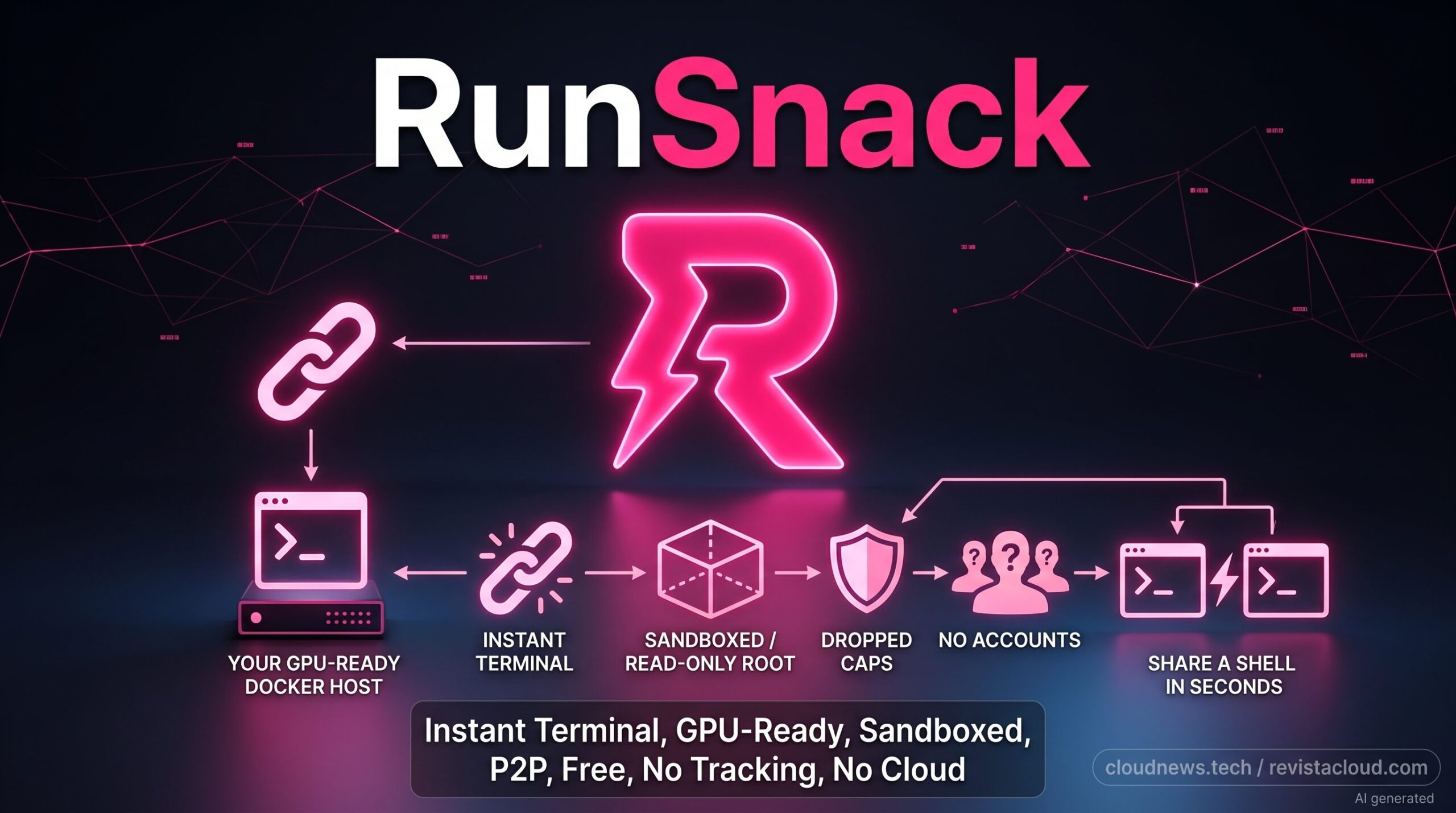
Temporarily sharing a GPU usually means setting up users, SSH keys, access rules, and permissions before anyone else can run a single line of code. RunSnack proposes cutting that process down to running a script and sharing a link that opens a browser terminal inside a Docker container with access to the host machine’s GPU. The project, developed by Manuel Herrador Muñoz, is designed to share hardware directly with one specific person, not to create another GPU marketplace.
RunSnack in 20 seconds
- The host runs a script and gets a link they can share with someone else.
- Access lands in a terminal inside a Docker container, not directly on the host.
- It doesn’t require accounts or charge a fee for sessions.
- It works with compatible NVIDIA GPUs, including Jetson devices and data center hardware.
- Docker limits isolation: the project itself advises against using it with strangers.
The idea is simple precisely because it strips away much of what usually surrounds renting compute capacity. There’s no GPU catalog to publish, no provider account to configure, and no built-in billing system. RunSnack connects whoever has the machine with whoever needs to use it, and leaves any financial arrangement between the two entirely outside the product.
Its own documentation gives examples that are quite far removed from traditional infrastructure rental: a student who needs to use a lab’s GPU for a few hours, a developer who has to reproduce a bug on a physical NVIDIA Jetson, or a collaborator who needs to run code on one specific machine.
That’s precisely where the proposal differs from services designed to help you find available compute capacity somewhere on the internet.
From Running a Script to Getting a Terminal in the Browser
The process RunSnack describes has just a few steps.
On Linux or macOS, you run the installer:
chmod +x snackup.sh
./snackup.sh
On Windows, there’s an equivalent PowerShell script.
The installer checks that Docker is available, asks how many CPU cores and how much RAM can be used, and optionally lets you set an access schedule. It then downloads the corresponding image, starts the container, and displays a link.
Whoever receives that link can open it in a browser and access the session’s terminal. RunSnack says there’s no need to install any software on the remote machine or create an account beforehand.
The first run requires downloading an image of roughly 1.4 GB, according to the project. Later sessions can start without repeating that download.
That’s quite a different experience from a conventional SSH setup.
Temporarily lending access to a machine over SSH can require creating users, distributing keys, reviewing permissions, exposing or making the service reachable, and later revoking those credentials. None of that is especially complicated for a systems administrator, but it’s overkill when someone just needs to use a GPU for a few hours.
RunSnack puts a different interface in front of all that: a temporary link and a web terminal.
The public repository also lets you review the snackup.sh and snackup.ps1 scripts before running them, where you can check how the container is started and which security options are used.
There is, however, an important distinction in the project’s open-source model. The installer scripts are public under the Apache 2.0 license, but the agent that runs inside the Docker image and manages the connection is not open source. The documentation explicitly states that the logic responsible for establishing and maintaining the session ships inside a closed image distributed through Docker Hub.
That’s a relevant detail for organizations that need to fully audit the software running on their servers.
A Container With Reduced Privileges, but Not a Virtual Machine
The security section is probably the most important part of RunSnack.
The container starts with a read-only root filesystem, drops Linux capabilities, runs as an unprivileged user, and enables no-new-privileges. According to the project, the remote user is given a terminal inside that container, not a direct shell on the host system.
That significantly reduces the exposed surface compared with handing over a host account directly.
But RunSnack avoids presenting that isolation as absolute.
Its documentation explicitly warns that Docker is a sandbox, not a hypervisor. That message matters especially because a container shares a kernel with the host system, while a virtual machine normally runs a separate kernel on top of a virtualization layer.
That’s why the project recommends sharing sessions only with users the owner would be willing to give a real shell to, even a contained one.
It also advises against running the service on machines holding sensitive information without first studying what’s exposed behind that boundary.
There’s also another, more specific limitation: the GPU.
RunSnack hands the entire graphics device over to the container. It doesn’t use NVIDIA Multi-Instance GPU (MIG), vGPU, or any other form of accelerator partitioning.
The project itself considers this a weaker isolation boundary and warns that VRAM is not necessarily wiped between contexts, so information could remain accessible across sessions even without an actual container escape.
To reduce that risk when switching users, RunSnack recommends fully powering off the machine for a few seconds. On Linux systems, it also suggests stopping the container and running nvidia-smi --gpu-reset when the hardware supports it.
Warnings like these do a good job of defining which scenarios the project fits and which it doesn’t.
From a Jetson to a B200, With Some Caveats
RunSnack is mainly geared toward NVIDIA hardware.
The website says it can work with any NVIDIA GPU capable of using Docker and the NVIDIA Container Toolkit, including small devices like the NVIDIA Jetson and data center accelerators like the B200. It can also run without a GPU at all, though that’s not its main purpose.
The installer also distinguishes between different architectures.
For x86_64 it uses the standard image. There’s a specific image for NVIDIA Jetson, currently tied in the documentation to JetPack 6.1, and another variant for DGX Spark based on Grace Blackwell.
On DGX Spark and x86 systems, GPU access uses the standard --gpus all mechanism. Jetson requires special handling through the NVIDIA runtime.
This breadth of supported hardware is one of its arguments against distributed capacity marketplaces.
A marketplace needs supply and demand, hardware cataloging, pricing, user management, and typically has to act as an intermediary between whoever offers capacity and whoever consumes it.
RunSnack strips out almost that entire model.
If two people already know each other and one of them happens to have exactly the machine the other needs, the problem stops being about finding a GPU and becomes how to provide temporary access to that GPU with as little work as possible.
That’s where the concept the project calls a “network of one” comes in: there’s no need to build a marketplace when the provider and the user already know who’s on the other end.
RunSnack Doesn’t Aim to Replace a GPU Marketplace
The website itself compares RunSnack with GPU rental services and distributed networks, but those comparisons should be read with caution, since they were drawn up by the project itself and platform features change frequently.
The conceptual difference is clear, though.
A marketplace is designed to help a user find capacity belonging to a provider they probably don’t know.
RunSnack starts from the opposite situation: the two parties already know each other and just need a simple way to share the machine.
That’s why it deliberately leaves out several features common to commercial platforms.
There’s no escrow to hold payments. There’s also no payment system, availability guarantees, session moderation, or service level agreements (SLAs). If the owner charges for lending out the GPU, RunSnack leaves that arrangement entirely outside the service.
It also says it doesn’t store personal information or log session activity. According to its published policy, the connection happens directly between the two parties, and the service neither monitors nor stores the session’s content.
That cuts down on moving parts and simplifies use, but it also removes the protections a commercial platform can provide.
If someone rents a GPU from a stranger through a marketplace, they probably want reputation mechanisms, billing, dispute resolution, and guarantees about the resource’s availability.
RunSnack doesn’t try to solve any of those problems.
The Interesting Use Case Lives Inside Teams, Universities, and Labs
The approach is easier to understand through small, specific situations.
A research team has a workstation with a GPU that a student needs to use temporarily.
A developer maintains software for a Jetson sitting in a lab and needs another developer to reproduce a bug on that exact hardware.
An AI team has a free test GPU for a few hours and wants to lend it to a remote collaborator without creating a permanent account for them on the infrastructure.
In these cases, setting up a marketplace would be overkill.
Even building formal remote-access infrastructure can end up taking more time than the actual work it’s meant to enable.
RunSnack tries to occupy that middle ground between “sitting down in front of the machine” and “turning it into a cloud service”.
The approach also has an interesting property for unusual hardware. A rental platform can offer hundreds of GPUs of the same model, but not necessarily the Jetson wired up to a robot, an experimental workstation, or a machine that holds exactly the environment someone needs to reproduce.
In these scenarios, the value isn’t solely in the GPU’s raw power. It’s in accessing that specific machine.
That’s why RunSnack’s biggest limitation may also be part of its pitch.
It isn’t designed for trusting strangers.
It doesn’t offer an isolation boundary equivalent to a VM. The GPU is shared in full. There’s no SLA, no escrow, and no identity system. Part of the software that manages connections isn’t published as open source, either.
All of that sets it apart from a conventional GPU cloud service.
But for users who know the person on the other end and need to grant temporary access to one specific machine, that absence of a platform layer is exactly what lets the process shrink down to something much closer to screen sharing: run a script, copy a link, and start working.
Frequently Asked Questions
What is RunSnack?
RunSnack is a tool for temporarily sharing a terminal with access to a machine’s resources, including its NVIDIA GPU, through a link that opens in a browser. The session runs inside a Docker container.
Do you need to set up SSH to use RunSnack?
RunSnack’s normal flow doesn’t require handing SSH keys to the remote user. The host runs the installer, starts the container, and shares the generated link.
Is it safe to share a GPU with RunSnack?
RunSnack applies several restrictions to the container, such as a read-only root filesystem, dropped capabilities, an unprivileged user, and no-new-privileges. Even so, the project itself warns that Docker doesn’t provide the same isolation as a hypervisor and recommends using it only with people you trust.
Is RunSnack completely open source?
No. The installer scripts available on GitHub are published under Apache 2.0, but the agent included in the Docker image that manages connections is closed-source software, according to the project’s documentation.
Sources:
- RunSnack, the project’s official website and documentation.
- RunSnack’s official GitHub repository — README, architecture, compatibility, and security model.
