
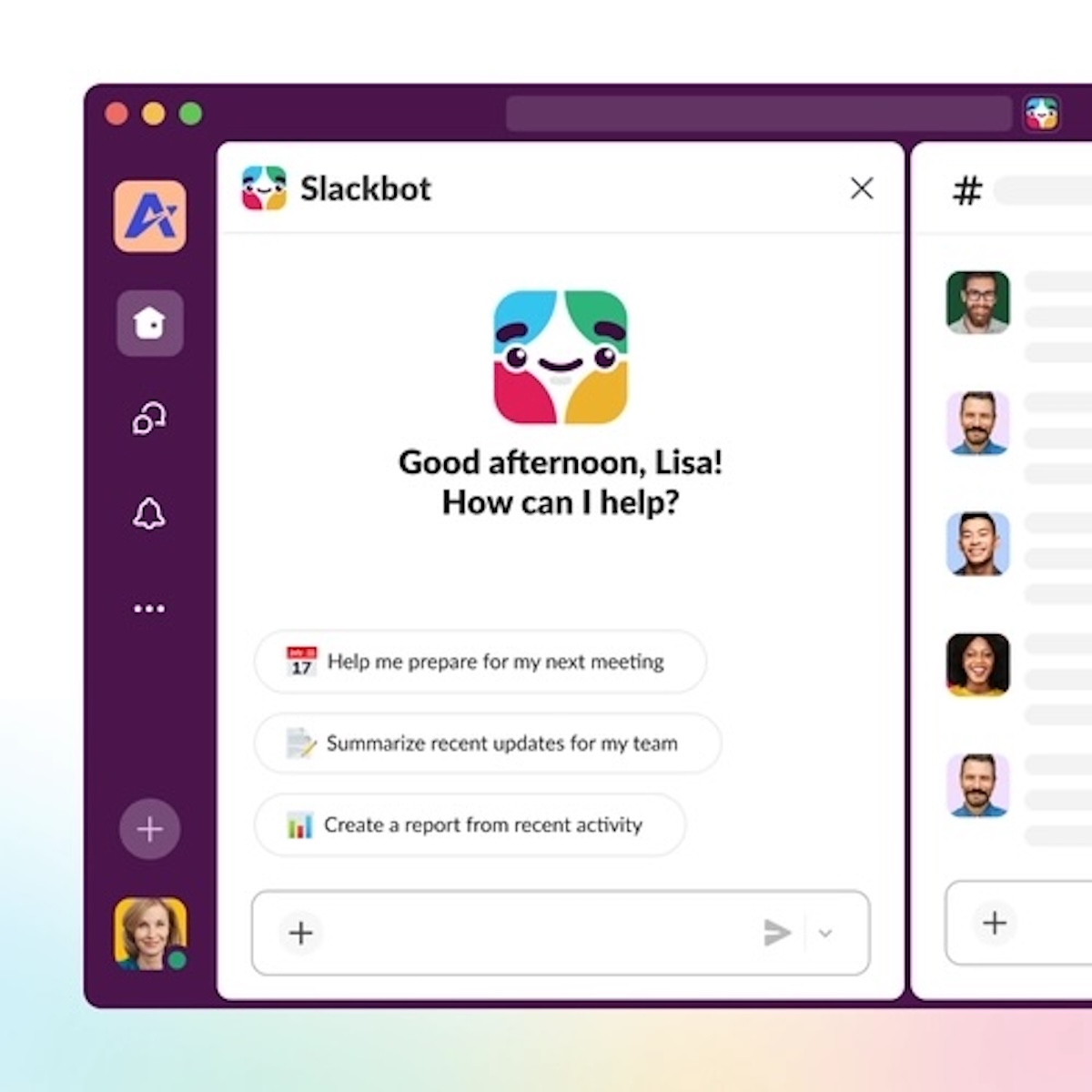
Adobe has launched Adobe for Slack, an integration that brings more than 70 creative and productivity tools directly into Slack conversations. The app lets people ask Slackbot, in natural language, to create or transform images, videos, and documents using capabilities from Firefly, Photoshop, Premiere, Acrobat, Illustrator, InDesign, Lightroom, Adobe Express, and other services. It has been available since September 2, 2026, for organizations on Slack Business+ and Enterprise+.
Adobe for Slack in 20 seconds
- Adobe brings more than 70 creative and document tools directly into Slack.
- Slackbot interprets the request and can call on the right Adobe capability to carry it out.
- It can use conversations, files, channels, and Canvases as context when the user asks it to.
- It lets people create and edit images, video, and PDFs without initially leaving Slack.
- The integration runs on Slack’s app architecture based on the Model Context Protocol (MCP).
The approach goes beyond placing shortcuts to Adobe apps inside Slack. The idea is that a conversation can become the direct starting point for a piece of creative work.
A team might, for example, discuss a campaign in a channel, store the brief in a Canvas, and share reference images. It can then ask Slackbot to pull in that context and use Adobe to prepare different materials.
Slackbot acts as the conversational interface and picks the tools needed to do the requested work.
That brings into the collaborative environment tasks that traditionally required constantly switching between apps, downloading files, and sharing the results again.
From a Slack Conversation to an Image, Video, or PDF
Adobe lays out several scenarios to show how the integration works.
A marketing team could ask Slackbot to find information scattered across a conversation and a Canvas, summarize it, and then use Adobe’s tools to turn it into a PDF document ready to share.
It can also work with images.
Adobe for Slack can remove backgrounds and objects, adjust lighting and tone, crop photos, or resize them. These operations can also be applied to groups of images, which is useful for employee headshots, product catalogs, or photos taken at an event.
Another option is adapting a piece of creative that has already been approved for different social networks.
Instead of manually opening an app, uploading the file, and generating several versions, the user can ask from the conversation for Adobe to prepare the corresponding sizes.
With authorization, the system also has access to assets stored in Creative Cloud.
A user can ask Slackbot to find previous material using criteria such as subject, style, or look, and then use those assets in a new piece of work.
Templates are also part of the integration.
Adobe lets people find a template, change text and colors, generate an animation for social media, or produce a print-ready PDF afterward.
Even a spreadsheet can be used as a starting point to request the creation of a document or a visual piece.
The difference from a chatbot that only generates a text reply lies in the ability to call specialized tools to actually carry out the task.
Slackbot Decides Which Adobe Tools It Needs
The chosen architecture reflects one of the shifts under way around enterprise AI assistants.
Users don’t necessarily need to know which specific tool to use.
They can describe the outcome.
For example, someone could ask Slackbot to find the takeaways from a conversation, locate an image used in a previous campaign, and prepare a new piece of creative adapted to a given format.
Slackbot can interpret the request, retrieve the authorized context, and call on the relevant Adobe functions.
Adobe says the app makes more than 70 tools from its catalog available to Slack.
The brands mentioned include Firefly, Adobe Express, Photoshop, Premiere, Acrobat, InDesign, Illustrator, Adobe Stock, and Lightroom.
That doesn’t mean full versions of Photoshop or Premiere are running inside a Slack window.
What Adobe exposes are certain capabilities of its products so they can be used through the conversational flow.
When a job needs finer creative control, precise editing, or more advanced functions, users can keep working in apps such as Photoshop, Premiere, Acrobat, Adobe Express, or Firefly.
The integration is thus aimed at handling intermediate, repetitive tasks without necessarily replacing the professional applications.
MCP Starts Connecting Enterprise Chat With Real Applications
Adobe for Slack also uses a technology that is rapidly gaining ground in AI tools: the Model Context Protocol (MCP).
MCP provides a standardized way to connect models and agents with external information sources and tools.
Other enterprise platforms are heading in the same direction. Nutanix, for instance, recently opened its hybrid infrastructure to AI agents through its own MCP server, letting assistants query and act on infrastructure data the same way Adobe’s tools now act on creative files.
Slack is using this architecture so its apps can go beyond simply feeding information to the assistant.
Jaime DeLanghe, Slack’s head of product, presents Adobe as an example of how MCP apps can turn a conversation into an action.
The distinction matters.
Early enterprise assistants could summarize a channel, draft a message, or find information.
The next generation is trying to carry out work.
In Adobe’s case, that action can be transforming a file, generating an image, preparing a PDF, or creating a variation of existing content.
The context available inside Slack also plays an important role.
A considerable share of the information needed to produce a corporate document may already be scattered across messages, files, and Canvases.
If the assistant can access that content when the user asks for it, the process no longer has to start with manually gathering all the information.
That turns tools like Slack into potential interfaces for enterprise agents, not just messaging platforms.
Adobe Wants Its Tools Wherever Chatbots Are Used
The Slack integration isn’t an isolated project either.
Adobe is trying to bring its creative tools to the main conversational platforms used at work.
The company has already announced integrations with ChatGPT, Claude, and Microsoft Copilot, while Gemini is among the platforms planned. It builds on Adobe’s broader push into agentic AI, which has already reshaped its enterprise marketing tools through Adobe CX Enterprise.
The goal is for Adobe’s features to be usable from whatever interface the user is already working in.
The strategy makes sense given the growth of AI agents.
If users start asking an assistant directly to “prepare this photo,” “turn this data into a document,” or “adapt this video,” the application providing the underlying capability can gradually end up hidden behind the chatbot.
Adobe therefore has an incentive to make sure Photoshop, Acrobat, Firefly, or Premiere remain the tools actually carrying out those operations, even when the user never opened those programs directly to start the job.
The company is also keeping a clear line between automation and professional editing.
Slack can handle quick tasks and produce first drafts, while the traditional applications remain available whenever a job calls for advanced controls.
That’s an important distinction for creative teams that need to maintain review and manual-editing workflows.
Adobe for Slack Can Be Used Without an Adobe Account
The app is available globally for Slack Business+ and Enterprise+ customers, on desktop, web, and mobile devices.
Setup starts from a direct conversation with Slackbot. From the apps section, users can select Adobe and connect the service.
Adobe lets people start as a guest without having an account of their own.
Signing in or creating a free account unlocks more capabilities, including additional tools, generative AI features, access to files stored in Creative Cloud, and continuity between sessions.
The exact scope of each feature will depend on the accounts, permissions, and services available to each user and organization.
Adobe’s arrival also shows how competition among enterprise collaboration platforms is changing.
For years, Slack, Teams, and similar services competed mainly to concentrate communications and integrations.
With AI agents, a different race is emerging: becoming the place from which the work that other applications carry out gets ordered.
Adobe for Slack fits directly into that model.
The conversation can hold the idea, the instructions, the files, and the corrections. The specialized tools carry out the transformations, and the result comes back to the same space so the team can review it.
Creative software doesn’t disappear from that process.
It can simply start working before the user ever opens it.
Frequently Asked Questions
What is Adobe for Slack?
Adobe for Slack is an app that connects Slackbot with more than 70 of Adobe’s creative and productivity tools to create, edit, and transform content directly from Slack conversations.
Which Adobe apps work with Slack?
Adobe mentions capabilities from Firefly, Adobe Express, Photoshop, Premiere, Acrobat, InDesign, Illustrator, Adobe Stock, and Lightroom, among other tools.
Do you need an Adobe account to use Adobe for Slack?
Not necessarily. Adobe lets people start as a guest, though signing in or creating a free account unlocks additional tools, generative AI features, access to Creative Cloud, and continuity between sessions.
Which Slack plans support Adobe for Slack?
The integration has been available globally since September 2, 2026, for organizations on Slack Business+ and Enterprise+, on desktop, web, and mobile.
