
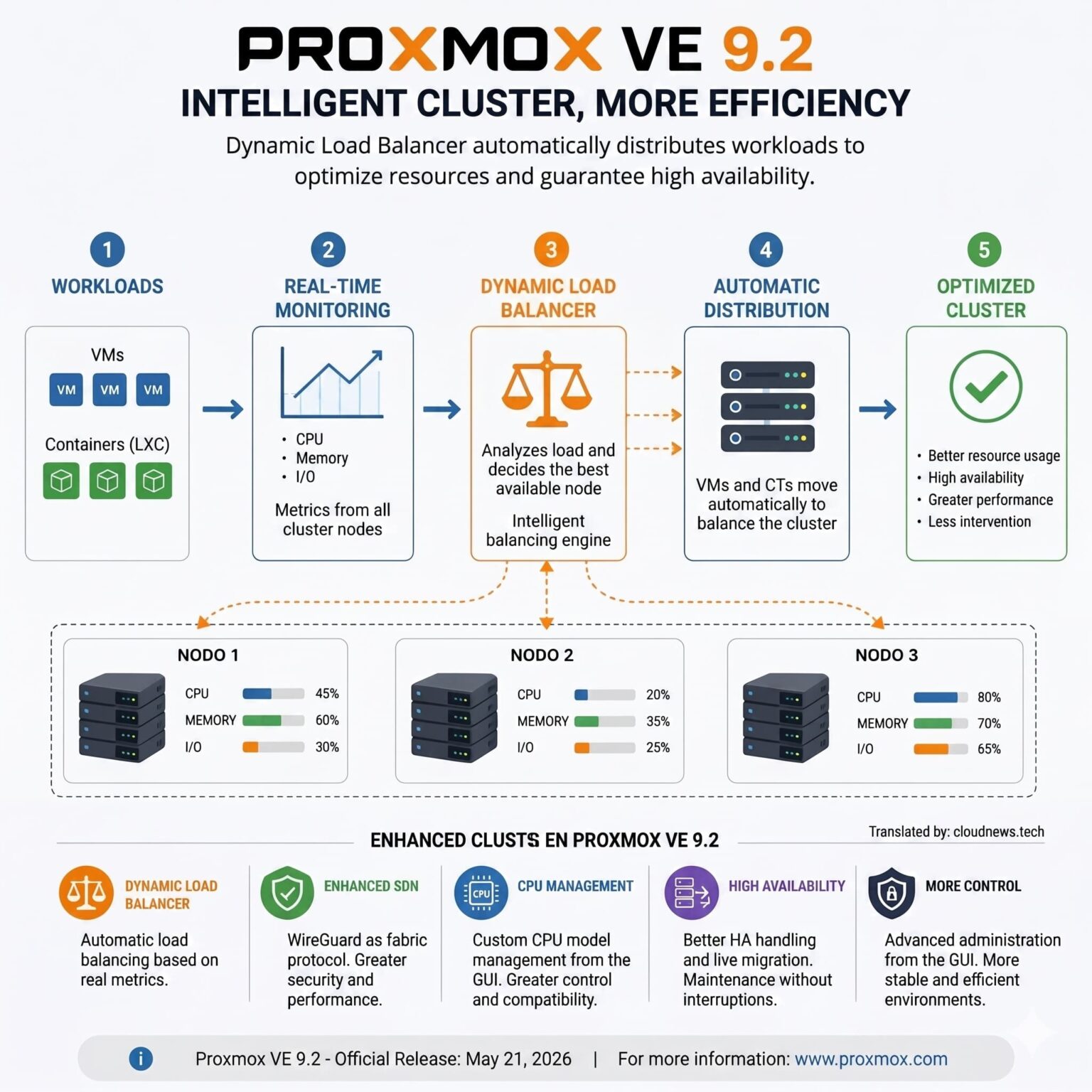
Three-node Proxmox VE clusters come up constantly whenever enterprise virtualization and high availability are discussed. The explanation isn’t that three servers magically deliver more performance than two, but something more basic: the quorum a distributed system needs to make decisions safely when a failure occurs. Proxmox’s own documentation recommends at least three nodes when you want high availability with a reliable quorum.
Three-node Proxmox clusters in 30 seconds
- Each node normally contributes one vote, and the cluster needs a majority to keep quorum.
- With three nodes, losing one still leaves two votes available, so the cluster keeps its majority.
- Two-node setups are also possible, and Proxmox supports an external QDevice as a third vote.
- Having quorum doesn’t mean having enough capacity to recover every virtual machine.
- An HA design has to account for N+1 CPU and RAM, storage, Corosync, networking, switching, power, and backup.
The distinction matters because it’s relatively easy to buy three servers, install Proxmox VE, create the cluster, and turn on high availability (HA) resources. That doesn’t mean the infrastructure can actually withstand losing one of those servers.
The problem shows up when the design uses close to 100% of available CPU and memory. If one of the hosts goes down while the other two are already running near capacity, Proxmox can have quorum and correctly detect the failure, but the affected virtual machines won’t have enough resources anywhere to restart.
That’s one of the reasons node count is only part of the design.
Quorum explains why three nodes fit so well
Proxmox VE uses Corosync for cluster communications and pmxcfs, its distributed filesystem, for configuration. Nodes operate through a vote-based quorum system. In a conventional setup, each node contributes one vote.
In a cluster made up of three servers, the basic situation is straightforward:
| State | Available nodes | Votes | Majority? |
|---|---|---|---|
| Normal operation | 3 | 3 of 3 | Yes |
| One node fails | 2 | 2 of 3 | Yes |
| Only one node remains | 1 | 1 of 3 | No |
The goal of quorum isn’t to boost performance; it’s to stop different parts of a split cluster from continuing to act as though each of them had authority over the same resources.
Situations like this can end up causing the well-known split-brain problem, which is especially dangerous when different servers can simultaneously modify shared resources.
That’s why three nodes provide a natural majority: if one disappears, the other two can still agree.
So is a two-node cluster wrong?
No.
Proxmox supports two-node configurations and specifically documents using a QDevice for small clusters that need higher availability.
The QDevice provides an external vote without necessarily adding a full third virtualization server. Proxmox recommends it for two-node clusters and, conversely, generally advises against adding it to clusters that already have an odd number of nodes, because of how the voting system behaves differently in that case.
A two-host-plus-QDevice architecture can make plenty of sense when the cost of a third compute node isn’t justified.
But two concepts need to stay separate here: the QDevice helps resolve quorum, it doesn’t add CPU or RAM to run virtual machines.
If one of the two servers fails, the other has to take on whatever workloads get recovered. If it doesn’t have the capacity, having the third vote won’t fix that limitation.
The mistake of running all three servers at 100%
This is where one of the most important aspects of sizing high availability comes in.
Assume a cluster with three servers and 512 GB of RAM per node:
| Node | Physical RAM |
|---|---|
| PVE01 | 512 GB |
| PVE02 | 512 GB |
| PVE03 | 512 GB |
| Total | 1,536 GB |
The platform physically has around 1.5 TB of memory, but that doesn’t mean all of it can be freely assigned to virtual machines if the goal is to keep enough capacity in reserve for the complete loss of one host.
If each server is running with 500 GB in use and PVE01 fails, only around 24 GB is left free across the other two nodes. The machines that were using the resources of the lost server will have a hard time recovering there.
That’s why a high-availability architecture is usually designed with N+1 capacity in mind.
In simple terms, the remaining resources should be enough to support the workloads that need to keep running when one of the nodes disappears.
That doesn’t necessarily mean keeping an entire server empty either.
Capacity can be spread across all the nodes as long as there’s enough aggregate margin left for the failure scenario being planned for. And not every machine has to receive the same priority.
An organization might decide that ERP systems, databases, domain controllers, or certain production services need to recover first, while development machines, labs, or secondary services can stay off during an incident.
Sizing should be based on actual consumption and peaks, not simply by adding up the vCPUs configured across every virtual machine.
Memory tends to be less flexible. A platform with spare CPU but not enough RAM will still struggle to recover workloads.
HA doesn’t mean live migration either
There’s another common mix-up between High Availability and Live Migration.
During a live migration, the source node keeps running. Proxmox can move a virtual machine to another server in a planned way, for example to carry out maintenance.
A physical failure is different.
If a host stops working unexpectedly, there’s no running VM that can be neatly moved off the original server. The HA system has to determine that the node has failed, make sure it’s no longer using resources, and recover the protected workloads on another node.
Proxmox’s documentation explains that its HA stack uses locking and watchdog mechanisms to enable automatic recovery of HA-managed guests after a node is lost or fenced.
So HA can reduce and automate recovery, but it’s not the same as zero downtime.
Applications that need higher continuity also need to build availability into their own architecture, through replication, database clustering, load balancers, or multiple instances.
Corosync, storage, and networking are also part of HA
Having three hosts with enough resources still doesn’t complete the design.
Corosync needs reliable communication between cluster members. Proxmox recommends a dedicated physical network for this traffic and notes that Corosync mainly needs low, stable latency, not especially high bandwidth. A dedicated 1 Gbit/s interface can be enough in many scenarios.
It also supports multiple communication links. The current documentation allows for up to eight networks for Corosync and recommends that real redundancy use physically separate paths.
That raises another important question: what’s the point of having three redundant servers if they all depend on a single switch?
The same goes for storage.
Proxmox can work with different architectures: shared storage, NFS, iSCSI, Fibre Channel, Ceph, ZFS, and local storage, among other options. The choice shapes how migrations happen and how a VM can be recovered when a node disappears.
For HA, Proxmox’s documentation lists shared storage as a requirement for virtual machines and containers managed this way. There are also designs based on distributed or replicated storage that need to be evaluated case by case.
Ceph deserves a special mention because three nodes also frequently show up as the practical minimum configuration in small deployments. But the fact that you can build Ceph with three nodes doesn’t mean three nodes are right for every workload. Usable capacity, disk count, replication, network, IOPS, latency, recovery, and degraded-mode behavior all need to be sized separately.
And then there’s backup
A three-node cluster doesn’t replace backups either.
HA tries to maintain or recover services when infrastructure fails. A backup addresses different problems: accidental deletion, corruption, ransomware, administrative mistakes, or the need to restore data from an earlier point in time.
Proxmox has Proxmox Backup Server (PBS) to protect virtual machines and containers, but the strategy still needs to define retention, Recovery Point Objective (RPO), Recovery Time Objective (RTO), where copies are stored, and regular restore testing.
A platform can have excellent HA and a poor backup strategy, or exactly the reverse.
That’s why, when evaluating a three-node cluster, it’s more useful to drop the question of how many servers Proxmox needs and ask a different one instead: what has to keep running when one of the components disappears.
From there, you can size CPU, RAM, storage, network, and recovery capacity.
Three nodes are common because they provide a simple architecture for keeping quorum after losing one. But high availability really begins when you calculate what happens after that failure.
If critical workloads don’t fit on the two remaining servers, if they all depend on the same switch, or if storage introduces another single point of failure, having three nodes doesn’t by itself make the platform highly available.
Frequently Asked Questions
Does Proxmox require three nodes?
No. Proxmox VE can be used with a single server and supports clusters of different sizes. For HA with reliable quorum, Proxmox recommends at least three nodes; in small two-node clusters, a QDevice can be used as an additional vote.
What happens if a node fails in a three-server Proxmox cluster?
The two remaining nodes keep the majority of votes. If the machines are HA-managed and there’s enough shared storage and resources, Proxmox can recover the affected workloads on the available hosts.
Do you need to leave a Proxmox node empty to get N+1?
Not necessarily. Resources can be spread across all three hosts, but there needs to be enough aggregate free capacity to absorb the workloads you want to recover after losing a node.
Does a three-node Proxmox cluster need Ceph?
No. Ceph is an option, not a general requirement for building a Proxmox cluster. The platform supports different storage alternatives, and the choice should match the availability, performance, and recovery requirements.