
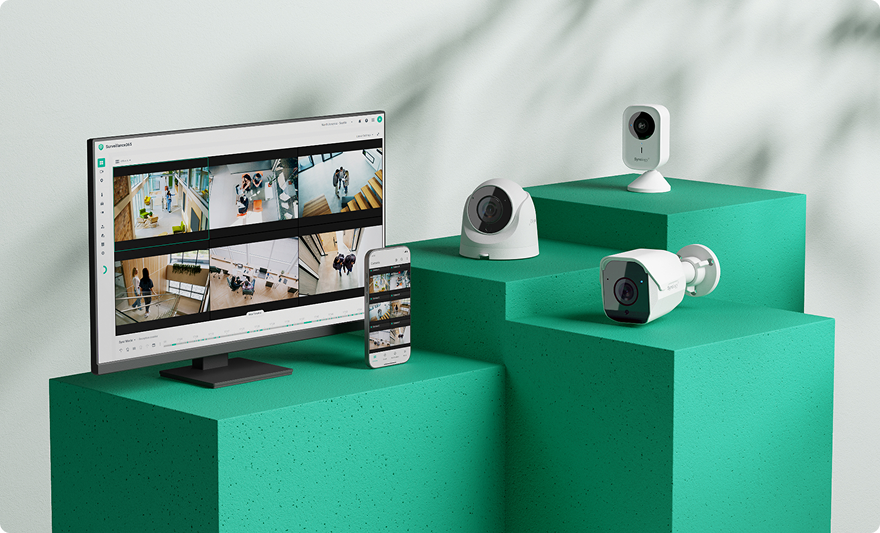
Synology has unveiled the DVA7400, its new video surveillance appliance for large facilities, capable of managing up to 100 cameras and running 40 AI analytics tasks simultaneously. Unlike many cloud-based offerings, both the recordings and the AI processing and its metadata stay entirely within the organization’s own infrastructure.
The Synology DVA7400 in 20 seconds
- The DVA7400 can handle up to 100 high-resolution camera streams.
- It runs up to 40 deep-learning analytics tasks simultaneously.
- Recordings, metadata, and AI processing stay entirely on-premises.
- It adds natural-language video search and attribute-based filtering.
- It can add AI analytics to existing ONVIF-compatible cameras.
Synology positions the new system as its flagship device within the Deep Learning Analytics (DVA) family, aimed specifically at businesses and organizations with large numbers of cameras spread across multiple buildings or locations.
The launch also arrives at a time when artificial intelligence is changing how video surveillance systems work. The question is no longer just about storing hundreds or thousands of hours of footage: software can now analyze the images, detect specific events, and, increasingly, help operators locate a particular scene later on without manually reviewing the recordings.
Up to 100 cameras and 40 simultaneous AI analytics tasks
The DVA7400 uses a 2U rack form factor with 12 drive bays. On that platform, it can process up to 100 high-resolution video streams.
At the same time, it can sustain 40 real-time deep-learning analytics tasks, according to the specifications announced by Synology.
These functions include facial recognition, intrusion detection, crowd detection, and people and vehicle counting, among other capabilities.
The device can also act as a central management server. Through the Central Management System (CMS) included in Synology Surveillance Station, administrators can manage cameras and servers distributed across different locations.
That makes it possible to design installations where cameras aren’t necessarily concentrated in a single building. A company with offices, warehouses, factories, or stores spread across multiple sites can manage all of them from a centralized infrastructure.
But one of the most interesting aspects of the DVA7400 is how Synology is applying AI models to stored recordings.
Its Semantic Video Search feature allows natural-language searches across the video files from all 100 recording sources.
Instead of manually scrubbing through hours of footage, an operator can describe what they’re looking for to try to locate the relevant sequences.
Synology notes that these queries use a dedicated hardware accelerator and isolated resources, so searches over historical recordings shouldn’t consume the resources reserved for the 40 real-time analytics tasks.
Searching for people, vehicles, and license plates across hours of footage
Semantic search is complemented by more structured tools for investigations involving large volumes of video.
Attribute Search lets operators filter targets by visual characteristics, such as clothing color or vehicle type. The system also includes license plate recognition, which can be used both for searches and for access-control scenarios.
Another announced feature is Find Repeated Objects, designed to reconstruct an individual’s movement across different locations by searching for repeated appearances.
This last capability isn’t available yet. Synology says it will arrive in a future update, so it shouldn’t be considered an operational feature of the product at launch.
Together, these tools reflect the evolution video management platforms are going through. Traditionally, a camera recorded footage and a VMS (Video Management System) allowed it to be stored and reviewed. Adding AI turns that archive into a source of information that can be automatically queried and classified.
That shift can be especially useful as the number of cameras grows. Manually reviewing ten minutes of footage is fairly simple; locating a specific event across hundreds of cameras and several days of recordings is an entirely different problem. Synology has been steadily expanding its surveillance lineup — it made a similar case for its cloud-managed Surveillance365 service launched last year, aimed at multi-site businesses that would rather not run a local server at all.
Local AI versus cloud-based video surveillance processing
Synology has placed particular emphasis on the fact that DVA7400 processing happens entirely on-premises.
The recordings and the metadata generated by the analytics remain stored within the organization’s own infrastructure. The company presents this design as a way to keep control over the data and help businesses meet their internal and regulatory requirements.
The distinction matters because footage captured by security cameras can contain especially sensitive information. When technologies such as facial recognition, license plate identification, or people tracking are also applied, handling that data requires particular care.
An on-premises system doesn’t by itself remove data-protection obligations, nor does it automatically make an installation compliant. The organization still has to determine which cameras it uses, what information it processes, how long it retains it, who can access it, and what legal basis allows that processing.
What changes is the architecture: the analysis doesn’t need to send recordings to an external cloud platform to run the announced AI features.
It also reduces the dependence on outside connectivity to continuously process video streams. In installations with dozens of high-resolution cameras, keeping processing close to where the data is stored can also cut down on traffic that would otherwise have to go out to the internet.
Existing cameras can gain AI features too
Another notable point is that Synology doesn’t necessarily require replacing an organization’s existing camera fleet.
The DVA7400 runs its analytics on the server side and supports ONVIF profiles, a standard widely used for interoperability between IP cameras and video management systems.
That allows certain installations to add new analytics capabilities while keeping cameras that were already deployed, as long as they’re compatible with the platform’s requirements.
That option is especially important for large installations. Upgrading the central server can be manageable within a technology project, while replacing dozens or hundreds of cameras — along with their physical installation and configuration — can significantly raise the cost.
The new DVA7400 is now available through Synology’s network of distributors and integrators. With this launch, the company brings an increasingly visible trend in technology infrastructure to the enterprise environment: running AI models close to the data they need to analyze, rather than treating every AI workload as a remote service by default.
In video surveillance, where an installation can generate video around the clock, that decision affects both the storage and network architecture and the control an organization retains over its own recordings.
Frequently Asked Questions
How many cameras does the Synology DVA7400 support?
Synology says the DVA7400 can process up to 100 high-resolution camera streams and simultaneously run up to 40 deep-learning analytics tasks.
Does the DVA7400’s AI run in the cloud?
No. The features Synology announced are processed locally on the device. Recordings and the metadata generated by the analytics stay within the organization’s own infrastructure.
Do I need to replace my cameras to use its AI features?
Not necessarily. Processing happens on the server, and the DVA7400 supports ONVIF, so it can add analytics capabilities to installations with existing compatible cameras.
What can the DVA7400’s AI search for?
Semantic Video Search allows recordings to be queried using natural language. There are also visual attribute filters and license plate recognition, while Find Repeated Objects is planned for a later update.
