
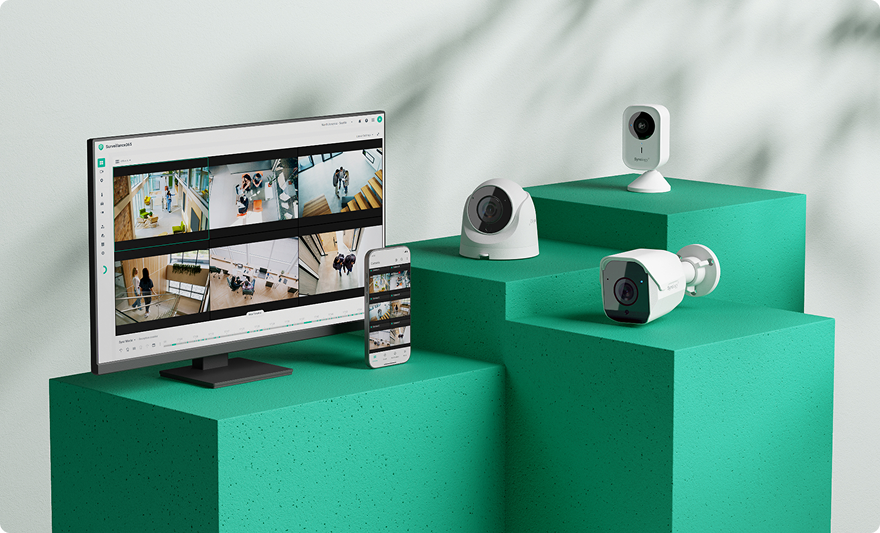
Synology has launched Surveillance365, a Video Surveillance as a Service (VSaaS) platform aimed at multi-location businesses, retail stores, offices, and temporary sites. The solution enables camera management via a web portal or a mobile app, recording on microSD cards, and optional cloud backups without the need to install a video server at each site.
Key features of Synology Surveillance365 in 30 seconds
- Surveillance365 consolidates distributed cameras from a web console and a mobile app.
- The Standard plan is free with compatible Synology cameras and supports local recording on microSD cards.
- Artificial intelligence for detecting people, vehicles, intrusions, or loitering runs directly on the camera.
- The Business plan adds user permissions, multi-site management, auditing, and unlimited streaming.
- Optional backups to C2 OneStorage support retention periods from 45 to 3,650 days.
The offering extends Synology’s strategy beyond Surveillance Station, its traditional on-premise video management platform that runs on NAS servers and network recorders. With Surveillance365, the company provides a cloud-based alternative suitable for deployments where installing and maintaining local infrastructure may be unnecessary or too costly.
The service is now available worldwide and supports Synology’s own cameras for its direct camera-to-cloud mode. Synology claims that each device can be added in about two minutes, though actual setup time depends on network conditions, configuration, and security policies of each organization.
The platform is designed for environments where cameras are spread across multiple locations. A retail chain, construction firm, or small-office organization can manage their fleet from a single account instead of maintaining a separate recording server at each site.
Local recording and AI processing in the camera
Surveillance365 does not necessarily stream all video continuously to the cloud. Primary recordings can be stored locally on a microSD card in the camera, while analysis is performed directly on the device.
This edge processing allows for detecting people, vehicles, intrusions, and prolonged presence without transmitting every frame to a remote data center. The camera can trigger alerts based on rules and reserve bandwidth for live viewing or copying selected events.
This architecture is especially useful in sites with limited connectivity or temporary locations where high-resolution video streaming 24/7 may not be feasible. It also reduces reliance on the cloud for basic functions, although the availability of recordings still depends on the camera and card status.
To access live video, Surveillance365 prioritizes peer-to-peer connections. This means it attempts to establish a direct link between the user’s device and the camera, avoiding full flow transmission via Synology’s servers.
When a direct connection isn’t possible, the system can use a relay service. The Standard plan includes one hour of relayed streaming per camera daily, while the Business plan offers unlimited relayed streaming, according to the company’s information.
Synology also offers a low-bandwidth mode, which, based on testing, can cut bandwidth usage by up to 50% with limited impact on quality. Actual results depend on resolution, codec, frame rate, and scene content.
A free plan requiring Synology cameras
The Standard plan involves no additional cost when using compatible Synology cameras. It includes remote configuration, multi-camera viewing, playback, AI analysis notifications, continuous microSD recording, and remote access.
A key condition is that the camera-to-cloud feature works only with Synology models. Surveillance365 cannot serve as a universal VMS for all IP cameras; it’s designed primarily for Synology cameras or as a backup to Surveillance Station with supported third-party cameras.
When used as a backup for Surveillance Station, the service can protect recordings stored on a Synology NAS and support pre-compatible third-party cameras. Synology’s platform recognizes over 20,000 IP camera models for local management.
The Business plan targets larger organizations with multiple users and sites. It adds sub-accounts, specific permissions, site management, activity logs, and audit trails.
Synology does not publish a fixed price for this plan, instead directing companies to request a quote. Cost will likely depend on the number of cameras, chosen features, and deployment specifics.
This approach creates a clear distinction between small, single-user setups and larger enterprise networks where different staff, security personnel, or external providers need limited access to specific sites.
Backup with C2 OneStorage
While local recording minimizes network use, it concentrates risk at the site itself. If a camera is stolen, the card is destroyed, or a fire occurs, images could be lost.
To mitigate this, Surveillance365 offers optional backup to C2 OneStorage, Synology’s cloud platform. The backup can be continuous or limited to relevant events.
Minimum retention is 45 days, up to a maximum of 3,650 days (approximately ten years). Such long-term storage may be required in some sectors but also increases storage costs and data protection responsibilities.
Synology provides estimates indicating that a 1080p camera streaming at 1.48 Mbps may need around 0.69 TB for 45 days of continuous recording. For 4K at 5.32 Mbps, the estimate rises to approximately 2.47 TB. Actual storage needs vary based on compression, scene dynamics, recording hours, and device settings.
C2 OneStorage can also host recordings exported from Surveillance Station stored on a NAS. You don’t need the Business plan for this; a sufficient storage subscription is enough.
This new service will gradually replace C2 Backup for Surveillance, which will stop accepting new subscriptions. Existing subscriptions will remain active until their retention period ends.
Security, encryption, and regulatory compliance
Access to Surveillance365 supports multi-factor authentication and uses C2 encryption keys that remain under the control of the account owner, according to Synology. This approach aims to reduce the risk of unauthorized third-party access to stored material.
However, security for a video surveillance platform depends not only on encryption. It also involves managing accounts, revoking permissions when employees change roles, updating cameras, protecting networks, and monitoring access logs.
The Business plan includes governance tools especially relevant for distributed installations. Detailed permissions prevent all users from accessing all cameras, while audit logs track who viewed or modified the system.
Synology also states that its compatible cameras meet the requirements of the U.S. National Defense Authorization Act (NDAA) and the Trade Agreement Act (TAA). These are relevant for certain U.S. government procurement processes but do not constitute broad cybersecurity certifications or guarantee protection against attacks.
In Spain and the European Union, organizations must also consider obligations under the General Data Protection Regulation (GDPR). Installing cameras requires defining purposes, limiting access, setting retention periods, and properly informing data subjects about surveillance activities.
Surveillance365 simplifies technical management but does not transfer all legal responsibilities to the provider. For example, a ten-year retention period, while technically feasible, may not be proportionate for a company’s specific activity.
An alternative to traditional NVRs, not a complete replacement
This launch reflects the growth of the VSaaS model—Video Surveillance as a Service. Unlike a dedicated network video recorder (NVR) at each site, such platforms centralize management and distribute processing across cameras, local storage, and cloud services.
The main benefit is rapid deployment: a company can add new sites without acquiring NAS hardware, setting up racks, or deploying specialized personnel.
However, this increases reliance on the manufacturer, their cameras, and subscription plans. It’s also important to consider cumulative storage costs, connection quality, and how easily recordings can be recovered or exported.
Surveillance Station remains valuable for installations requiring more direct local control, multi-vendor camera integration, or high volumes of continuous recording. Surveillance365 targets a different scenario: dispersed cameras, quick deployments, and centralized management without local infrastructure.
The coexistence of both solutions enables Synology to offer a hybrid architecture. A business can operate some locations directly from the cloud and keep others on NAS, sending only remote backup copies of sensitive recordings.
Frequently Asked Questions
What is Synology Surveillance365?
It’s a video surveillance as a service platform enabling camera management, recording review, and alert notifications via web or mobile app.
Does Surveillance365 work with third-party cameras?
The direct camera-to-cloud connection supports only compatible Synology cameras. Third-party cameras may be supported indirectly when recording via Surveillance Station on a NAS and with cloud backups to C2 OneStorage.
Is Surveillance365 free?
The Standard plan is free for compatible Synology cameras. Cloud storage, the Business plan, and advanced features require additional subscriptions.
Where are recordings stored?
Recordings can be stored locally on microSD cards, optionally backed up to C2 OneStorage, or protected in the cloud when stored on a Surveillance Station NAS.
