
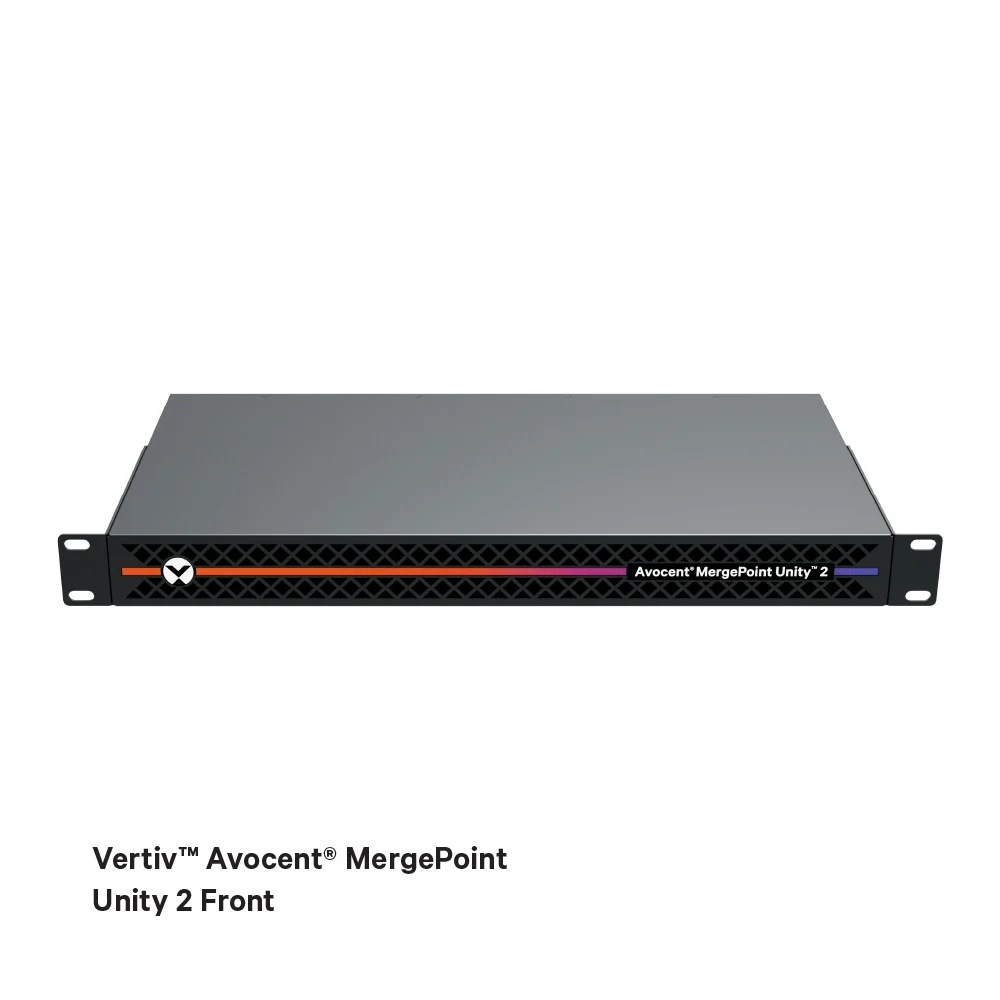
Infrastructure management is no longer confined to a single data center. Between sites, remote offices, and edge deployments, many organizations face a less glamorous but more everyday problem than cloud: maintaining operational control when something goes wrong and no one is near the rack. In this context, Vertiv has introduced the Vertiv™ Avocent® MergePoint Unity™ 2, a new KVM platform focused on providing centralized remote access with a clear emphasis on security and remote operation.
The core idea is simple: if work is distributed, so should the console be. And that console shouldn’t be an insecure “shortcut,” but rather a control point with measures designed for regulated environments—from corporate to administrative settings.
A KVM built for everyday use (and for “it crashed and won’t boot” scenarios)
In practice, a remote KVM remains a classic tool that addresses modern incidents: viewing the screen, sending keyboard/mouse, and recovering control even when the operating system is unresponsive. Vertiv positions the MergePoint Unity 2 as a platform for remote diagnostics, configuration, and recovery, aiming to simplify operations and ensure availability.
For system administrators, the key nuance is that it’s not just about “access to the machine,” but about access during the most critical phases where losing it hurts the most: boot, firmware, and low-level troubleshooting.
Furthermore, the product’s own software notice describes it as a “KVM over IP and serial console switch”, which aligns with mixed environments that are not solely server-based: it also supports network electronics, appliances, and equipment still using serial consoles.
Security: FIPS 140-3, smart card support, and granular permissions
The announcement emphasizes compliance with FIPS 140-3 (cryptographic standards), a critical point for organizations with heightened security requirements or strict audits.
It also includes smart card authentication and Common Access Card (CAC) support, along with user permission controls. The operational takeaway is clear: if you’re centralizing console access for multiple devices, that access must be traceable, restrainable, and compatible with more rigorous identity models than shared passwords.
“Virtual Media” and UEFI/BIOS access: the combo that saves trips
Two features often distinguish “remote access” from “remote troubleshooting”:
- Virtual Media: the ability to mount remote drives for software installations or recovery operations.
- Remote UEFI/BIOS access: entering firmware for critical adjustments and hardware diagnostics.
Vertiv confirms both capabilities are available on the platform, precisely to accelerate updates and reduce downtime.
Real-world examples (for sysadmins and development teams)
- Recovery after a failed patch
A server at a remote office applies an update and enters a boot loop. With access to UEFI/BIOS, the team can review boot order, disk status, or adjust parameters without onsite intervention. - Reinstallation or “rescue” without remote hands
When booting from an ISO (rescue, reinstallation, diagnostics), Virtual Media allows remounting the media remotely to complete the task, saving hours—or days—of coordination. - Operation in edge environments with heterogeneous equipment
Edge often involves mixing servers, gateways, and network devices. A KVM over IP + serial console approach provides a more uniform control layer for incidents that don’t wait for “someone to pass by.” - Deployments that break the boot process in testing environments
For DevOps and programmers, the typical failure isn’t always “service went down”; sometimes it’s “the host doesn’t come back.” Having low-level remote console access speeds up iteration, especially when build or staging environments are distributed.
Web interface, local shortcuts, and rack density
Vertiv adds a practical detail: browser-based interface for both local and remote users, and hotkey support locally for quick movement “at the rack”.
Regarding space, the company indicates that, along with the Avocent Local Rack Access (LRA) console, the entire setup can fit into 1U, a relevant factor when working in tight cabinets or micro-Data Centers.
Integration: from standalone to centralized control
The MergePoint Unity 2 can be managed via its web interface for individual use, or integrated with the Avocent MP1000 Management Platform within the DSView solution, aimed at enterprise-wide centralized management.
In other words: it’s suitable both for resolving problems at remote sites and for organizations seeking a unified management plan without multiple tools or site visits.
Frequently Asked Questions
What’s the point of a remote KVM in 2026 if iDRAC/iLO and management consoles already exist?
A remote KVM provides an additional avenue to view and control equipment at a low level, especially useful when heterogeneity (including serial consoles) exists or when centralized control policies are needed.
What does it mean for the KVM to comply with FIPS 140-3 in a corporate environment?
It is particularly relevant for organizations with strict verified encryption, audit requirements, and security policies aligned with government and enterprise standards.
What use cases does “Virtual Media” solve in system operations?
It allows mounting remote media for installations, rescues, and updates without physical presence, reducing intervention times across distributed sites.
How does remote UEFI/BIOS access assist in an actual incident?
It enables actions when the system isn’t booting: reviewing boot configurations, diagnosing hardware issues, and applying critical settings without onsite presence.