
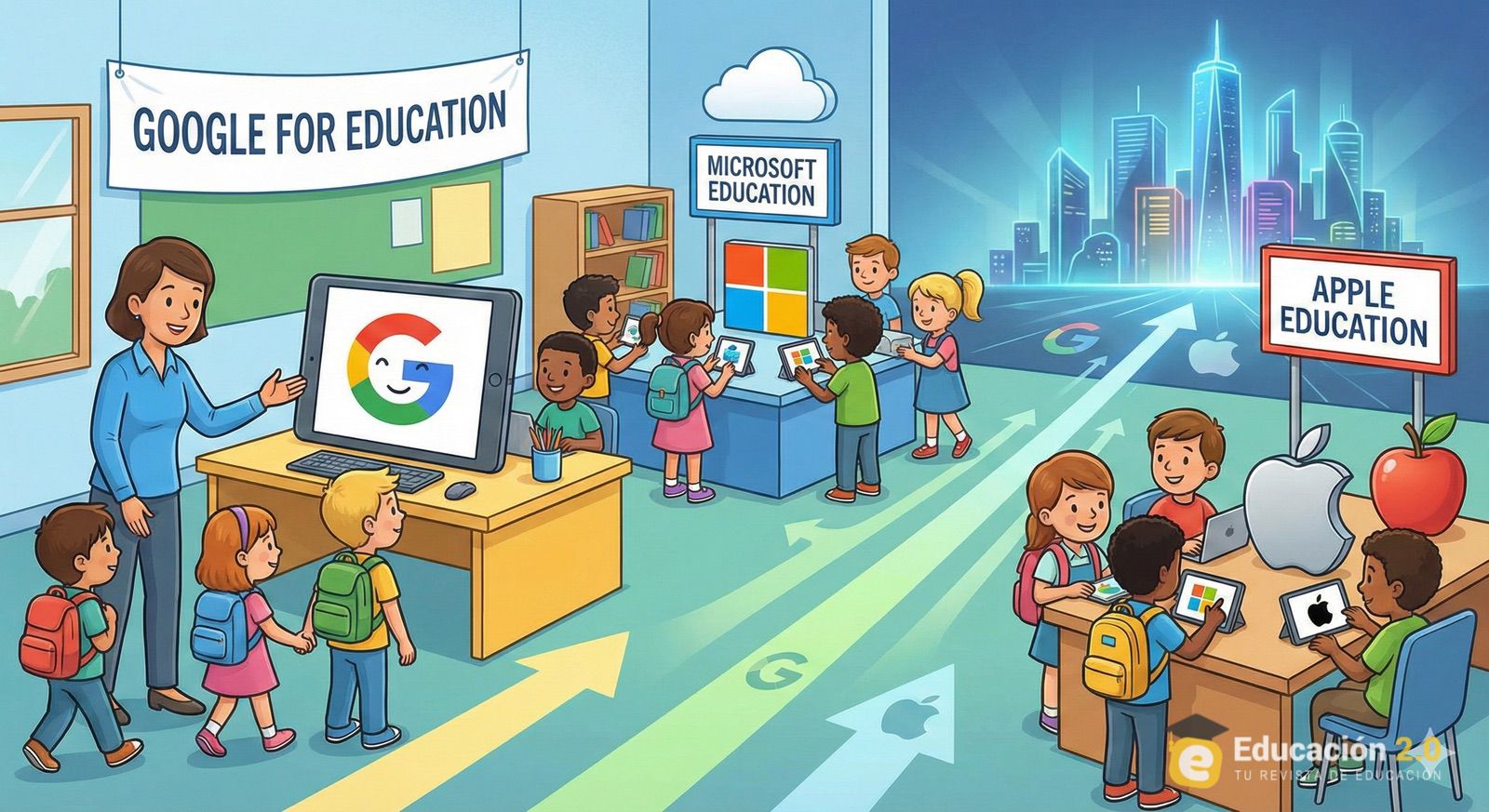
The presence of big tech companies in schools is once again in the spotlight after details emerged from an internal Google document provided during a lawsuit related to child safety in the United States. In this documentation, a 2020 presentation describes the school as a way to “integrate” minors into the company’s ecosystem, with the expectation that early familiarity would translate into long-term trust and brand loyalty.
The debate isn’t new, but it takes on new dimensions when these ideas are put into writing. In a context where digital learning increasingly depends on accounts, platforms, and cloud services, the issue is no longer just about which laptop an educational institution purchases. It becomes about who controls the login, where files are stored, which formats are standardized, which tools become “the standard,” and how easy—or difficult—it is to exit that ecosystem when needs or provider strategies change.
According to what has been published from these legal documents, Google frames school adoption as a way to create habits: if students grow up using a specific operating system, set of applications, and digital identity, sustained use in the future becomes more likely. This case comes at a delicate time for the sector, amid a major lawsuit focusing on the design of digital products and their impact on minors, entering a crucial phase with jury selection scheduled for January 27, 2026. Google has denied that its educational strategy aims to “capture” students and argues that its presence in schools responds to educator demand and that school administration maintains control.
Chromebooks: limited global market share, significant influence in education
In terms of global desktop OS market share, Chrome OS doesn’t compete directly with Windows or macOS. According to StatCounter data, as of December 2025, Windows holds 66.4% of the worldwide desktop market, while Chrome OS accounts for 1.24%. However, its educational relevance isn’t about that percentage but about its value proposition: affordable devices, centralized management, and a “cloud-first” approach based on Google Workspace.
Google Workspace for Education Fundamentals — the entry-level edition — is offered free of charge to eligible educational institutions, enabling schools to deploy email, storage, video calls, and collaborative tools without initial investment comparable to traditional enterprise suites. In practice, Chromebooks are often just the “tip of the iceberg”: what’s really deployed is the suite of services and the habit of working within a Google account from an early age.
The leaked internal document also mentions the ambition to promote YouTube usage related to education. This is where the debate intensifies: many teachers see YouTube as a useful and ubiquitous content repository; critics argue that its algorithmic logic and entertainment dimension make it difficult to incorporate into classroom learning. Google states that using YouTube in schools requires parental consent for minors and that control is managed by school administrators.
Microsoft: the “free” that sets the standard
If Google’s case can be viewed as a “habit-forming” strategy, Microsoft represents the long-standing and more widespread version of the same idea. For decades, millions of students have learned computing by linking productivity tools to Word, Excel, and PowerPoint; and “computer” to Windows. This association has been modernized with Microsoft 365 Education, including plans like Office 365 A1 available free to students and teachers with eligible educational email accounts.
For schools, the appeal is clear: an integrated package of office suite, storage, digital identity, and collaboration tools. For Microsoft, the benefit is less immediate and more structural: it consolidates the format, workflow, and ecosystem. In other words, it trains new generations in a specific way of “doing things,” reducing friction when these users enter higher education or the workforce.
The company tends to present these programs as a commitment to accessibility and equal opportunity. Critics, however, highlight the dependency effect: if a school’s digital life (assignments, communication, repositories, authentication) is built on a single platform, the cost of migrating later increases significantly—even if alternatives exist.
Apple: less volume, more ecosystem
Apple competes in education with a different approach. It relies less on a universal free suite and more on the strength of its ecosystem, hardware, and management capabilities. The company offers special pricing for students and teachers, and in schools, it provides tools like Apple School Manager—a free web portal for device administration and deployment, integrated with MDM solutions to configure and manage devices at scale.
Practically, Apple doesn’t need to dominate the school market in terms of share to influence it: its strategy often targets environments where schools can afford the hardware and value the experience, management, and catalog of educational apps. The result is also a form of “fidelity through integration”: the more classroom activities revolve around devices, apps, and accounts from one provider, the harder it becomes to decouple.
The uncomfortable debate: digital education or digital dependence?
The core question is uncomfortable because it highlights two realities that coexist in schools:
- The need: limited budgets, small IT departments, urgency to digitize processes, and demand for tools that “work without fuss.”
- The consequence: early adoption that normalizes brands, formats, and accounts, which can reduce students’ and the system’s technological autonomy.
At this point, Google’s internal document acts as a catalyst for the debate: it puts corporate language to something many suspected. But the analysis should not be limited to a single company. The pattern repeats with nuances: Google with Chromebooks and Workspace, Microsoft with Microsoft 365 Education, Apple with devices, discounts, and centralized management—all offering “ease” and a lower “entry cost” in one way or another. And by design, they create a continuous relationship.
The alternative: teaching technology as a concept, not as a brand
In response, education and tech experts advocate a simple idea: classrooms should focus on transferable skills, not just on using a specific platform. Practically, this means emphasizing:
- Open standards: formats and procedures that don’t depend on a single provider.
- Real digital literacy: understanding identity, permissions, storage, privacy, networks, and security—beyond just “click here.”
- Open source culture: not as a dogma, but as a way to understand how technology works and to keep options open.
This involves solutions like GNU/Linux in IT classrooms or on reuse PCs, office suites compatible with open standards, self-hosted educational platforms, or software-based tools that help students understand foundations—from the operating system to file management. Adoption, however, is not instant; it requires teacher training, planning, support, and a gradual approach to avoid disrupting daily school operations.
The goal isn’t to exclude Google, Microsoft, or Apple from the classroom. Instead, it’s to prevent the classroom from becoming an inadvertent channel for brand loyalty and to make it a space where students learn to think critically and choose technology, not just consume it.
Frequently Asked Questions
Why is there talk of “technological loyalty” in schools and not just of digital education?
Because when schools adopt accounts, formats, storage, and tools from a provider from an early age, students internalize that ecosystem as “the normal,” increasing the likelihood of continued use in later stages.
What does it mean that Google Workspace for Education or Microsoft 365 Education have free plans?
It lowers barriers for schools to adopt these tools, but also encourages critical processes—like digital identity, document management, and communication—to revolve around a specific platform, making future migration more costly.
What role can Linux play in education without complicating school management?
It can be introduced in controlled environments (IT labs, reused equipment, testing labs) and focus on skills such as file systems, networking, security, programming, and operating system concepts, without replacing everything overnight.
What should a school demand to avoid dependence on a single provider?
Use of open standards, data portability, clear policies on accounts and data retention, ongoing teacher training, and a technological strategy that considers alternatives (including free software) to maintain flexibility.
Source: Educación 2.0