
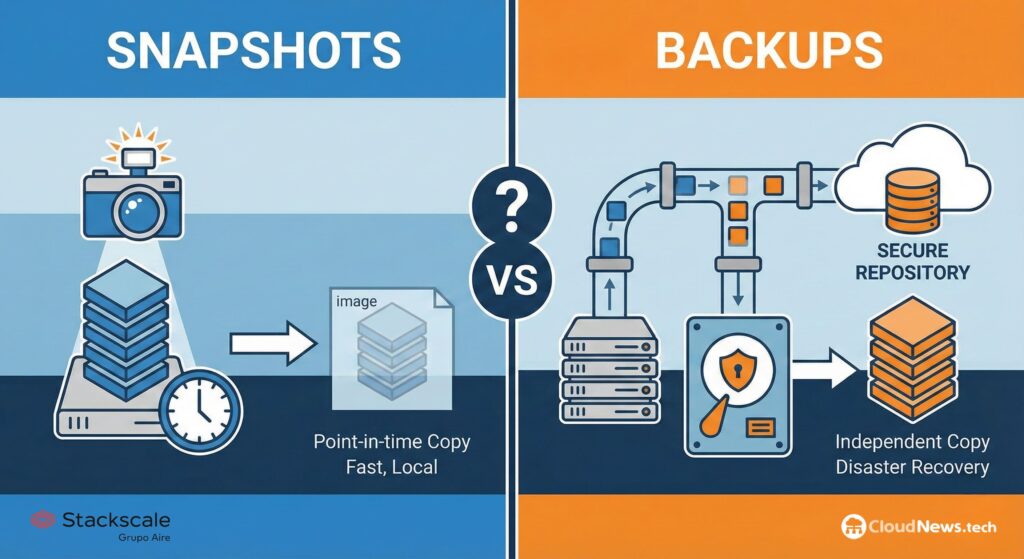
Snapshots are one of those tools that all administrators appreciate when it comes to performing delicate updates, changing configurations, or testing risky procedures. They allow you to save a point-in-time of a virtual machine and revert back if something goes wrong. When used properly, they are quick, convenient, and very useful. Poor management, however, can turn them into a source of performance issues, storage consumption, and operational risks.
The scenario repeats more often than one might think: someone creates a snapshot before an “update just in case,” the task is completed, the machine continues to run, and nobody remembers it. Weeks later, months or even years afterward, the environment begins to slow down, storage grows inexplicably, and consolidation tasks become more complex. The issue isn’t usually the snapshot itself. The problem is forgetting about it.
A clear example shared by the Stackscale (Aire) Infrastructure IT team illustrates this well: a client arrived with performance problems on several virtual machines, and upon reviewing the environment, they found accumulated snapshots dating back nearly three years. This isn’t an extreme or rare case. It’s the kind of oversight that can occur in environments lacking a clear policy for review, expiration, and deletion of snapshots.
A temporary tool, not a backup
The most dangerous misconception is to think that a snapshot equals a backup. It does not. A snapshot depends on the original disk and the VM’s state at the moment it was created. It is useful for reverting to a recent point in time, but it does not provide the same level of protection as a separate, verifiable, and recoverable backup stored elsewhere.
Broadcom, in their best practices documentation for VMware, explicitly states: snapshots should not be used as backups. They also recommend not maintaining a snapshot for more than 72 hours and limiting the number of snapshots in a chain, even though vSphere technically supports up to 32. The reason is simple: the longer a snapshot remains active, the more delta files grow, increasing impact on performance and storage.
In Proxmox VE, snapshots are also useful for preserving a VM’s state to revert to a previous point, but backups are managed separately. Proxmox documentation explains that backups include the VM or container configuration and all data, and can be initiated via the graphical interface or using vzdump. This is a different logic compared to the operational snapshot of a VM.
| Concept | Snapshot | Backup |
|---|---|---|
| Purpose | Revert after a specific change | Recover data or systems after loss, failure, or disaster |
| Recommended duration | Temporary, usually hours or a few days | Policy-defined retention |
| Dependency on original disk | High | Should be independently recoverable |
| Common use | Updates, maintenance, controlled testing | Continuity, recovery, compliance, ransomware protection |
| Risk if forgotten | Growth, slowdown, complex consolidations | Depends on policy, verification, and storage |
| Placement | Within the same environment as the VM | Ideally separate, protected, or even immutable |
What happens when a snapshot remains too long
When you create a snapshot, the VM stops writing directly to the base disk as before, and begins recording changes in files or volumes linked to the snapshot. The system retains the ability to revert to the original point, but at the cost of an additional management layer. This layer isn’t problematic during short-term use but becomes dangerous as it accumulates over time.
Over time, changes grow. If the machine sees high disk activity, delta files can consume large amounts of storage. If multiple snapshots are chained, each read or write operation can require more work. In environments with databases, file servers, ERPs, or high I/O machines, the impact can be even greater.
VMware has published detailed analyses on how snapshots impact guest application performance and provisioning operations. The practical conclusion for administrators is that snapshots must be carefully managed—especially in heavily loaded environments or where consolidation might affect maintenance windows or storage capacity.
| Risk | How it manifests |
|---|---|
| Performance degradation | VM operates with extra disk layers |
| Storage growth | Changes accumulate in delta files or linked volumes |
| Slow consolidations | Removing snapshots requires merging accumulated changes |
| Longer maintenance windows | Consolidation can take a lot of time if the snapshot has grown too much |
| Operational risk | If storage fails during delicate consolidation, impact can be serious |
| False sense of security | Thinking there’s a backup when it’s just a temporary point dependent on the base disk |
The problem worsens when manual snapshots are mixed with those created by backup software. Many backup tools use temporary snapshots to capture running VMs but must delete them afterward. If something fails during this process, orphaned snapshots can remain, sometimes not immediately visible in the main console. Regular reviews are therefore essential to avoid hidden clutter.
Best practices for VMware, Proxmox, and mixed environments
While VMware and Proxmox handle snapshots differently, operational discipline is similar: create only when needed, document the reason, set an expiration date, and remove once the task is completed. In production, a snapshot without an owner or expiry date is a technical debt.
The first rule is simple: every snapshot should have a reason and a responsible person. If you create one before updating an ERP, changing an application, or modifying network settings on a VM, it should be documented who created it and when it will be reviewed. In teams with multiple people, this traceability prevents a temporary measure from becoming a chronic problem.
The second rule is never to use snapshots as a substitute for backups. For true recovery, scheduled copies stored in appropriate repositories, verified, with defined retention, and protected against deletion or threats like ransomware, are necessary. In Proxmox, Proxmox Backup Server manages backup repositories with deduplication and specific copy structures. In VMware, backup platforms integrate via APIs and processes, but the core principle remains: backups must survive primary environment issues.
The third rule is review. Weekly or monthly reports of active snapshots can prevent many incidents. For larger environments, automation with alerts for age, size, and number per VM is recommended. Waiting for storage to be full to realize a VM has been accumulating changes for two years is no longer acceptable.
| Best practice | Practical application |
|---|---|
| Set a maximum lifespan | Define expiration, e.g., 24-72 hours unless documented otherwise |
| Proper naming | Include reason, date, and responsible person |
| Periodic review | Automatic reports on snapshot age and size |
| No uncontrolled chaining | Avoid multiple layers unless justified |
| Verify actual backups | Test restores, not just verify task completion |
| Consolidate during controlled windows | Plan to remove large snapshots to minimize impact |
| Train the team | Make clear that snapshots are not backups |
The real issue isn’t creating snapshots, but managing them properly
Snapshots are often misunderstood or maligned because of improper use. However, banning them altogether doesn’t make sense. They are highly valuable when applied in controlled, disciplined tasks: OS updates, application changes, configuration testing, maintenance interventions, or pre-deployment validations.
The key is to treat them as what they are: a temporary rollback tool. Just as no one would leave scaffolding installed indefinitely after completing a building renovation, active snapshots should not remain months after a maintenance window.
Platforms like VMware or Proxmox work very well if their limits are respected. Problems arise when snapshots become an informal practice, without inventory, policies, or oversight. In such cases, they cease to be safety nets and instead become an invisible burden on the environment.
Virtualization has brought flexibility to IT teams, but it also makes it easier to accumulate small forgotten decisions: temporary disks, old templates, powered-off VMs, unused snapshots, pending configurations. Each might seem minor, but collectively, they can explain much of the performance and capacity issues.
The final recommendation is straightforward: reviewing snapshots should be part of the basic hygiene of any virtualized environment. Just as backups, patches, hardware alerts, and storage monitoring are routine, so should regular audits of existing snapshots, their reasons, and their expected removal dates.
A snapshot can save an intervention; an forgotten one can complicate the entire environment.
Frequently Asked Questions
Does a snapshot serve as a backup?
No. A snapshot is a temporary rollback point dependent on the original environment. A backup must be designed for recovery, with proper retention, verification, and storage.
How long should a snapshot be kept?
Broadcom recommends not retaining snapshots longer than 72 hours on VMware. In general, snapshots should be temporary, with a defined removal date.
What issues can old snapshots cause?
They can degrade performance, consume excessive storage, complicate consolidation, and create a false sense of security.
Is it bad to use snapshots on VMware or Proxmox?
Not at all. They are useful for maintenance, updates, and controlled changes. The problem happens when they are left active for too long or used as backups.
