
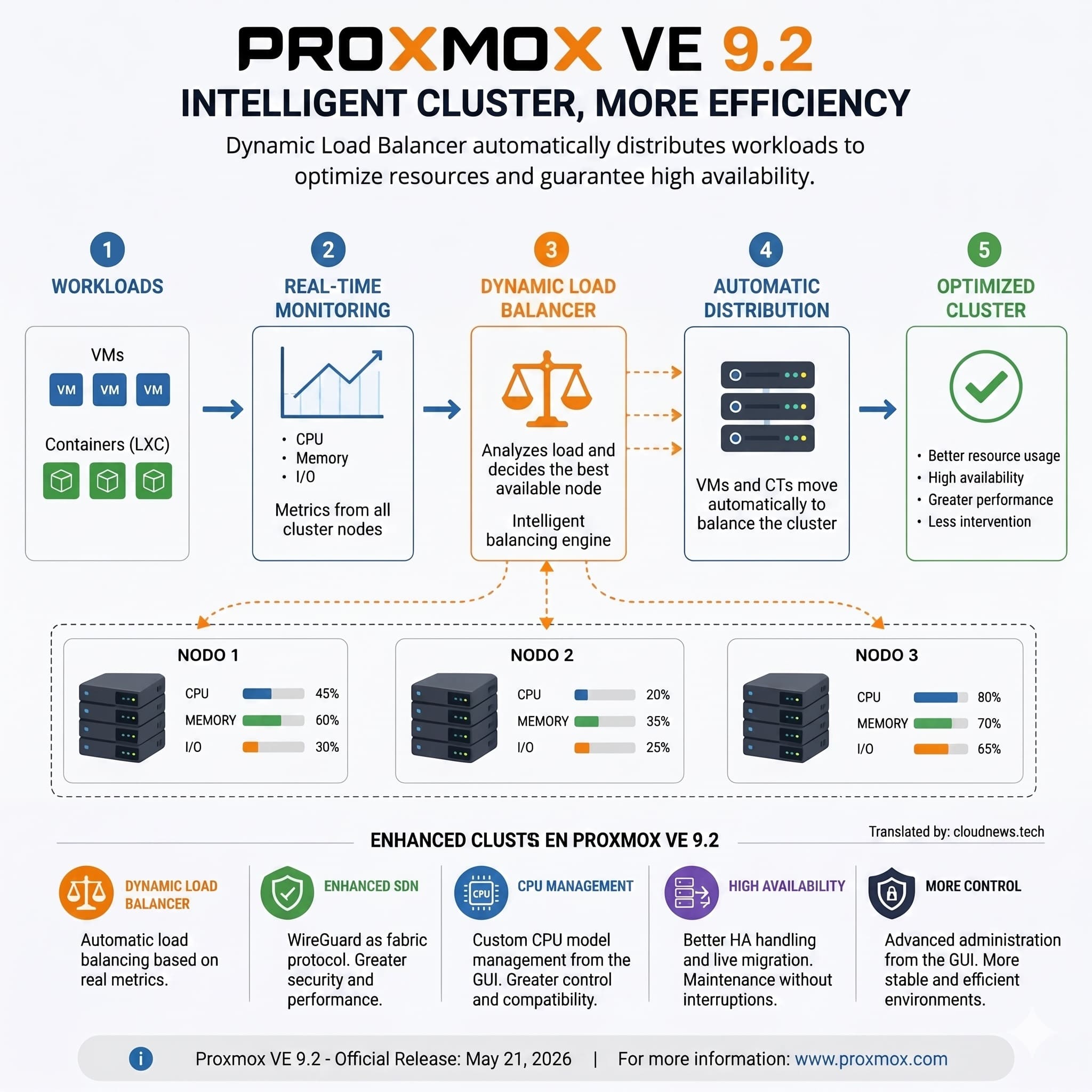
Proxmox VE 9.2’s ZFS replication keeps a copy of virtual machines and containers on a second server without relying on a shared storage array. The feature can help small and midsize businesses recover services when a node fails, but it has a limitation worth knowing before designing the infrastructure: the copy isn’t always current, and the most recent writes can be lost if a crash occurs. On top of that, automating recovery in a two-node cluster requires correctly resolving quorum with a third vote.
ZFS replication in Proxmox VE 9.2 in 20 seconds
- Replication uses ZFS snapshots and transfers changes between servers on a schedule.
- The default interval is 15 minutes, though it can be shortened to as little as one minute.
- Both nodes need compatible local ZFS storage with the same storage ID.
- An external QDevice supplies the third vote needed to maintain quorum when one server fails.
- Replication doesn’t replace backups and doesn’t offer zero-data-loss recovery.
The approach is appealing for companies that want a second server ready to recover services without taking on the cost of shared storage infrastructure. That said, the outcome depends as much on Proxmox’s configuration as on the capacity available on the backup node, the network, and each application’s recovery requirements.
Proxmox VE 9’s documentation includes changes to replication and high-availability configuration that affect older guides. Among them: the ability to dedicate a network to replication, and the use of node affinity rules in place of high-availability groups, which have been deprecated since version 9.0.
How ZFS replication works between two servers
The Proxmox VE tool that manages these jobs is called pvesr. It relies on ZFS snapshots, which let it send a full volume initially and then transmit only the changes relative to a previous snapshot.
In a two-node setup, one node keeps the virtual machine running and writes to its local disks. The second receives the replicas and holds a copy that can be used to recover the service if the primary node stops working.
The default interval is 15 minutes, though a schedule can be set anywhere from one minute to a week. That frequency determines how far the data on the active server and its replica can diverge. If the primary node fails after writing information that hasn’t been replicated yet, those changes won’t be available in the second server’s copy.
Replication also doesn’t turn local disks into shared storage. Each machine writes to a single node while active, and the other keeps an up-to-date copy through scheduled jobs.
Storage compatibility is another limitation. In Proxmox VE 9.2, built-in replication supports local ZFS storage, identified as zfspool. It doesn’t work the same way with any LVM-thin volume, directory, or QCOW2 image, so it’s necessary to check where all the disks of the machines you want to protect are hosted.
The third vote is essential for high availability
One of the factors that most shapes how a two-node cluster behaves is quorum. Proxmox uses Corosync to coordinate cluster members and needs a majority of votes to carry out certain operations. That’s also why three-node Proxmox clusters are so common: a third full node sidesteps the quorum problem described below without needing an external device.
With two nodes each contributing one vote, the sudden failure of one leaves the other without a majority. Even if the machines’ disks are replicated on the surviving server, that doesn’t mean high availability can automatically start them.
The documented solution for this kind of cluster is a QDevice, a component that supplies an extra vote from an external machine. The corosync-qnetd service can run on a separate machine or on separate infrastructure, as long as it doesn’t depend on the same servers whose failure it needs to help manage.
The QDevice doesn’t store the virtual machines or their data. Its role is to participate in the quorum decision. With two nodes plus that third vote, the cluster can keep a majority when one of the servers disappears.
Setting it up requires installing corosync-qnetd on the external machine and corosync-qdevice on the Proxmox nodes. The device is then registered with pvecm qdevice setup, and the result is checked with pvecm status.
It’s also necessary for the surviving server to have enough resources to run the failed node’s workloads. If both machines are already running near capacity, replication won’t prevent memory, CPU, or performance problems during recovery.
What changes in Proxmox VE 9, and what’s lost during a failure
Version 9 introduces adjustments worth reviewing when configuring the infrastructure. Replication can use a dedicated network, separate from management and migration traffic, and high availability uses node affinity rules to express machine placement preferences.
Failback management also changes — the process of returning a machine to its preferred node once that node is available again. Since Proxmox VE 9, this is configured per resource and is enabled by default. Companies that prefer to check the recovered server’s status first can disable it to avoid an automatic return.
During a failure, high availability detects the problem, checks the conditions needed to recover the machine, and starts it from the latest available replica. The documentation cited in the source material estimates a recovery time on the order of two minutes, though the real-world result depends on the configuration and the workloads involved.
Recovery time, known as RTO (Recovery Time Objective), shouldn’t be confused with the recovery point, or RPO (Recovery Point Objective). The first measures how long it takes for the service to come back; the second represents how much data can be lost. Shortening the replication interval can limit that loss, but it doesn’t guarantee a zero RPO.
That’s why applications with operations that can’t be lost need additional mechanisms. A database, for example, may need its own replication or a synchronous storage architecture, depending on its consistency and availability requirements.
Replication also doesn’t replace backups. If a user deletes files by mistake, or an attack encrypts a virtual machine’s data, those changes can reach the second node on the next cycle. Recovering earlier versions requires backups with history, stored outside the cluster and verified through restore testing.
ZFS, Ceph, or shared storage: which option fits
ZFS replication stands out for making use of the two servers’ local disks, avoiding the purchase of an external storage array. It’s a reasonable option for companies willing to accept losing changes made after the last replica and able to tolerate a brief interruption during recovery.
Ceph offers a different approach, based on distributed storage, but it requires a broader architecture and careful planning of network and resources. A shared storage array can fit installations that already have one, though its design must account for redundancy to avoid becoming a single point of failure.
The right choice depends on the type of service being protected. An internal application might tolerate several minutes of divergence between the copy and the live system. A billing platform, a transactional database, or a service that can’t afford to lose operations may need a different solution.
Before putting a two-node cluster into production, it’s worth checking that the ZFS pools share the same name, that the QDevice sits outside the cluster, that the replication network doesn’t interfere with Corosync, and that every important machine has a replication job in place. It’s also advisable to simulate an actual failure, measure the recovery time, and check what data gets lost.
Frequently asked questions
Can a virtual machine be replicated in Proxmox without ZFS?
Proxmox VE 9.2’s built-in storage replication supports local ZFS. Disks hosted on other storage types can’t use this feature in the same way.
How much data can be lost if a node goes down?
It depends on the time elapsed since the last completed replica. With the default 15-minute interval, changes made after that can be lost; with a one-minute interval, that window shrinks, but doesn’t disappear.
Do you need a QDevice to replicate two nodes?
Not to run ZFS replication itself. It is necessary, though, to resolve quorum so a two-node cluster can maintain high availability when one node fails unexpectedly.
Does ZFS replication replace backups?
No. Replication also carries over unwanted changes, including deletions and files encrypted by ransomware. Independent backups with history, stored outside the cluster, are still necessary.
