
ONLYOFFICE has released version 9.3 of its document suite with an update that goes beyond minor tweaks: the company mentions more than 30 new features and improvements, along with over 500 fixes. This update mainly strengthens three very specific areas: PDF editing, advanced spreadsheet work, and the user experience in professional environments where self-hosted deployments remain significant. The version was officially announced on February 24, 2026.
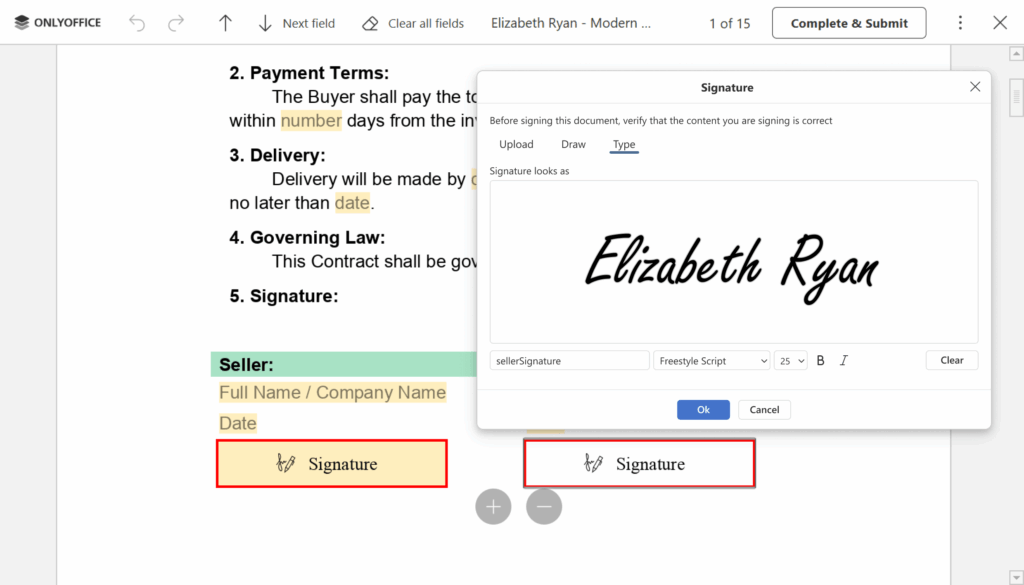
The main highlight of ONLYOFFICE Docs 9.3 remains the PDF editing capabilities. The suite introduces new signing options for PDF forms, allowing users to insert signatures via image, text, or freehand drawing directly on the screen. It also adds editing for password-protected PDFs when the user has the password, version history for PDFs, improved support for embedded fonts, more printing options, redaction features, and macro support within the PDF editor. In other words, ONLYOFFICE continues working to narrow the gap between PDF as a “closed” format and PDF as a fully editable document within a comprehensive office suite.
In word processing documents, the most visible new feature is multi-page view, particularly useful for reviewing layouts, long documents, commercial proposals, or reports with detailed design. The update also enhances collaboration with color-coded user comments, a dedicated tab for headers and footers, and more precise text selection with double or triple clicks. While these aren’t groundbreaking visual changes, they address everyday tasks in offices, documentation departments, education, and corporate environments.
In spreadsheets, ONLYOFFICE 9.3 takes a notable step toward more technical and analytical users with the addition of Solver, which enables solving linear problems using the Simplex method. The update also introduces new functions for regular expressions, support for dynamic arrays, and performance improvements for large sheets—especially for files over 3 MB. A new formatting button also streamlines working with sheets, rows, and columns. For users involved in finance processes, operational control, or data analysis, this part of the update is likely one of the most valuable.
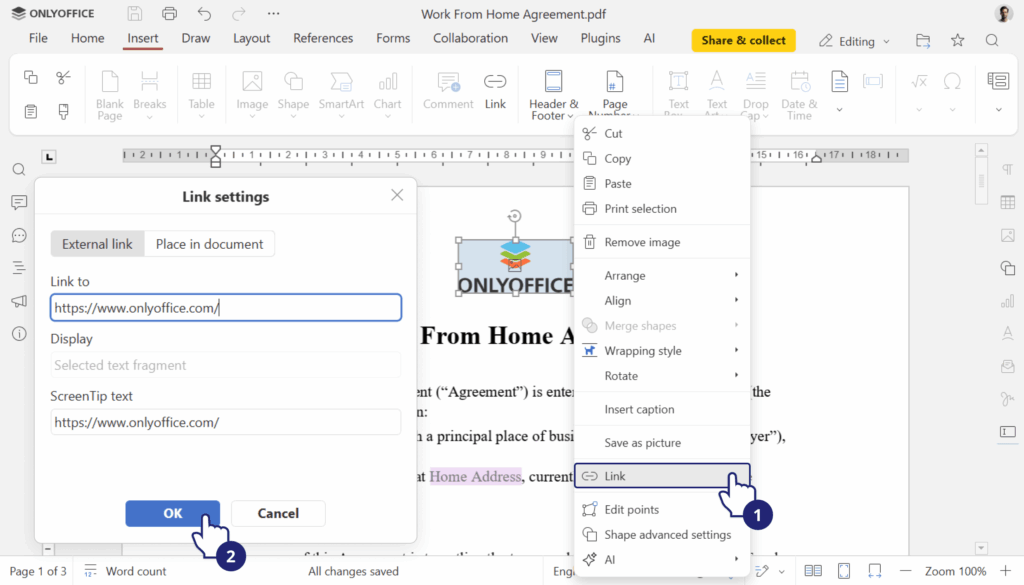
Presentations now support GIF playback in slideshow mode, a simple but useful enhancement for more visual content, demos, and business presentations. Additionally, the suite now allows adding hyperlinks to images, shapes, and groups, saving files in Markdown format, and opening TSV files for viewing. These small advancements clearly indicate that ONLYOFFICE is aiming to better cover the actual workflows of teams that frequently switch between documents, data, presentations, and web content.
On the technical and business side, the most interesting aspect is that ONLYOFFICE continues to solidify a very different proposition from pure cloud suites. Its focus isn’t solely on competing for editing features but on offering a robust alternative for organizations wanting control over deployment, integrations within their infrastructure, and a more unified experience across documents, forms, and PDFs. The company has accompanied this launch with updates for developers and administrators, including enhancements to the Enterprise edition’s admin panel and changes aimed at integrating and operating the document server.
This explains why ONLYOFFICE Docs 9.3 isn’t just seen as a functional update. It’s also a statement of intent. In a market dominated by Microsoft 365 and Google Workspace, ONLYOFFICE aims to grow in areas where technological sovereignty, customization, integration with proprietary platforms, and handling complex formats without relying entirely on public cloud are key. Reinforcing the PDF editor, improving Solver, and refining the multi-page experience align well with this strategy.
Frequently Asked Questions
What is the most important improvement in ONLYOFFICE Docs 9.3?
The update mainly focuses on the PDF editor, introducing new signing options, editing of password-protected files, version history, and additional review and redaction features.
What does Solver add to spreadsheets?
It allows solving linear problems using the Simplex method directly within the suite, useful for financial analysis, optimization, and advanced calculation scenarios.
Is multi-page view available in the document editor?
Yes. ONLYOFFICE has added this feature to the View tab to facilitate reviewing multiple pages simultaneously.
Is version 9.3 available for all environments now?
ONLYOFFICE announced the availability of version 9.3 for its Docs suite and also released the Desktop Editors 9.3 update shortly afterward, with some improvements rolling out to other ecosystem applications.
