
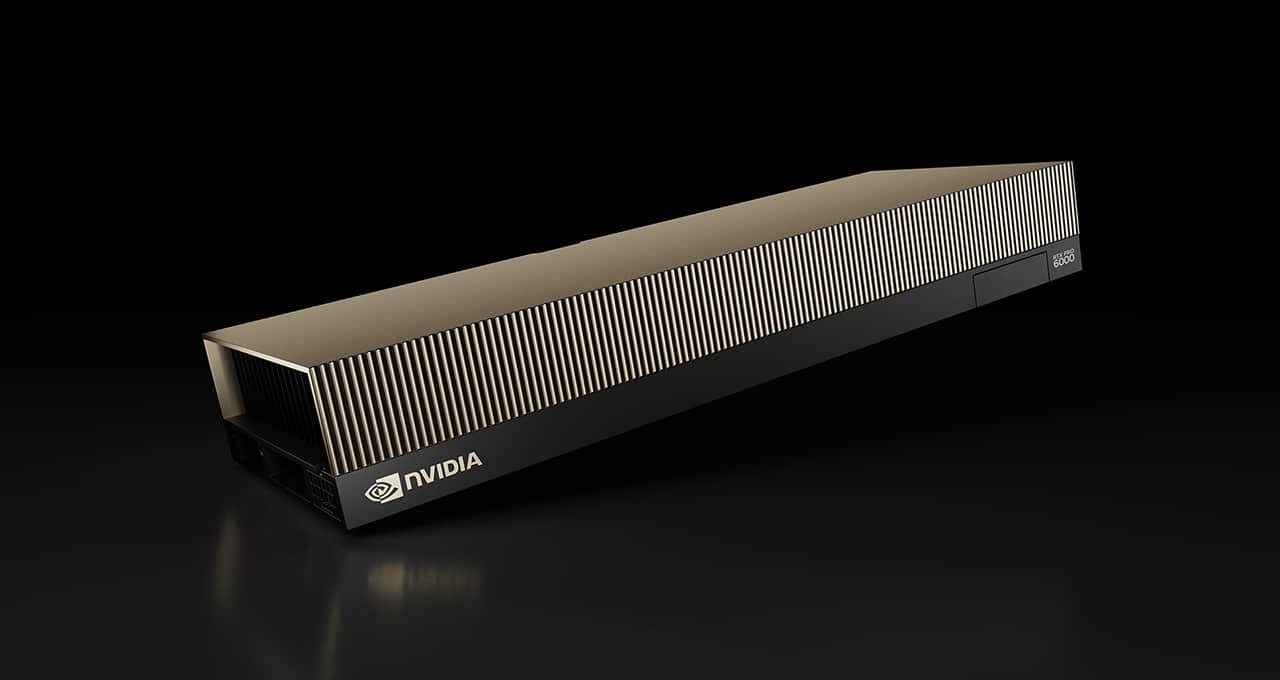
The NVIDIA RTX PRO 6000 Blackwell sits at the top of NVIDIA’s new generation of professional GPUs, built for AI, engineering, simulation, rendering, and advanced visualization. Its headline features pair 96 GB of GDDR7 ECC memory, up to 4,000 TOPS of AI performance, and PCIe 5.0 x16 in formats that fit both workstations and servers.
The RTX PRO 6000 Blackwell in 20 seconds
- Uses the NVIDIA Blackwell architecture, with fifth-generation Tensor Cores and fourth-generation RT Cores.
- Packs 96 GB GDDR7 ECC and reaches bandwidth up to 1,792 GB/s.
- NVIDIA claims up to 4,000 TOPS of AI performance in certain FP4 sparsity workloads.
- The family includes versions for workstations, servers, and a lower-power Max-Q variant.
- It supports PCIe 5.0 x16 and MIG partitioning to split resources across loads.
One point to clear up first. RTX PRO 6000 Blackwell isn’t a single card with one configuration; it’s a family. NVIDIA offers a Workstation Edition up to 600 W, a Server Edition configurable between 400 and 600 W, and a low-power Max-Q Workstation Edition at 300 W for systems where density and power draw really matter.
All three share most of the architecture and the 96 GB of ECC GDDR7, but they’re built for different situations. A professional workstation might want raw performance and video outputs, while a server needs to fit chassis meant for multiple GPUs and specific cooling.
96 GB GDDR7 ECC changes what you can run on a workstation
Memory is one of the most interesting parts of the RTX PRO 6000 Blackwell.
The Workstation Edition carries 96 GB of GDDR7 with error correction code (ECC), a 512-bit interface, and official bandwidth up to 1,792 GB/s, about 1.79 TB/s.
That capacity matters directly for workloads where data size counts as much as compute.
In AI, it lets bigger models stay in memory, allows wider context windows, or handles larger batches without constantly hitting main system RAM. In 3D creation, it helps load complex scenes and big texture sets, and in simulation and scientific analysis, it puts more data directly in reach of the GPU.
The 96 GB also appeals to organizations that want to run AI models locally.
That doesn’t mean any model under 96 GB runs automatically. Inference adds memory use from KV caches, work buffers, and internal structures, and training also needs room for activations, gradients, and optimizer states.
Even so, 96 GB on a professional PCIe GPU opens options that used to need highly specialized setups.
Don’t confuse this memory with HBM. Data center GPUs use different memory architectures and interconnects meant for larger clusters. The RTX PRO 6000 is a middle path: substantial memory and Blackwell compute for PCIe servers and professional workstations.
Blackwell brings fifth-generation Tensor Cores to professionals
The RTX PRO 6000 has 24,064 CUDA cores, plus fifth-generation Tensor Cores and fourth-generation RT Cores.
NVIDIA puts its peak AI capacity at up to 4,000 AI TOPS.
That number needs context. It applies to specific FP4 operations that use the Tensor Cores’ particular abilities and sparsity. It doesn’t mean every model holds 4 trillion useful operations per second nonstop.
TOPS swing a lot with the precision used, the model, the framework, the memory, and the specific kernel running.
A key Blackwell change is the bigger emphasis on FP4, a four-bit representation that shrinks the size of calculations for certain AI tasks and can lift inference performance when models support that precision.
For many professional applications, tokens per second, latency, time to first token, or software throughput are more practical than the theoretical TOPS ceiling.
The card isn’t only for AI.
Fourth-generation RT Cores speed up ray tracing and advanced rendering, and CUDA Cores stay available for compute, engineering, simulation, content creation, and scientific work.
That mix is what sets a professional RTX apart from a data center accelerator.
Local and private AI: one of the strongest use cases
As open models improve, more companies are running AI inside their own infrastructure.
A GPU with 96 GB of VRAM is especially relevant here.
Language models, retrieval-augmented generation (RAG), document processing, computer vision, transcription, multimedia generation, or internal agents can run without necessarily sending all business data to external APIs.
This doesn’t rule out the cloud or automatically make local cheaper. Running your own servers carries costs for hardware, power, maintenance, and management.
But for some organizations there are extra reasons: data control, latency, predictable costs, or not depending on outside services.
The RTX PRO 6000 can also handle model fine-tuning and some training, though memory needs climb fast.
Loading weights in FP16, for instance, can take about two bytes per parameter before you count anything else. Quantization cuts that requirement and is a big reason large-memory GPUs are enabling bigger models outside large clusters.
MIG lets you split a GPU across workloads
Another key feature of Blackwell professional GPUs is MIG (Multi-Instance GPU).
It partitions certain physical GPU resources into isolated instances.
Depending on the supported scenarios, the RTX PRO 6000 Blackwell can be set up with different memory partitions, such as 24 GB or 48 GB instances.
That’s especially useful on multi-user servers.
An organization may not need to hand a full 96 GB GPU to every developer or service. Some applications only need part of the capacity, and MIG helps raise overall hardware utilization.
A server could give one instance to inference, another to testing, and a third to a different application, all within supported profiles.
That moves the RTX PRO 6000 toward AI as a service inside private infrastructure, shared labs, or internal development platforms.
There is support within the NVIDIA vGPU ecosystem, but licensing, hypervisors, and profiles are handled separately.
Hardware support doesn’t automatically mean every virtualization platform can use all the features smoothly.
Different configurations for different needs: Workstation, Server, and Max-Q
The RTX PRO 6000 Blackwell family has several configurations worth telling apart.
The RTX PRO 6000 Blackwell Workstation Edition can reach 600 W and targets professional workstations that want maximum performance.
The Server Edition keeps the 96 GB of ECC GDDR7 but is built for servers, with cooling tuned for airflow and configurable power roughly between 400 and 600 W.
The third option, the Max-Q Workstation Edition, is capped at 300 W.
Lowering the peak power lets you install several GPUs in systems where power supply and thermal capacity are tight.
A single Max-Q GPU may be slower than a 600 W version under sustained load, but four of them could work better for certain parallel tasks.
So comparing peak TOPS alone doesn’t decide the best configuration.
You have to weigh how many GPUs you can install, total memory, power budget, available space, and how the application spreads its work.
PCIe 5.0 still matters with multiple GPUs
The RTX PRO 6000 uses PCIe 5.0 x16.
In a single-GPU workstation, that’s usually no big deal. Put two, four, or more accelerators in a server and it gets more complicated.
Each PCIe x16 link needs enough lanes from the CPU or platform.
That’s why GPU servers tend to use processors with many PCIe lanes, like AMD EPYC or Intel Xeon platforms built for data centers.
The point is to keep several GPUs from sharing narrow links when they need to move large amounts of data across storage, memory, network, and accelerators.
Storage design matters too. Big models or datasets need fast loading from NVMe streams to cut initialization times and smooth out workflows, especially when you’re constantly switching models or datasets.
In professional AI, the GPU is often the priciest and most visible part, but CPU, RAM, storage, and networking count just as much.
Cooling becomes central to the design
The Workstation Edition’s 600 W peak reflects a broader trend in accelerated computing.
A GPU like this puts out a lot of heat.
In a system with four cards at 600 W each, total draw could hit 2.4 kW for GPUs alone, before CPUs, memory, disks, fans, and power supply losses.
That pushes the focus past just fitting the cards in: power supplies have to deliver enough wattage, the wiring has to support it, and the system has to actively pull heat out.
In servers, the challenge multiplies once you rack several systems together.
The rising thermal density of AI workloads is pushing liquid cooling into data centers, though a single RTX PRO 6000 doesn’t necessarily need it. Overall system density sets the cooling requirements.
That’s also why the Max-Q 300 W variant can be worth it, even at lower performance, by easing thermal and power limits.
It’s still a professional graphics GPU
Even with all the AI focus on Blackwell, the RTX PRO 6000 is still a professional graphics GPU.
Fourth-generation RT Cores speed up ray tracing and advanced rendering.
Uses include architecture, engineering, industrial design, automotive, media production, simulations, digital twins, and 3D content creation.
It also has dedicated hardware for video encoding and decoding, which supports high-resolution media workflows.
The Workstation Edition also has DisplayPort 2.1b, a clear difference from data center accelerators built only for compute, with no direct display output.
That lets the same machine work interactively during the day and take on AI, rendering, or simulation jobs when resources free up.
For some labs and technical departments, keeping combined systems for different jobs can be more practical than separate setups.
The RTX PRO 6000 has a different footprint than a GeForce
A comparison with GeForce RTX GPUs is unavoidable.
Consumer cards also use Blackwell and can deliver strong performance in AI, rendering, and compute.
But the RTX PRO 6000 aims at a different audience.
Features like 96 GB ECC, professional drivers, MIG, virtualization support, and server variants target enterprises and workloads where capacity, stability, and manageability matter more than peak performance per dollar.
That doesn’t make it the cheapest choice for every AI project.
For small models or applications that only need 24-32 GB of memory, a more affordable GPU can offer better price/performance.
The RTX PRO 6000 makes sense when the problem genuinely needs that memory, professional features, or high compute density.
That’s probably its biggest draw.
The 4,000 TOPS figure grabs attention in marketing, but in day-to-day work the 96 GB of memory, the bandwidth, the software support, and the ability to run several units in a server often matter more.
Frequently Asked Questions
How much memory does the NVIDIA RTX PRO 6000 Blackwell have?
The main variants carry 96 GB of GDDR7 ECC memory. The Workstation Edition reaches up to 1,792 GB/s of bandwidth.
How much power does the RTX PRO 6000 Blackwell draw?
It depends on the version. The Workstation Edition can reach 600 W, the Server Edition is configurable, and the Max-Q Workstation Edition is capped around 300 W.
Is it suitable for running local AI models?
Yes. Its 96 GB of memory and Blackwell Tensor Cores can run language models, RAG systems, computer vision applications, and other AI workloads. The maximum model size depends on precision, quantization, and the extra memory needed during execution.
What’s the difference between the RTX PRO 6000 and a GeForce GPU?
The RTX PRO 6000 targets professional and enterprise use. It brings 96 GB ECC, features like MIG, support for professional virtualization, and server variants, capabilities not primarily meant for consumer cards.
