
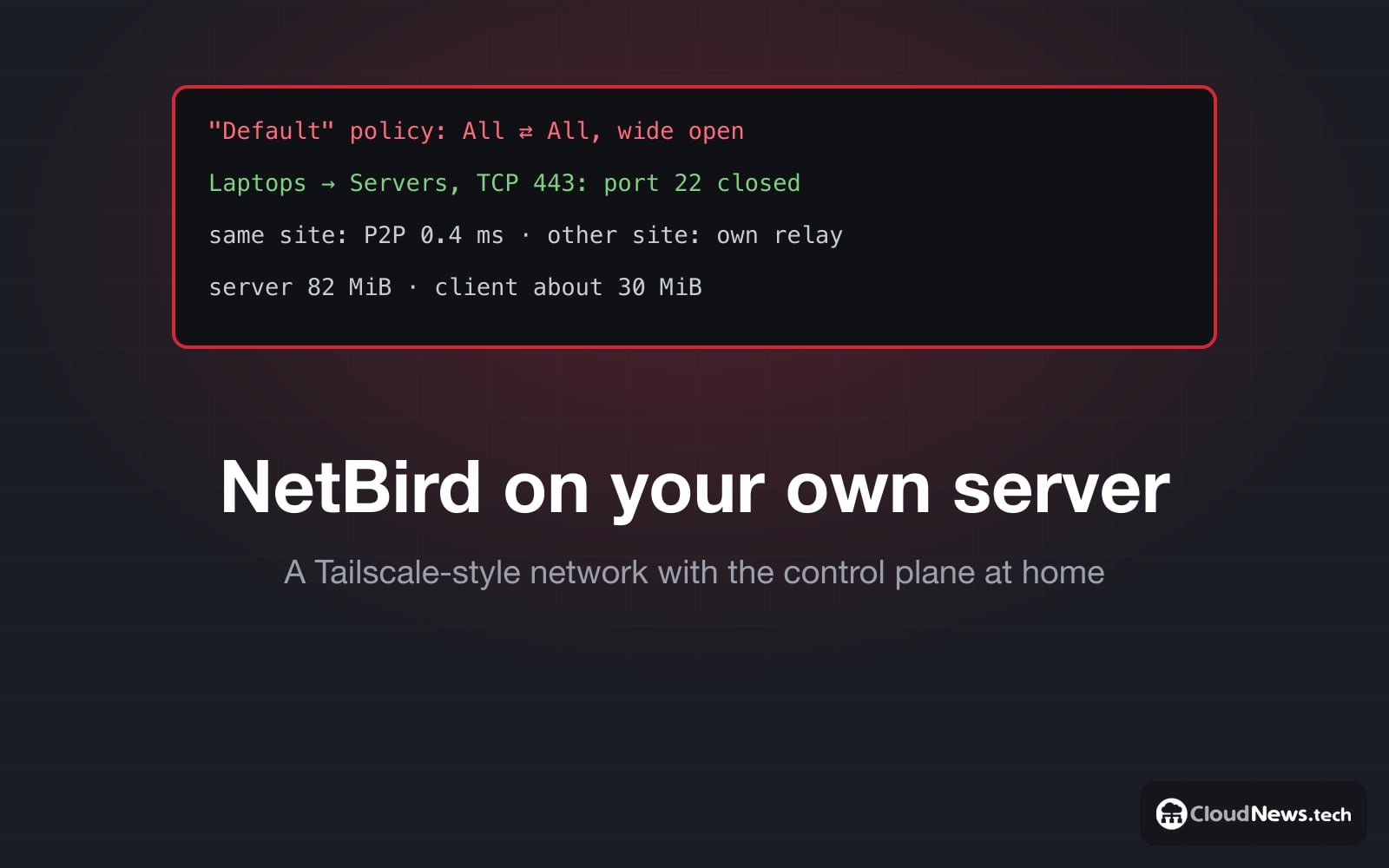
NetBird does the same job as Tailscale: it joins laptops, servers and offices into a private network over WireGuard, traverses NAT without opening ports and applies access rules by user and group. The difference is the server that coordinates the network: in NetBird it is open source and can run entirely on your own machine, with no dependency on a vendor’s cloud. The team at Cloud Privado set it up in a lab with version 0.84.0, released on November 27, 2026, with its own control server, dashboard and relay, and three devices spread across two simulated sites. It works as advertised, uses very little memory and is easy to manage, but two defaults should not be left as they ship in a company network.
Key points on NetBird in 30 seconds
- What it is: a Tailscale-style private network over WireGuard, with a web dashboard, users, groups, access policies, DNS and network routing.
- License: the client is BSD-3 and the server (management, signal and relay) is AGPL-3. Everything can be self-hosted.
- Connections: direct (P2P) at 0.4 ms on the same network; between sites that cannot see each other, through the server’s own relay, with no third party involved.
- What to change: the built-in “Default” policy allows all traffic between all devices, and the dashboard will not let you sign in without HTTPS.
- Footprint: 82 MiB for the server, 29 MiB for the dashboard and about 30 MiB per client. The official guide asks for at least 1 CPU and 2 GB of memory.
How this kind of network works
A traditional VPN usually has a central concentrator: every device connects to it and all traffic goes through it. Networks such as Tailscale or NetBird work differently. Each device gets a private IP in the 100.x range and a name, and opens WireGuard tunnels directly with the devices it needs to talk to. The central server does not carry the traffic; it only coordinates.
In NetBird that coordination has four parts:
- Management: stores users, groups, policies and the list of devices, and hands each device its configuration and the public keys of the others.
- Signal: helps two devices exchange the information they need to connect to each other, with end-to-end encrypted messages.
- STUN: lets each device learn the address and port the internet sees it on, which it needs to punch through the router’s NAT.
- Relay: if two devices cannot talk directly, it forwards their traffic, which remains end-to-end encrypted with WireGuard.
In the current release, all four functions ship together in a single process, the netbird-server image, alongside the web dashboard. It also includes a built-in identity provider (Dex), so nothing else needs to be deployed to get started.
NetBird, Tailscale and Headscale side by side
Tailscale publishes its clients under BSD-3, but its control server is closed and runs in its cloud. Anyone who wants that ecosystem without depending on the company turns to Headscale, a free implementation of that server that works with the official Tailscale clients. NetBird is something else: a complete product, with every component in the same project.
| NetBird | Tailscale | Headscale | |
|---|---|---|---|
| Client | BSD-3 | BSD-3 | Uses the Tailscale client |
| Control server | AGPL-3, self-hostable | Closed, in its cloud | BSD-3, self-hostable |
| Web dashboard | Included | In its cloud | Not official |
| Relay | Built into the server | DERP, also self-hostable | DERP, self-hostable |
| Identity provider | Built-in or external (OIDC) | Third-party accounts | External OIDC |
| Version as of Nov 29, 2026 | 0.84.0 | — | 0.29.8 |
In practice the choice comes down to this: Tailscale if you accept a third-party cloud service in exchange for maintaining nothing; Headscale if you want the Tailscale client and are comfortable without an official dashboard; and NetBird if you want a complete product, with a dashboard and fully open source code, to keep control of the network in house.
Installation: requirements and ports
According to the official guide, all it takes is a Linux virtual machine with at least 1 CPU and 2 GB of memory, reachable from the internet on TCP port 443 and UDP port 3478. With the Traefik instance bundled by the installer, port 80 does not need to be open: the Let’s Encrypt certificate is obtained and renewed over port 443. Installation is a script that asks for the domain and generates the configuration and the docker-compose file:
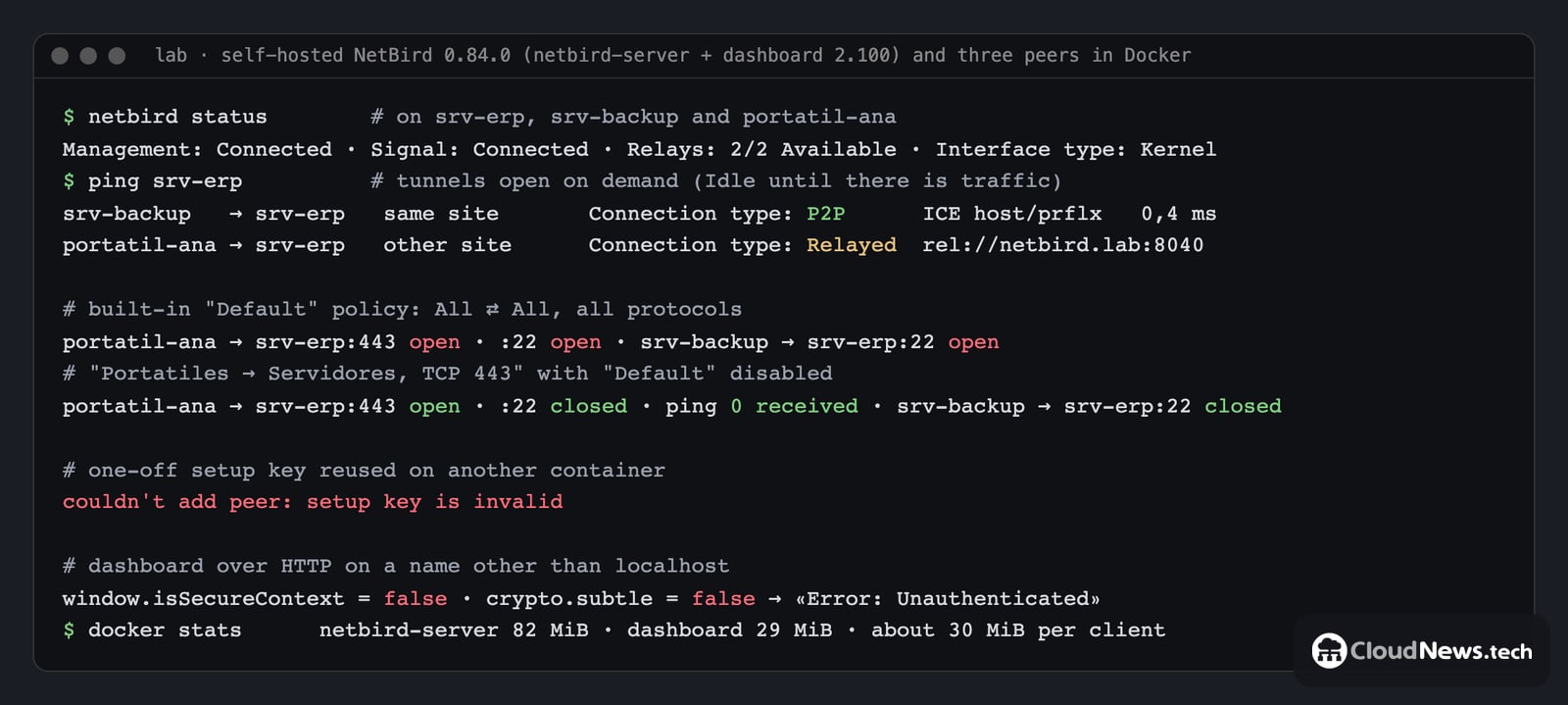
curl -fsSL https://github.com/netbirdio/netbird/releases/latest/download/getting-started.sh | bashSince the lab had no public domain, the Cloud Privado team wrote its own docker-compose with the official images, following the configuration the script generates, and exposed it on the local machine only. Right after startup, the dashboard shows the /setup screen to create the first admin account. It is open to whoever gets there first, so it should be completed before the server is exposed.
The HTTPS trap
The dashboard loaded over HTTP, but signing in returned “Error: Unauthenticated” without ever reaching the login form. The cause is not NetBird but the browser: sign-in uses PKCE, which needs the crypto.subtle API, and browsers only expose it in secure contexts, meaning HTTPS or localhost. With a name like netbird.lab over HTTP, window.isSecureContext was false. In production, the dashboard must run with a valid certificate, which is exactly what the official script sets up.
Enrolling devices: keys and groups
A user can connect a laptop by signing in with their account. For servers and unattended machines there are setup keys, created in the dashboard, which can automatically place the device in one or more groups. On a Linux server, enrollment looks like this:
curl -fsSL https://pkgs.netbird.io/install.sh | sh
netbird up --management-url https://netbird.example.com --setup-key <KEY>
netbird status
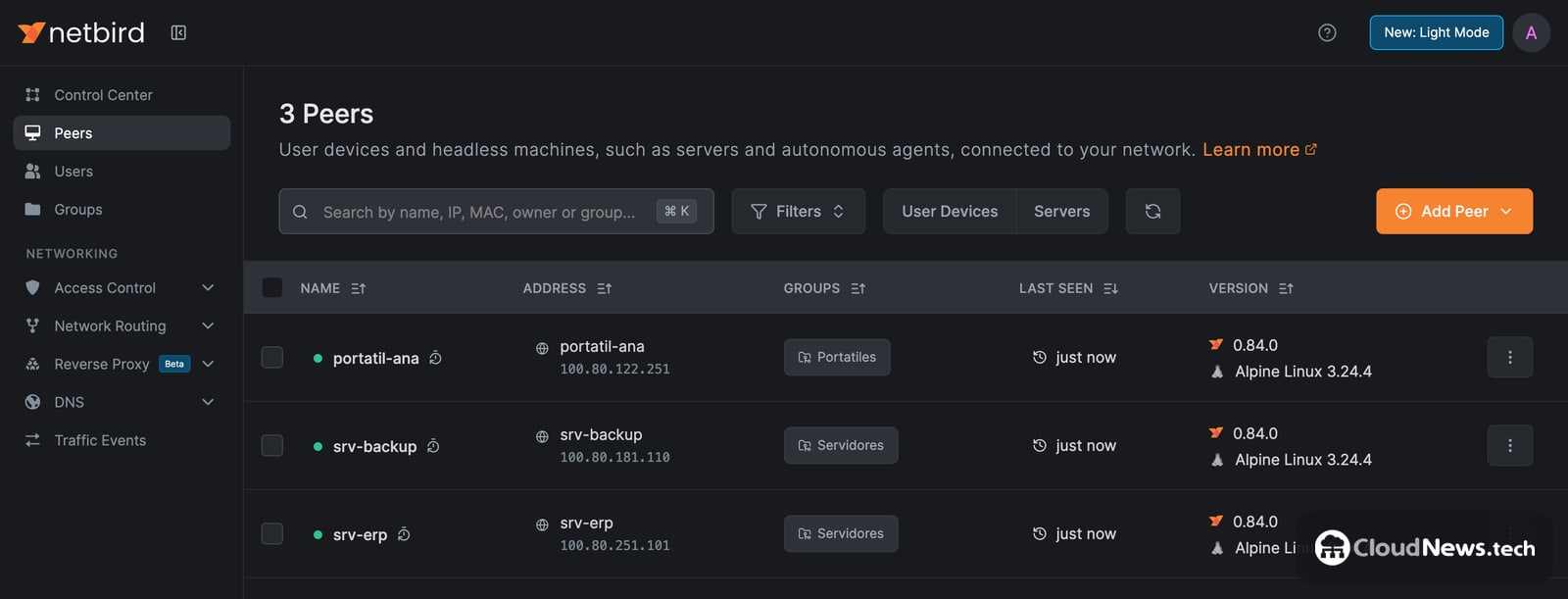
The lab used three devices running client 0.84.0 in containers: two servers, srv-erp and srv-backup, at one site, and a laptop, portatil-ana, on another network that cannot see the first. The servers joined with a reusable key that placed them in the Servidores group, and the laptop with a one-off key for the Portatiles group. That key, reused afterwards on another container, was rejected with “setup key is invalid”. Reusable keys are handy for enrolling servers with Ansible or cloud-init, as long as they expire (the lab keys lasted one day) and place devices in a group with minimal permissions.
Direct connection or your own relay
NetBird opens connections on demand: while there was no traffic, the netbird status command showed the other peers as “Idle”. As soon as there was a ping, the two servers at the same site connected directly (P2P), with 0.4 ms of latency. The laptop, on the other network, reached the server through the relay, because the lab’s two networks were isolated and there was no way to punch through the NAT.
On real networks, most connections between homes, offices and data centers end up direct thanks to STUN, and the relay is left for the hard cases: networks that block UDP or very strict NAT. What matters is that, when self-hosted, that relay is yours too: the encrypted traffic never crosses a third party’s infrastructure. For most connections to be direct, UDP port 3478 must be open on the server.
The policy that opens everything
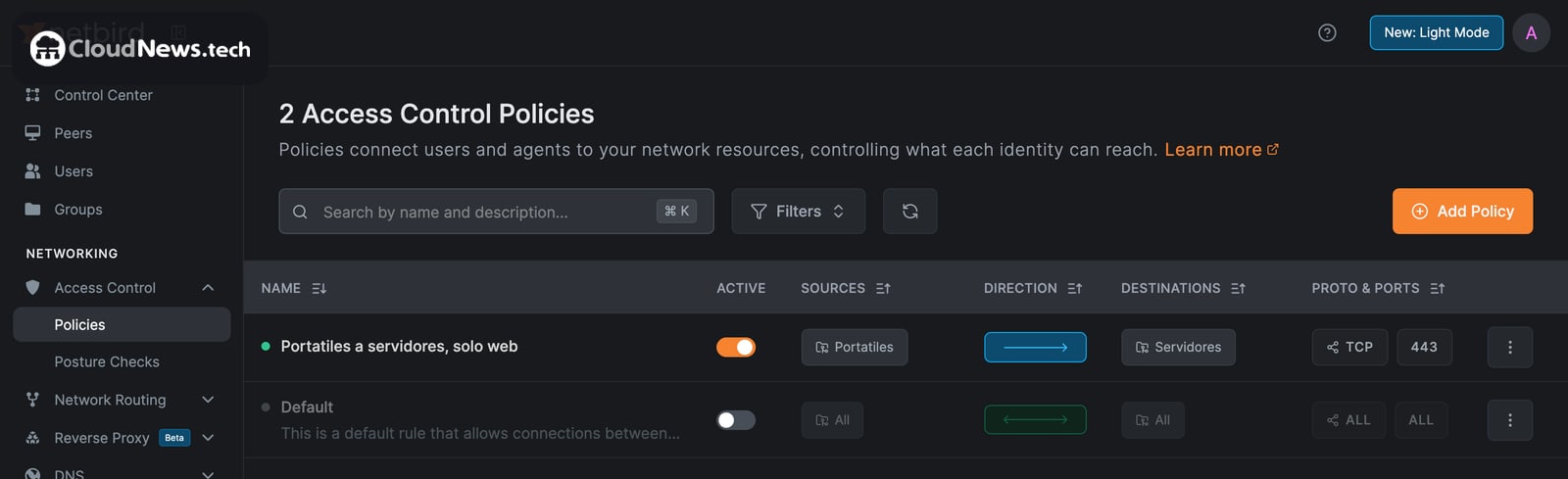
On installation, NetBird creates a policy called “Default”: from the All group to the All group, all protocols, in both directions. With it enabled, the laptop reached the server’s web service but also its SSH port, and the backup server reached the other server’s SSH. It is convenient to get started, but in a company it means a stolen or infected laptop can see the whole network.
The test consisted of disabling “Default” and creating a single rule:
- Source: the Portatiles group.
- Destination: the Servidores group.
- Protocol and port: TCP 443, one way only.
The result was as expected: the laptop could still reach the web service, but port 22 was closed and ping stopped responding. There was no path between the two servers either, because no rule allowed it. That is the right model: everything closed except what is opened on purpose. It is also the same debate raised by Tailworm and Tailscale SSH: on these networks, security depends on the rules as much as on the encryption.
On top of group and port rules come posture checks, which only apply a rule if the device meets certain conditions, such as a minimum client or operating system version, or a specific location. They are useful to keep an outdated laptop away from production servers.
What else the dashboard offers
Beyond peers, users, groups and policies, the version 2.100 dashboard includes network routing (so one device on the private network can give access to a whole subnet, such as an office LAN, without installing the client on every machine), DNS management so devices can find each other by name, a reverse proxy still in beta, traffic event logging and an audit log of configuration changes. For user sign-in, besides the built-in provider, NetBird documents integration with Authentik, Keycloak, Zitadel and other OIDC providers, so someone who leaves the company loses access to the network as soon as their corporate account is disabled.
Resource use
In the lab, the server (management, signal, relay and STUN combined) used 82 MiB of memory, the dashboard 29 MiB and each client about 30 MiB. The clients used the Linux kernel’s WireGuard implementation, the most efficient one. With these figures, the minimum machine in the official guide is more than enough for a company with dozens of devices; what grows with usage is relayed traffic, which only applies when there is no direct connection.
Production checklist
- Control server with HTTPS and a valid certificate, and the admin account created right after startup.
- The “Default” policy disabled from day one and rules by group and port, starting with the minimum.
- Setup keys that expire: one-off for people, restricted groups for servers.
- Sign-in through the company’s identity provider, and posture checks for laptops.
- TCP 443 and UDP 3478 open on the server, so most connections are direct.
- Backups of the server’s data directory, which holds the network configuration, users and devices.
For those who only need to publish a single service to the internet rather than join networks, self-hosted tunnels are a simpler option.
Frequently asked questions
Is NetBird like Tailscale?
Yes. Both build a private WireGuard network between devices, without opening ports and with access rules. In NetBird the control server is open source and self-hostable; in Tailscale it is closed.
What license does NetBird use?
The client is BSD-3. The server components (management, signal and relay) are AGPL-3.
What do I need to install the server?
A Linux machine with at least 1 CPU and 2 GB of memory, a domain, and TCP 443 and UDP 3478 reachable from the internet.
Does traffic go through the server?
Only when two devices cannot connect directly; then the relay forwards it, end-to-end encrypted. Otherwise the connection is direct between devices.
Is it secure with the default configuration?
The built-in policy allows all traffic between all devices. In a company it should be disabled and replaced with rules by group and port.
How many resources does it need?
In the lab, 82 MiB for the server, 29 MiB for the dashboard and about 30 MiB per client.
Sources:
- Cloud Privado: lab test of NetBird 0.84.0, November 29, 2026.
- NetBird: repository and license
- NetBird: self-hosted installation guide
- NetBird: identity providers
- NetBird: posture checks
- NetBird: lazy connections
- Headscale: repository
This article is also available in Spanish: “NetBird, la alternativa a Tailscale que se puede autoalojar entera, probada en laboratorio“, on revistacloud.com.
