
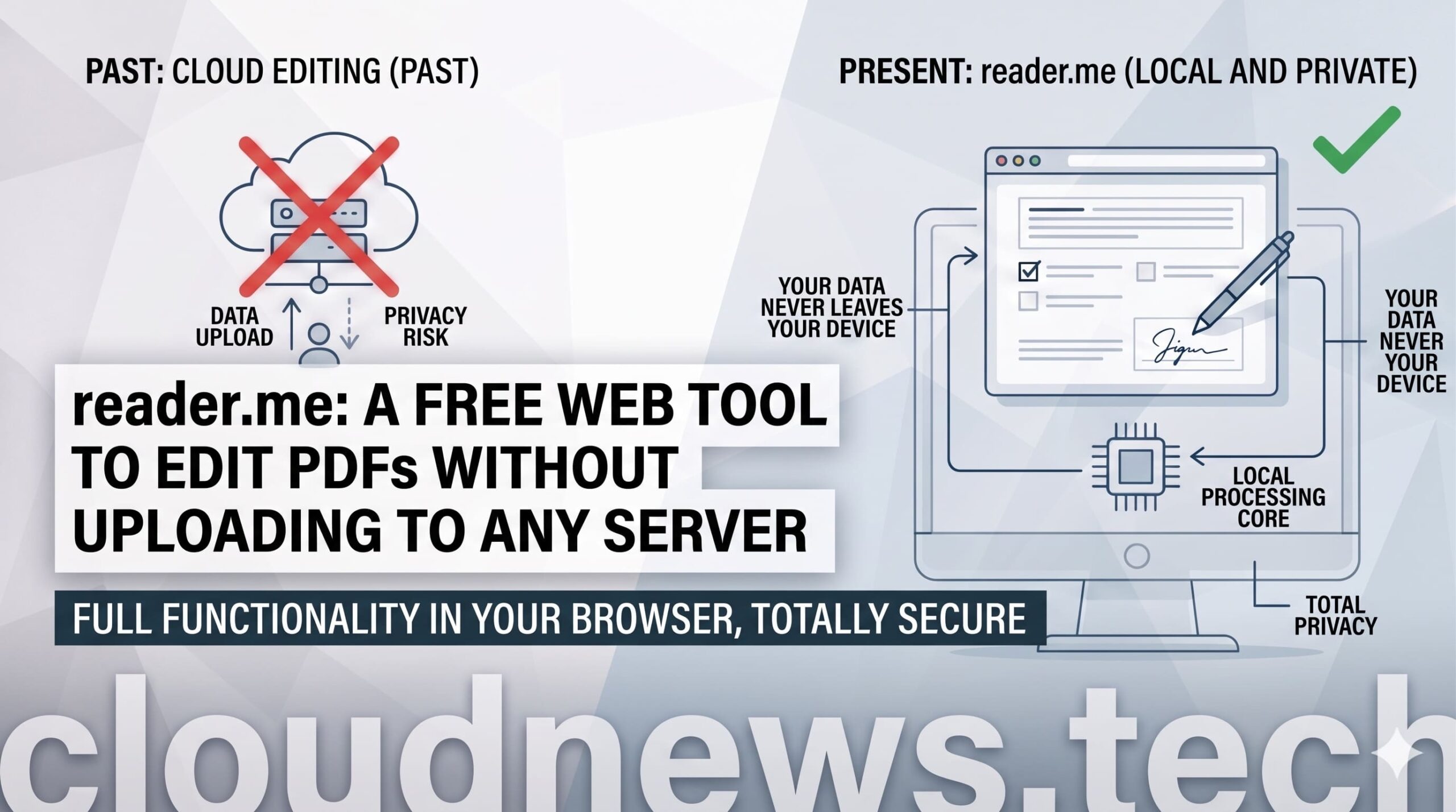
PDF remains one of the most commonly used formats in daily work, but it’s also one of the most inconvenient when it comes to performing simple tasks. Merging multiple documents, compressing a file, extracting pages, adding a visual signature, or converting images into a single PDF are routine operations, often leading users to online platforms where the document is uploaded to an external server.
reader.me presents itself as a free, privacy-focused alternative for working with PDFs directly from the browser. The message is clear: free PDF tools, no registration required, with local processing on the user’s device. Instead of sending documents to the cloud for editing, the website states that each operation is executed on the user’s own computer or device, reducing exposure of sensitive files.
For a home user, it may be a matter of convenience. For a business, a professional office, or any team handling internal documentation, the difference can be even greater. Contracts, invoices, reports, administrative forms, receipts, pay slips, or scanned documents shouldn’t circulate through external services without first assessing what is being uploaded, where it’s processed, and how long it’s stored.
A toolbox for daily PDF tasks
reader.me doesn’t aim to be a complex document suite but offers a practical web-based toolset to handle common PDF operations. Its catalog ranges from basic tasks like merging or splitting documents to more advanced functions such as local OCR, PDF comparison, bookmark editing, form filling, and PDF/A conversion.
The most prominent feature is merging PDFs, useful for combining contracts, attachments, budgets, or administrative documentation into a single file. Alongside it is splitting PDFs, designed to extract specific pages or separate a large document into manageable parts. These are simple yet highly demanded functions in professional environments.
Compression tools also stand out, especially when needing to send files via email, upload to a public platform, or reduce the size of image-heavy files. The ability to control quality allows adjusting the balance between file size and readability, which is useful when the document’s appearance needs to be maintained reasonably.
Organization features are also significant. Rotate PDF pages fixes scanned documents with incorrect orientation, while reordering pages allows changing order via drag-and-drop. Additionally, crop PDF pages trims white margins and adjusts the visible area—practical for poorly scanned documents or generated scans.
reader.me also includes options to add visual elements like watermarks, page numbers, and headers and footers. These functions are useful for identifying drafts, marking internal documents, paginating files, or adding simple references without the need for professional editing software.
Key PDF tools offered by reader.me
Among the most relevant features are tools covering nearly all basic PDF workflows:
- Merge PDFs, for combining multiple documents into one.
- Split PDF, for extracting pages or splitting files into parts.
- Compress PDF, to reduce size with quality control.
- Rotate PDF pages, useful for fixing scanned documents.
- Reorder pages, via drag-and-drop.
- Sign PDF, to add a simple hand-drawn digital signature.
- Add watermark PDF, with text or image.
- Password-protect PDF, with AES-256 encryption.
- Unlock PDF, to remove the password from documents already accessible.
- Images to PDF, to combine JPG, PNG, or WebP files into one PDF.
- PDF to images, to export each page as PNG, JPG, or WebP.
- OCR for PDF, to extract searchable text from scanned PDFs locally using Tesseract.
- Extract text from PDF, for obtaining plain text from documents with embedded text.
- Add page numbers, with customizable format, position, and starting number.
- Crop PDF pages, to adjust margins and visible area.
- Add header and footer, with custom text.
- Compare PDFs, to view text differences between two documents.
- Edit PDF bookmarks, to manage the table of contents.
- Fill PDF forms, supporting AcroForm fields.
- Convert PDF to PDF/A, for long-term archiving and preservation under ISO 19005-2.
While the list is extensive for a free tool, the focus isn’t just on features but on the approach: solving common tasks without forcing users to install software, register, or upload files to third-party platforms.
Local privacy vs. cloud PDF services
The main advantage of reader.me lies in local processing. Many online PDF tools operate by uploading files to a server, processing them there, and then returning the result. While convenient, this model raises concerns when handling private or corporate information.
reader.me claims it doesn’t store documents and that all operations are executed locally on the device. This makes it especially appealing for users working with sensitive data, as it minimizes reliance on deletion policies, retention times, or terms of use of external platforms.
The tool also positions itself against well-known alternatives like iLovePDF, Smallpdf, Adobe Acrobat online, Stirling-PDF, PDF Arranger, or PDFsam Basic. The comparison isn’t about which is better but about different needs: some platforms offer integrations, desktop apps, professional functions, or enterprise plans. reader.me emphasizes a free, straightforward, and private online experience.
Regarding e-signatures, it’s important to clarify. The tool allows adding a simple handwritten digital signature—adequate for many informal or internal uses. However, for qualified signatures under eIDAS, a specific solution with a recognized certificate is required, as the website clearly distinguishes between the two options. This is a key legal distinction, as not all visual signatures carry the same legal value.
PDF/A conversion also warrants attention. PDF/A is a format designed for long-term digital preservation. reader.me states its converter embeds the sRGB color profile and necessary PDF/A-2b metadata for archiving. For companies, consultancies, administrations, or professionals needing to preserve documents for years, this feature can be more useful than it appears.
The project is linked to Color Vivo and David Carrero, hosted on Stackscale, and developed from Madrid and Herencia, Ciudad Real. In a market dominated by international tools, this Spanish origin may help connect with users seeking closer, more transparent privacy options.
reader.me doesn’t replace enterprise document management systems or advanced professional editing software. Nor does it eliminate risks inherent to the device itself: if the computer is infected or the browser has malicious extensions, local processing doesn’t solve these issues. Its role is more specific—and, precisely because of that, valuable: enabling frequent PDF operations without turning each file into a upload to the cloud.
For the tech-savvy, the message is clear. The website reflects a broader trend of performing more processing directly in the browser and giving users control over their data. As AI, cloud services, and SaaS platforms gather increasing amounts of information, a simple local tool may seem modest but responds to a very current concern.
Frequently Asked Questions
What is reader.me?
reader.me is a free website offering tools to edit, convert, compress, protect, sign, compare, and organize PDF files directly in the browser.
Does reader.me upload PDFs to a server?
According to the website, no. Files are processed locally on the user’s device and are not stored on external servers.
What PDF tools are included?
Functions such as merging, splitting, compressing, rotating, reordering, signing, protecting, unlocking, applying OCR, extracting text, converting images to PDF, exporting PDFs to images, comparing PDFs, filling forms, and converting to PDF/A are available.
Does reader.me’s signature have qualified signature validity?
The tool allows adding a simple visual signature. For a qualified eIDAS signature, a specific solution with a recognized certificate is necessary, which the website clarifies by distinguishing between these options.
