
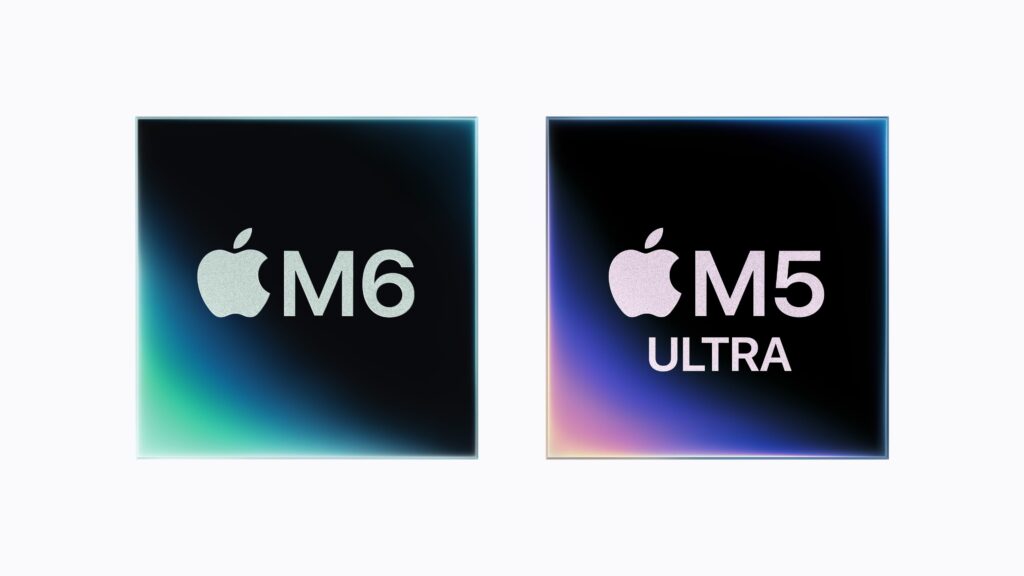
Apple has refreshed its Mac chip lineup with two big moves: the M6 becomes its first processor built on 2-nanometer technology, and the M5 Ultra pushes the Mac Studio to 512 GB of unified memory and 1.2 TB/s of bandwidth. Beyond the usual CPU and GPU gains, this generation makes Apple’s focus clear: running ever larger AI workloads directly on the Mac.
Apple M6 and M5 Ultra in 20 seconds
- The M6 debuts 2 nm in Apple chips and takes the CPU and GPU up to 12 cores.
- Its memory bandwidth reaches 170 GB/s.
- The M5 Ultra offers up to 36 CPU cores, 80 GPU cores, and 512 GB of unified memory.
- Its 1.2 TB/s bandwidth directly supports large AI models run locally.
Apple puts the M6 in the new Mac mini and keeps the M5 Ultra for the Mac Studio. The two aim at different segments but share the same shift: AI now shapes the silicon, the memory architecture, and how much bandwidth matters.
That’s clearest with the M5 Ultra. Instead of chasing the TOPS and FLOPS that dominate much of the accelerator market, Apple keeps leaning on a signature of its SoCs: a large pool of unified memory that both CPU and GPU can reach, with no physical split between system RAM and VRAM.
With 512 GB in a single memory architecture, the new Mac Studio moves into rare territory for a desktop workstation.
M6: Apple’s first 2-nanometer chip, with a 12-core CPU
The M6 brings 2 nm to the Apple Silicon family. Apple says the new process raises performance and density while keeping energy efficiency a top design goal.
The CPU has 12 cores, up from 10 in the M5, and a different layout: two super-cores, four performance cores, and six efficiency cores.
By its own tests, multithreaded performance is up to 1.2 times the M5 and up to 2.4 times the M1. Apple also claims the market’s fastest single-thread core, based on August 2026 testing that will need independent benchmarks to confirm.
The GPU also scales to 12 cores, each with a Neural Accelerator built to speed up AI operations.
Apple estimates nearly 30% more peak AI processing from this GPU than the M5, and more than eight times the M1.
That tracks with where processors are heading. Conventional CPU and GPU still matter, but more of the silicon goes to matrix operations and other machine-learning and generative-AI workloads.
On top of that sits a dual 16-core Neural Engine that can work on two tasks at once.
Memory matters as much as compute
The M6 raises memory bandwidth to 170 GB/s, about 10% over the M5 and 2.5 times the original M1, per Apple.
The top configuration stays at 32 GB of unified memory.
For a Mac mini that’s a lot, and it sets the ceiling on local AI the system can handle. Small and mid-size models, especially quantized ones, run comfortably in that range. Larger language models need far more memory.
That’s where the M5 Ultra comes in.
Running an AI model isn’t only about compute. The weights have to stay in memory and keep moving to the units doing the math.
So memory bandwidth is becoming one of the most important specs for inference hardware.
A very fast processor sits idle if it can’t get data quickly enough.
Apple has used unified memory for years to cut data movement between CPU, GPU, and other accelerators. The M5 Ultra takes that much further.
M5 Ultra: four dies and 4.4 TB/s of internal communication
The M5 Ultra uses an evolved UltraFusion to build what Apple calls the first quad architecture in an M-series SoC.
It joins two M5 Max chips, each with double dies, over an interconnect above 4.4 TB/s.
The OS and applications can treat the whole thing as one processor, which simplifies development and avoids the complexity and bottlenecks of explicitly programming several chips.
The result is a CPU with up to 36 cores: 12 super-cores and 24 performance cores.
Apple claims up to 25% more single-thread and 30% more multithreaded performance than the M3 Ultra.
The GPU scales to 80 cores, each with a Neural Accelerator. Apple’s estimates put AI processing at up to 4.5 times the M3 Ultra and more than six times the M1 Ultra.
It also carries a 32-core Neural Engine.
Those are big jumps, but for some AI workloads the number that matters most sits outside CPU, GPU, and Neural Engine: memory bandwidth and capacity.
512 GB and 1.2 TB/s: the M5 Ultra’s edge for AI
The M5 Ultra supports up to 512 GB of unified memory at a top bandwidth of 1.2 TB/s.
Apple raised bandwidth 50% over the M3 Ultra.
To see why that matters, think about loading a large language model (LLM). A 70-billion-parameter model quantized to 4 bits needs roughly 35 GB just for its weights, before cache, context, and other resources.
As models scale to hundreds of billions of parameters, memory capacity becomes the main wall.
The Mac Studio’s 512 GB fit models that simply won’t fit in the memory of a standard professional GPU.
That doesn’t automatically make the M5 Ultra faster than specialized accelerators; memory capacity and compute are different things.
Data center GPUs often bring more compute and specialized tooling for certain models, but Apple’s approach is different: a huge shared memory pool the GPU can reach directly, inside a workstation.
For AI developers, researchers, and people working with local models, that can matter more than peak FLOPS.
Apple says the system can run models with hundreds of billions of parameters entirely on the device. The real size depends on precision, quantization, context length, and memory needs during inference.
The Mac Studio edges toward a large-LLM workstation
Pairing the M5 Ultra with 512 GB opens an interesting category between traditional professional desktops and dedicated AI servers.
It can suit LLM experimentation, private inference, application development, multimedia generation, scientific analysis, and any task where keeping data local helps.
Apple names applications like LM Studio Bionic and MATLAB.
It’s also building out the software around the hardware. Core ML, Metal, Core AI, and tools in Xcode help balance load across CPU, GPU, Neural Engine, and system accelerators.
That will be key. Hardware that can run big models is worth little if frameworks, runtimes, and models don’t use it well.
This is also where Apple faces a market still built around CUDA for AI. The Mac architecture appeals for some local uses, but NVIDIA’s ecosystem keeps a strong hold on enterprise training, inference, and data centers.
Apple is building a different option, centered on AI on the device and workstations with large shared memory pools.
The M6 brings that idea to a fairly compact Mac mini. The M5 Ultra raises it to a machine that can host models whose size, a few years ago, would have needed multi-GPU servers.
Independent benchmarks will show the M5 Ultra’s real token throughput and how it behaves across different models and quantizations. Even so, 512 GB of memory and 1.2 TB/s of bandwidth already make its architecture an unusual proposition in the workstation market.
Frequently Asked Questions
Is the Apple M6 built on 2-nanometer technology?
Yes. Apple presents the M6 as its first chip made on a 2 nm process.
How much memory can a Mac Studio with M5 Ultra have?
The M5 Ultra supports up to 512 GB of unified memory, with a top bandwidth of 1.2 TB/s.
Can the M5 Ultra run large language models?
Apple says it can run models with hundreds of billions of parameters locally. Real capacity depends on quantization, precision, context length, and memory needs during inference.
What’s the main difference between the M6 and M5 Ultra?
The M6 goes into the Mac mini first, with up to 12 CPU and GPU cores and up to 32 GB of memory. The M5 Ultra is built for the Mac Studio, scaling to 36 CPU cores, 80 GPU cores, and 512 GB of unified memory.
