
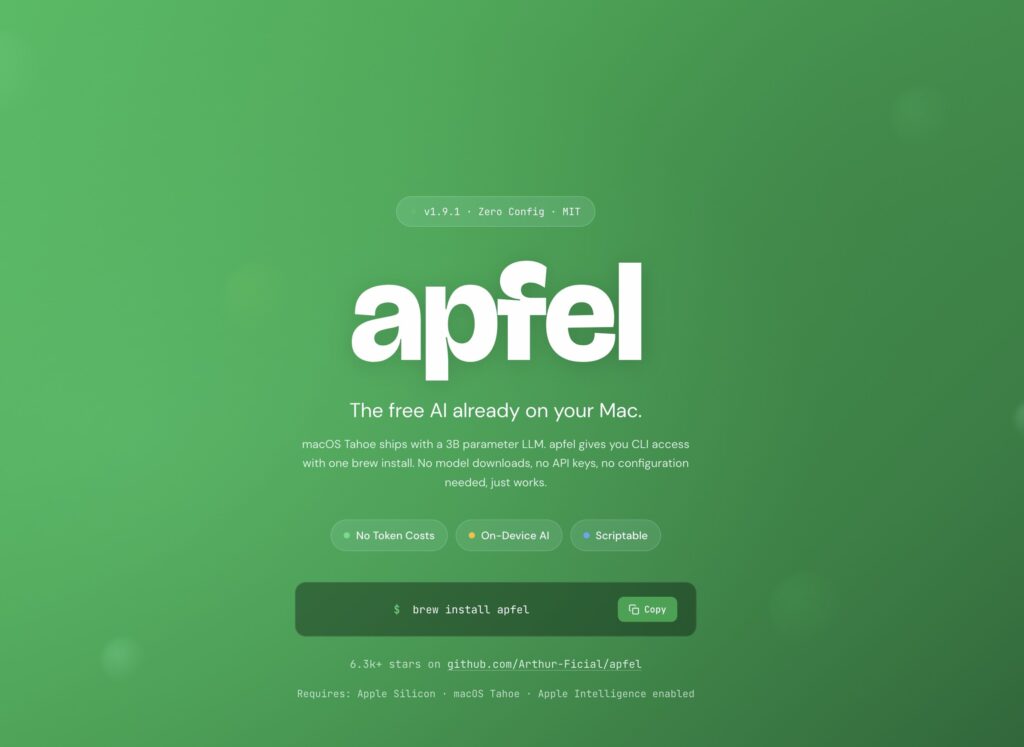
Apple has been distributing an artificial intelligence model within macOS for months thanks to Apple Intelligence. Until now, accessing it required developing applications with Apple’s official frameworks. With Apfel, an open-source project under the MIT license, any developer can use that model from the terminal, integrate it into their applications, or expose it through an API compatible with OpenAI. However, the real news might not be about Apfel itself, but what it demonstrates regarding the future of local AI on Macs.
Key Points of Apfel in 20 Seconds
- Apfel enables access to Apple’s local model from the terminal or via an API compatible with OpenAI.
- Everything works offline without downloading additional models.
- The project leverages the model already included in macOS for Apple Silicon.
- The main limitation isn’t the tool itself, but the limited context window of the Apple model.
In recent years, running AI models locally meant downloading several gigabytes of weights through tools like Ollama, llama.cpp, or MLX. Each developer had to choose the model, manage updates, and deal with considerable storage and memory consumption.
Apfel offers a completely different approach. The model is already installed with the operating system. All that was needed was an easy way to access it.
A Bridge Between Apple Intelligence and the OpenAI Ecosystem
Apfel does not develop a new model nor modify Apple Intelligence. It acts as a compatibility layer over Apple’s Foundation Models framework.
Installation requires just one command:
brew install apfelFrom that moment, any Mac with Apple Silicon, macOS Tahoe 26 or later, and Apple Intelligence enabled can utilize the integrated model.
The tool offers three ways to access it:
- Interactive terminal.
- CLI for automation and scripting.
- OpenAI-compatible API server.
The latter is especially interesting because it allows reusing existing applications with minimal changes. In many cases, it’s enough to modify the base_url of the OpenAI client so that requests are processed entirely locally.
This means that VS Code assistants, internal tools, Python or Node.js scripts, and even corporate applications can leverage the Apple model without sending any information to external services.
A Fully Local AI
One of the most interesting aspects is that all inferences are performed within the device itself.
There’s no dependency on the internet.
No tokens are consumed.
No usage costs appear.
And most importantly, the source code, documents, or private data never leave the computer.
For many companies, this represents a significant advantage in terms of privacy and regulatory compliance, especially when only simple tasks are needed, such as:
- generating commit messages;
- summarizing documentation;
- classifying text;
- tagging content;
- generating terminal commands;
- automating small repetitive tasks.
The Real Limit Is Not Apfel
However, enthusiasm has a major technical nuance.
The model Apple currently distributes has around 3 billion parameters, enough for light tasks but far below models like Claude, GPT-5, Gemini, or many recent open alternatives.
Even more important is its context window, roughly 4,096 tokens between input and output.
That figure completely constrains use cases.
With that limit, it’s challenging to:
- analyze large documents;
- review entire software projects;
- build agents capable of maintaining long conversations;
- use advanced programming assistants;
- process extensive logs.
In practice, the model works very well for quick queries but falls short of replacing modern development assistants.
If Apple Extends the Context, the Scenario Would Change Drastically
Perhaps the most interesting aspect that Apfel hints at isn’t the tool itself, but the platform’s potential.
Apple controls both the hardware, the OS, the AI framework, and the model itself. That means it could increase the context window in future versions without changing the developer experience.
And such a change would have a far greater impact than simply increasing the number of parameters.
A context window of 32,000, 64,000, or even more tokens would enable local execution of tasks that today still depend on the cloud:
- programming assistants capable of understanding entire projects;
- analysis of extensive technical documentation;
- large-scale code review;
- agents that sustain long conversations;
- offline enterprise automation;
- semantic search over local documentation;
- processing large knowledge bases without leaving the device.
In that scenario, Apfel would cease to be merely a developer utility and become the gateway to a true ecosystem of AI-based local applications.
Local AI Starts to Feel Like an Operating System Service
Until recently, incorporating local AI meant downloading models, configuring accelerators, managing versions, and dedicating several gigabytes of storage.
Apple seems to choose a different approach.
The model is part of the operating system, just like Safari or Spotlight.
Developers only need an interface to use it.
Apfel demonstrates that this interface can be built using the market’s de facto standard: the OpenAI API.
If Apple continues evolving Foundation Models, increasing the context window while maintaining this integration approach, it’s possible that the next generation of macOS applications will use local AI by default for many everyday tasks. In that scenario, the cloud would still be needed for the most powerful models, but a significant portion of workloads could run directly on the Mac, with lower latency, enhanced privacy, and no associated costs per query.
FAQs
What is Apfel?
It’s an open-source tool that allows access to Apple’s local AI model from the terminal or via an OpenAI-compatible API.
Does it require downloading AI models?
No. It uses the model Apple already installs alongside Apple Intelligence, so there’s no need to download several gigabytes of weights.
Can it replace GPT or Claude?
Not for complex tasks. It’s designed for automation, lightweight assistants, and everyday operations that can run entirely locally.
What should Apple improve to promote local AI?
One of the most impactful changes would be significantly increasing the context window. That would allow processing much longer documents, understanding entire development projects, and running much more capable local agents without relying on cloud services.
