
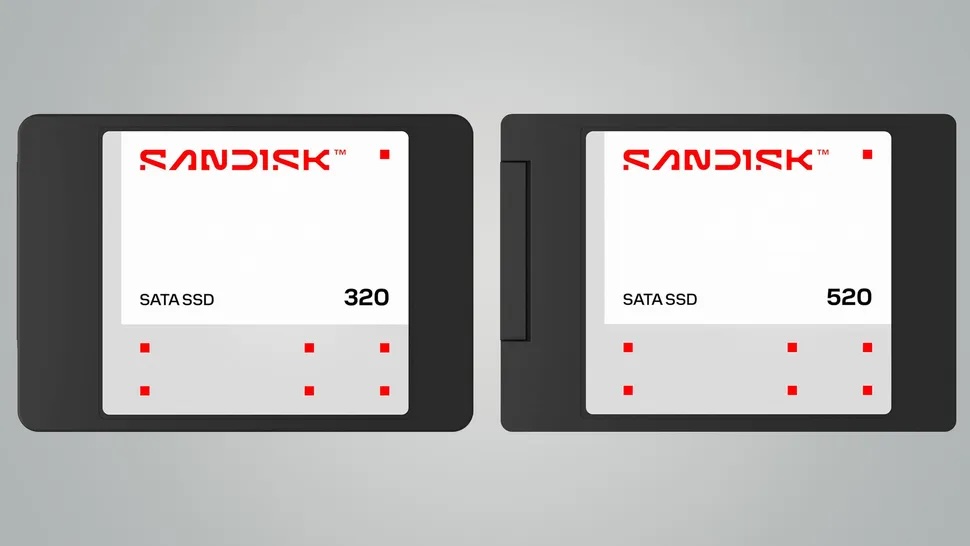
A SATA II SSD from over a decade ago has once again demonstrated that official endurance figures don’t always tell the full story. The WolfyTech channel subjected a SanDisk P4 64 GB—launched in 2010 and designed for lightweight devices like netbooks, tablets, and ultrathin laptops—to an extreme write test reaching 1 petabyte of data written. The drive did not fail.
This result is notable because the SanDisk P4 64 GB had an official endurance rating of 40 TBW. In other words, the drive supported 1,000 TB written—25 times more than the manufacturer’s guarantee. Additionally, during testing, it accumulated over 60,000 hours of operation and more than 1,100 power cycles.
This does not mean all SSDs will multiply their official endurance by 25, nor that it’s advisable to push a critical drive to the limit. But it does help disprove a common fear: that an SSD will instantly die once it hits its TBW. The reality is more nuanced. TBW is an estimated guarantee and resistance level, not a death sentence.
What was the SanDisk P4?
The SanDisk P4 belongs to an earlier era of flash storage. Announced in 2010 when SSDs were still costly, small, and beginning to replace hard drives in ultralight laptops, it’s very different from current NVMe PCIe 4.0 or 5.0 drives capable of several GB/s read/write speeds.
The P4 used a SATA II interface, supporting SATA 2.6, and was available in various capacities and formats. The 64 GB model’s published specifications showed sequential performance very modest by today’s standards: up to 160 MB/s read and 100 MB/s write. At the time, that was enough to clearly outperform small mechanical hard drives.
| Feature | SanDisk P4 64 GB |
|---|---|
| Release Year | 2010 |
| Interface | SATA II 3.0 Gbps |
| Proven Capacity | 64 GB |
| NAND | MLC 32 nm |
| Official Endurance | 40 TBW |
| Write in Test | 1 PB |
| Multiplier over TBW | 25x |
| Hours of Operation | Over 60,000 |
| Power Cycles | Over 1,100 |
The key technical detail is the 32 nm MLC NAND memory. Compared to many modern TLC or QLC NAND chips—denser and cheaper per gigabyte—this 2D MLC memory had physically larger cells and, often, more margin per write cycle. It wasn’t as fast or efficient as modern technologies, but it could be quite durable.
TBW is not an expiration date
TBW stands for Terabytes Written or Total Bytes Written. It indicates the amount of data the manufacturer guarantees or estimates can be written over the drive’s lifetime or warranty period. For the SanDisk P4 64 GB, that figure was 40 TBW.
Confusion arises when TBW is interpreted as a strict limit. It is not. An SSD usually does not shut down upon reaching this number. Instead, the manufacturer stops guaranteeing endurance beyond that threshold. From that point, the drive enters a zone of uncertainty: it may continue functioning perfectly for a long time, or it might start showing errors, reallocated sectors, degraded performance, or sudden failures.
| Concept | What it really means |
| TBW | Total amount of guaranteed or estimated data written |
| P/E cycles | Program/Erase cycles supported by the NAND |
| WAF | Internal write amplification factor of the SSD |
| SMART | Health and usage metrics reported by the drive |
| Reallocated sectors | Blocks replaced due to wear or errors |
| MTTF | Statistical reliability estimate, not an individual guarantee |
| SSD failure | Can be gradual, read-only mode, or sudden |
TBW depends on various factors: NAND type, capacity, over-provisioning, controller, firmware, wear management, temperature, writing pattern, and internal amplification. Two SSDs with the same TBW may behave differently if one has long sequential writes and the other handles small random writes over years.
Why did this SSD last so long?
The SanDisk P4’s longevity can be attributed to a combination of factors. The primary is the 32 nm MLC NAND, which, though older, is potentially more resistant. Another is that official TBW ratings tend to be conservative, as manufacturers account for manufacturing variability, usage conditions, temperature, mixed workloads, and warranty buffers.
The nature of the test itself also influenced the outcome. According to the analysis, the load seemed to maintain consistent cached writes to the SSD, which can affect how the drive manages internal operations. Continuous synthetic testing is quite different from years of real-world usage involving power offs, temperature spikes, firmware updates, file systems, small writes, erasures, and power outages.
| Factor | Possible Effect |
| 32 nm MLC NAND | Greater physical margins compared to denser NAND |
| Conservative TBW | Guarantees a minimum endurance, not an absolute limit |
| Sequential or cached writes | Less aggressive than random workloads |
| Controller and firmware | Manage wear leveling, cache, and bad blocks | Temperature | Influences reliability and data retention |
| Over-provisioning | Distributes wear over more blocks |
| Type of test | Doesn’t reflect all real-world scenarios |
The SanDisk P4 also included technologies like nCache—a non-volatile SLC cache designed to absorb small writes and consolidate them into MLC memory later. Such mechanisms help performance and can smooth out certain write patterns, but they do not make the drive immune to wear.
Not the first SSD to significantly outperform its official endurance
This case echoes other historical experiments. Years ago, The Tech Report conducted endurance tests on several consumer SSDs, ending after writing over 2.4 PB. The last survivor was the Samsung 840 Pro, which greatly exceeded its nominal endurance. That test helped dispel fears that SSDs would quickly wear out under normal use.

However, this also serves as a warning: these are very small samples. One or two units of each model are not enough to draw universal conclusions. One SSD might perform very well, another could fail earlier, and specific firmware behaviors under extreme stress can vary.
| Test | Notable result | Correct reading |
| SanDisk P4 64 GB / WolfyTech | 1 PB written vs. 40 TBW | Remarkable case, not universal guarantee |
| The Tech Report / Samsung 840 Pro | Over 2.4 PB written | SSDs can greatly exceed their TBW |
| Other consumer SSDs | Highly variable results | Sample size matters |
| Normal home use | Hard-pressed to reach TBW before replacement | Obsolescence often occurs earlier |
| Intensive professional use | TBW remains critical | Choosing the right drive matters |
The reasonable conclusion is twofold: first, SSDs are often more durable than many users believe. second, an extreme case doesn’t justify ignoring good practices.
For average users, endurance is rarely the issue
In a home PC, business laptop, or gaming system, an SSD usually becomes obsolete due to capacity, interface, or speed well before the NAND cells physically wear out. A user who installs games, downloads files, edits photos occasionally, or uses standard apps might take many years to approach the TBW of a modern drive.
Even a 1 TB SSD rated for 600 TBW—which is common today—would support an average of 100 GB of writes daily for more than 16 years. Few users sustain such write volumes daily.
| Usage profile | Risk of exhausting TBW |
| Office work and browsing | Very low |
| Gaming | Low, unless doing continuous mass downloads |
| Occasional photo/video editing | Low to moderate |
| Daily video editing | Moderate |
| Heavy caching | High if not properly sized |
| Databases | High depending on load |
| Log servers | High |
| AI, datasets, scratch disks | High in intensive flows |
For most users, simple recommendations apply: buy trusted brands, avoid filling the SSD to 100%, keep backups, occasionally monitor SMART, and don’t obsess over every gigabyte written.
But in servers and professional workloads, TBW is more critical
The message differs in professional environments. For databases, logs, caches, virtualization, heavy video editing, AI scratch disks, or continuous recording, write volume can be enormous. There, TBW, DWPD, and drive category are very important.
A consumer SSD might last longer than expected but is not designed to replace enterprise drives under sustained loads. Professional drives typically offer more over-provisioning, better power-loss protection, firmware optimized for consistency, more meaningful SMART metrics, higher endurance, and tailored warranties for heavy use.
| Professional workload | Key priorities |
| Databases | DWPD, sustained latency, power-loss protection |
| Virtualization | IOPS, consistency, endurance |
| Logs | Sustained writes and retention capacity |
| Caches | High endurance and good random write handling |
| Video editing | Sustained sequential writes and temperature control |
| AI and datasets | Capacity, endurance, and consistent performance |
| NAS and servers | Designed for continuous operation |
The SanDisk P4 case should not be used as an excuse to deploy old SSDs in critical systems. It illustrates that margins can be larger than expected, but planning and proper selection remain essential.
Lifetime also depends on data retention capabilities
Write endurance isn’t the only important parameter. As NAND ages, its ability to retain data without power over long periods can diminish. A heavily worn SSD may still perform well during a write test but might not be ideal for storing important data for months without power.
Other failure modes include controller malfunctions, firmware issues, internal DRAM (if present), power supply problems, SATA/NVMe controller failures, or solder joint issues. An SSD doesn’t die solely from reaching write cycles; like any electronic component, it can fail for various reasons.
| Risk | Implications |
| NAND wear | More errors and reallocated blocks |
| Data retention | Lower reliability if left off for long periods |
| Controller failure | Sudden loss of access |
| Firmware problems | Management errors or device lockups |
| Temperature | Accelerates degradation |
| Power outages | Risk of data corruption without proper protection |
| No backups | Dramatic data loss in failure |
Therefore, even if actual endurance is high, maintaining backups is the only sensible safeguard. A drive that can write 1 PB is impressive, but it doesn’t change the fundamental rule: any drive can fail.
What to consider when buying an SSD today
This story encourages reviewing which parameters matter when selecting an SSD. Speed is visible and easy to sell but isn’t always the most critical. For a general-use laptop or desktop, capacity, warranty, controller, NAND type, temperature, and model reputation may matter more than top sequential MB/s figures.
For intensive workloads, TBW remains a useful metric—not as an exact limit, but as a comparison tool. A 1TB SSD with 300 TBW isn’t designed for the same load as one rated for 1200 TBW. In servers, look also at DWPD, power-loss protection, and sustained write consistency.
| Parameter | Why it matters |
| Capacity | More free space benefits performance and wear leveling |
| TBW | Estimated endurance |
| DWPD | Better for comparing professional use |
| NAND type | TLC, QLC, MLC, or enterprise variants |
| Controller | Affects speed and reliability | DRAM or HMB | Impacts performance depending on design |
| Temperature | Heat degrades components over time |
| Warranty | Indicates manufacturer’s commitment |
| SMART | Helps monitor health and usage |
It’s also wise to be cautious of overly simplistic conclusions. An older SSD with MLC can last a long time, but a high-quality modern NVMe drive offers much more capacity, speed, efficiency, and security features. Technological nostalgia should not be mistaken for a buying recommendation.
A useful test against fear, not a license to risk data
WolfyTech’s SanDisk P4 is an eye-catching case because it combines three elements: an old drive, a figure well beyond official specs, and a survival beyond expectations. It reminds us that manufacturers tend to publish conservative figures, and TBW isn’t an exact countdown.
It also shows how storage has evolved. In 2010, a 64 GB SATA II SSD was a significant upgrade over a laptop HDD. Today, such capacity fits a cheap card, and speeds seem slow. Yet, this drive proved that well-managed flash memory can last longer than anticipated.
The practical conclusion isn’t “use your SSD until it fails.” It’s more reassuring: there’s no need to fear writing data on a modern drive if used normally. SSDs are built for writing; what they’re not designed to replace is a good backup strategy.
In consumer scenarios, most users will replace their SSDs before reaching endurance limits, due to capacity upgrades, transition to NVMe, or hardware replacement. In enterprise, it’s important to keep measuring, sizing, and choosing units suited to the workload. An extreme experiment can be fun and revealing but building real reliability depends on monitoring, redundancy, and verified backups.
Frequently Asked Questions
What happened with the SanDisk P4?
WolfyTech subjected a SanDisk P4 64 GB—a SATA II SSD from 2010—to an extreme test, reaching 1 PB of data written without the drive failing.
What was the SSD’s official endurance?
The 64 GB model’s official endurance was 40 TBW, so 1 PB written is about 25 times that figure.
Does this mean all SSDs last 25 times longer than advertised?
No. It’s a test of a specific drive under specific conditions. Other SSDs can greatly exceed their TBW or fail earlier, depending on model, use, temperature, and firmware.
What does TBW mean?
TBW means Terabytes Written or Total Bytes Written. It indicates the amount of data the manufacturer estimates or guarantees can be written over the drive’s expected lifetime.
Should I worry about TBW in a normal PC?
Most of the time, no. For office work, browsing, gaming, and general use, drives typically reach end-of-life due to obsolescence before the write endurance is exhausted.
When does TBW really matter?
It matters in servers, databases, logs, caches, virtualization, intensive video editing, AI, and constant write workloads. In these cases, choosing SSDs with high endurance and monitoring SMART metrics are advisable.
