
Microsoft wants artificial intelligence to stop being an add-on tool and become part of the daily work routine for small businesses. Starting July 1st, the company will introduce new versions of Microsoft 365 Business Standard and Microsoft 365 Business Premium with integrated Copilot, a decision aimed at simplifying AI adoption in organizations that already use Word, Excel, PowerPoint, Outlook, and Teams.
This move is significant because many small and medium-sized enterprises (SMEs) lack the time, technical team, or budget to deploy complex AI solutions. Microsoft’s approach is straightforward: bring Copilot directly into the applications where budgets are created, emails are answered, proposals are prepared, spreadsheets are reviewed, and daily tasks are managed.
AI integrated into work tools
Microsoft’s proposal is based on a reality familiar to many small businesses. Work often relies on people juggling multiple tasks, spreadsheets functioning as a central information system, and emails accumulating important decisions. In this environment, a new tool can be helpful but may also become an additional burden if it requires switching applications, learning new workflows, or duplicating data.
That’s why Microsoft emphasizes that Copilot arrives “integrated,” not just as an external layer. In Word, it can assist with preparing proposals, contracts, or business documents. In Excel, it helps analyze budgets, deviations, or forecasts. In Outlook, it speeds up responses to clients or suppliers. In PowerPoint, it can transform data and drafts into presentations ready for review.
The key difference from many standalone AI tools is the context. Microsoft describes Work IQ as the layer enabling Copilot to understand projects, deadlines, decisions, and documents within Microsoft 365. The idea is that the assistant works with a broader scope of the company’s activities—not just the open file but a wider part of the organizational workflow, within the permissions set by the organization.
This approach may be particularly attractive for small companies that don’t want to manage multiple AI subscriptions. Microsoft also highlights that Copilot will access models from OpenAI and Anthropic, with the option to choose the appropriate model for each task within a unified system. The company has already integrated Anthropic’s models into environments like Microsoft 365 Copilot and Copilot Studio, reflecting a more open strategy less dependent on a single provider of models.
| New Package | Main Focus |
|---|---|
| Microsoft 365 Business Standard with Copilot | Productivity apps with integrated Copilot |
| Microsoft 365 Business Premium with Copilot | Productivity, Copilot, and advanced security controls |
| Work IQ | Work context within Microsoft 365 |
| Connectors | Integration with external business apps |
| AI Models | Access to OpenAI and Anthropic models |
| Security | Data controls, confidentiality labels, and permissions |
Over 1,000 connectors to automate tasks
One of the most ambitious aspects of this announcement is Copilot’s integration with external tools. Microsoft states that Copilot will be able to connect with more than 1,000 connectors, including services like Shopify, PayPal, Xero, DocuSign, Asana, WordPress, monday.com, Jira, Canva, and BambooHR.
For a small business, this can be more impactful than just improving text writing. Many SMEs operate with a mix of applications: an e-commerce platform, accounting software, a CRM, a project management tool, a ticketing system, a stock image library, or HR apps. The challenge arises when data is scattered and each task requires jumping between screens.
With these connectors, Microsoft aims for Copilot to query information, prepare materials, track tasks, and automate actions without users manually transferring data between systems. A retailer could review traffic trends on WordPress, prepare a campaign with Shopify data, respond to a customer via Outlook, and generate visual materials in Canva with fewer context switches.
The promise is strong, but it’s worth qualifying. Actual usefulness depends on the quality of each integration, configured permissions, data cleanliness, and the company’s ability to define clear processes. Copilot can help reduce repetitive work but does not replace good internal organization.
Security as a selling point for AI in small businesses
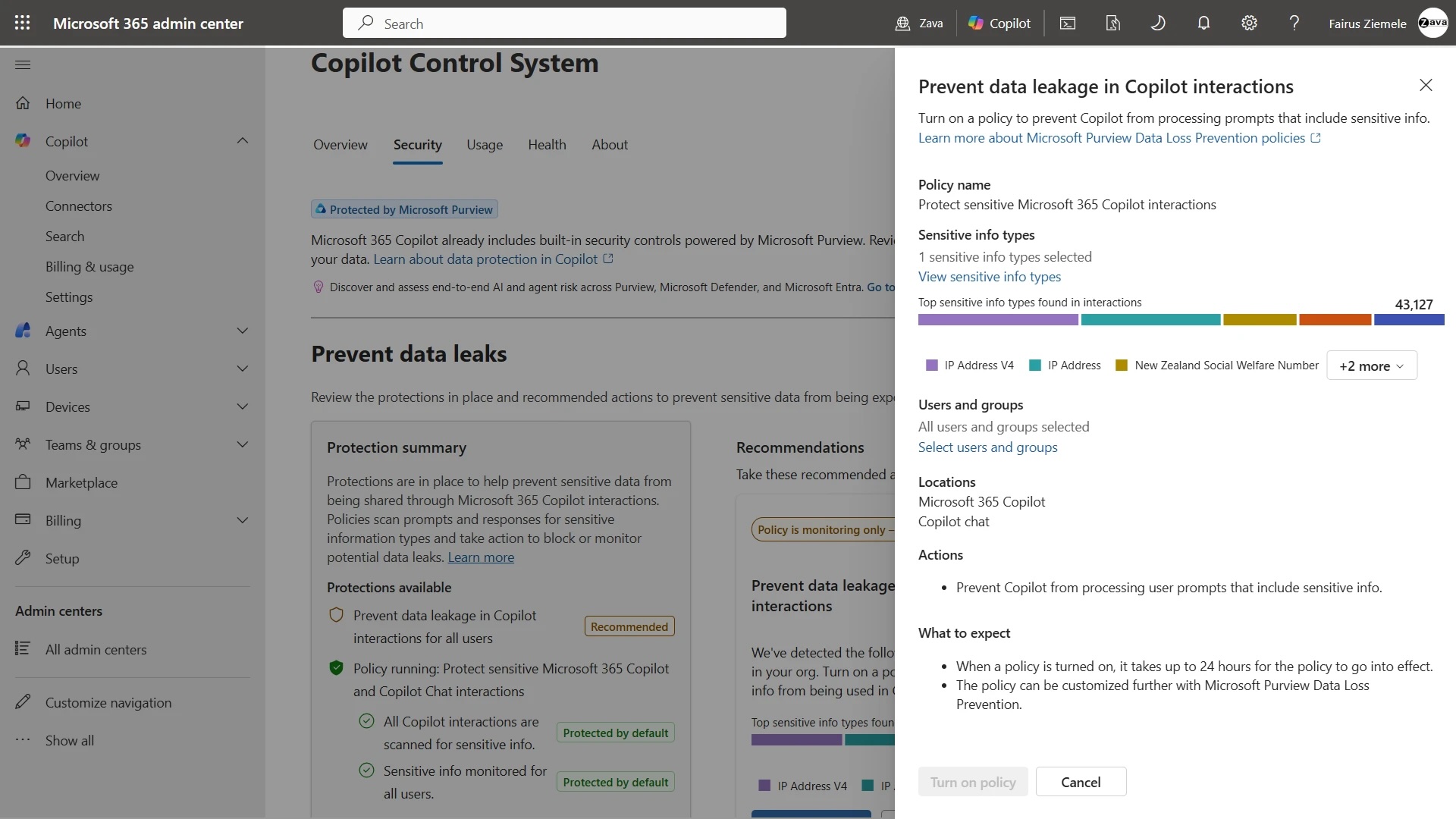
Microsoft is also emphasizing security as a key differentiator against consumer-grade AI tools. Their message is clear: a small business may have sensitive data—contracts, customer lists, payroll, budgets, invoices, or internal documentation—and may lack sufficient controls to prevent human errors.
Microsoft 365 Business Premium now includes more advanced protection features than Standard, such as confidentiality labels, access control, protection against unauthorized re-forwarding, copy and print restrictions, and the ability to revoke permissions even after sharing a document. Some features may require additional products.
This point gains importance with AI. If an employee asks Copilot for business, financial, or HR information, the assistant must respect the same access limits as the user has in Microsoft 365. Microsoft emphasizes that Copilot only sees what it’s authorized to see and that enabling AI doesn’t automatically expose all company data to every employee.
This is a critical issue. Many SMEs have started using public AI tools without clear policies on what data can be shared externally. Microsoft positions Copilot as a safer option for companies wishing to adopt AI without exposing sensitive information outside their usual work perimeter.
The battle for enterprise AI shifts to the SME market
Until now, much of the discussion on enterprise AI focused on large corporations. They have bigger budgets, more data, larger technical teams, and greater capacity to experiment with agents, automation, and advanced models. But the SME market is huge, and Microsoft recognizes that many of these organizations already rely on Microsoft 365 as their primary work environment.
Integrating Copilot into the Business packages can accelerate adoption by removing a commercial and operational barrier. Instead of convincing each company to purchase a separate tool, Microsoft wraps AI into a suite already part of their daily workflow. This is the same strategy the company has used for years with Teams, OneDrive, SharePoint, and Defender: embed features within Microsoft 365 to increase adoption and dependence on the ecosystem.
The risk for SMEs is confusing availability with transformation. Having Copilot in Word or Excel alone doesn’t guarantee greater productivity. Teams will need training, clear use cases must be established, security boundaries set, results reviewed, and real time savings measured. Integrated AI can be useful but doesn’t replace human judgment.
For Microsoft, this announcement strengthens its position in an increasingly competitive landscape. Google is pushing Gemini in Workspace, OpenAI seeks direct corporate presence, Anthropic gains ground with Claude, and other providers are aiming to specialize in specific sectors. Microsoft enjoys a clear advantage: its applications are already installed in millions of organizations.
The arrival of Microsoft 365 Business with Copilot signals a new phase. AI is no longer just a futuristic tool for large corporations but is becoming part of basic office software. For many small businesses, this could be the key entry point. The challenge will be ensuring that Copilot doesn’t add complexity but instead reduces repetitive tasks for those already overwhelmed.
Frequently Asked Questions
What has Microsoft announced?
Microsoft will launch new versions of Microsoft 365 Business Standard and Business Premium with integrated Copilot for small businesses on July 1st.
What does Copilot bring to a small business?
It can help draft documents, analyze spreadsheets, respond to emails, prepare presentations, and automate tasks connected to other business applications.
Does Copilot only work with Microsoft applications?
No. Microsoft states that Copilot will connect with over 1,000 external applications and services, including Shopify, PayPal, Xero, DocuSign, Asana, WordPress, Jira, Canva, and BambooHR.
Is it safe to use Copilot with business data?
Microsoft claims Copilot respects Microsoft 365 permissions and controls, accessing only the information each user is authorized to view.
via: Microsoft
