
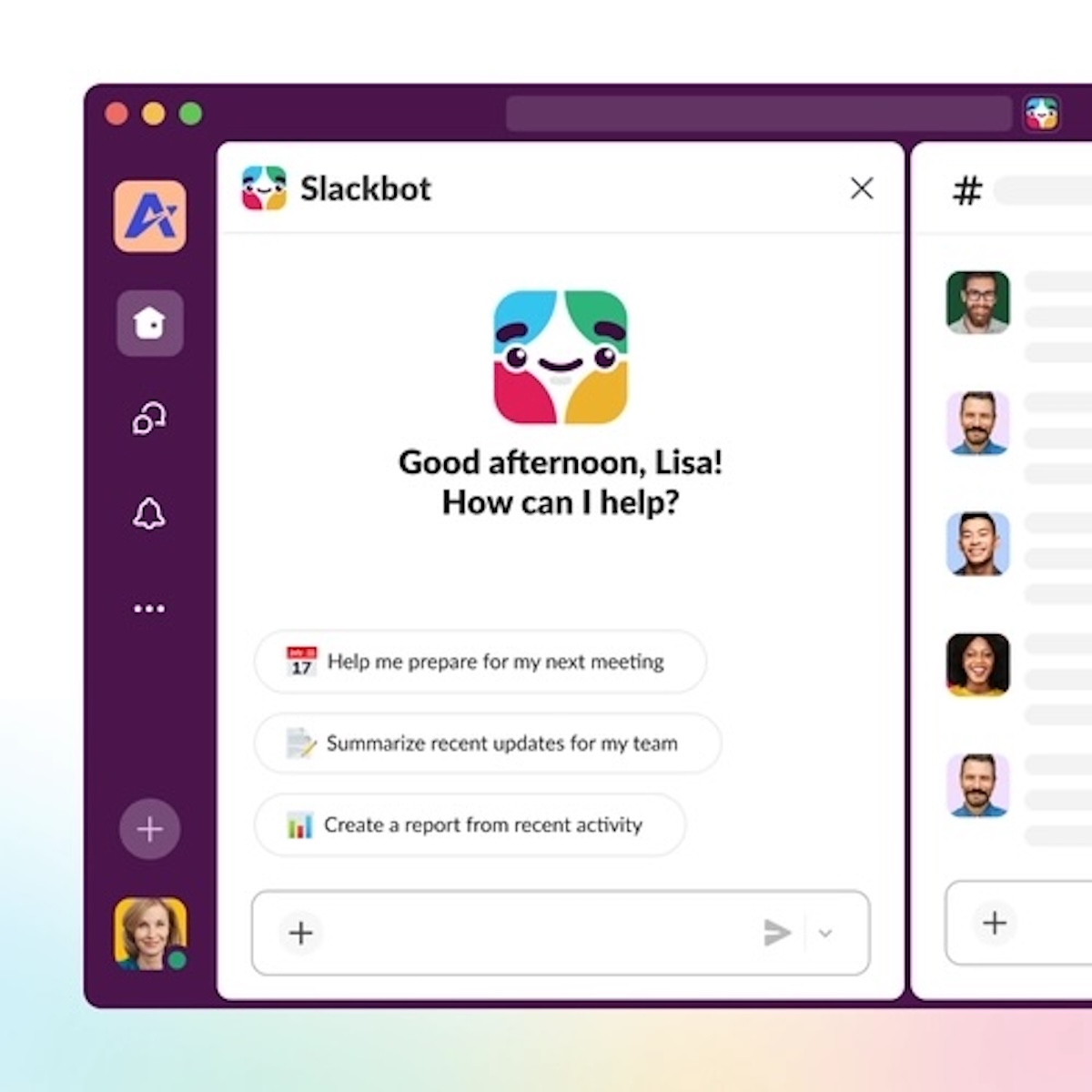
Finding a lost decision among channels, documents, meetings, and direct messages has become one of the most tedious tasks in digital work. Slack aims to tackle this exact problem with the new version of Slackbot, which leaves behind its traditional role as a simple notifications and automation assistant to become a personal AI agent integrated directly into the platform. The company presented this new phase of Slackbot as a tool capable of answering questions, summarizing activity, preparing meetings, generating drafts, and analyzing files, all supported by the user’s actual context within Slack.
Slack’s approach is not happening in a vacuum. Amid the rise of corporate copilots, many companies are discovering that the true utility of AI at work doesn’t rely solely on its ability to write or summarize, but on access to the right context: conversations, files, calendars, connected data, and permissions. This is the core argument Slack uses to differentiate its new Slackbot from other external assistants: since it lives within the platform, it can work on messages, channels, canvases, files, and connected services that the user already has access to, without forcing them to constantly switch tools.
Slack describes it as a “personal” agent because it tailors responses based on each employee’s role, projects, and collaboration network. According to official documentation, Slackbot can help find information, generate agendas, draft project plans, prepare meetings, and query connected sources like Google Calendar, Outlook Calendar, Salesforce, or other sources enabled for Enterprise Search. The key, the company insists, is that responses are built on the same information the user can already see within their workspace.
This point is especially relevant in a market filled with promises of “AI for work,” but where many tools still operate as disconnected layers that don’t align with the actual business flow. Slack is positioning itself differently: not as a generic chatbot embedded in an app, but as a conversational interface that leverages the central role the platform already plays in many organizations. The company even described Slackbot as the “gateway” to a broader future where proprietary AI agents, Agentforce, and third-party agents will coexist and be coordinated from Slack.
What the new Slackbot can actually do
Practically speaking, Slackbot today focuses on three specific usage areas that address very concrete needs. The first is smart updates: instead of forcing the user to read full threads, search for old messages, or sift through multiple files before a meeting, Slackbot can summarize conversations, recent activity, and shared materials to provide a compact overview of a topic’s status. Slack promotes this as a way to reduce the “busywork”: searching, organizing, and catching up before truly moving forward.
The second area is draft generation. Here, Slackbot enters a space increasingly contested by Microsoft, Google, and other major players: creating emails, notes, plans, agendas, or basic documents based on the existing context within the company. Slack claims this feature helps start from a better-oriented initial draft instead of a blank page. This is a well-known promise in generative AI, but it gains value if it truly leverages internal conversations and previous materials from the team.
The third area involves file analysis: Slackbot can summarize documents, review lengthy contents, and answer questions based on shared files and other authorized sources. Slack’s official AI feature guide also notes that file summaries are available on Business+ and Enterprise+, while Enterprise Search—a key tool to extend beyond Slack—is reserved for Enterprise+. This introduces an important nuance: the full experience won’t be identical for all clients.
It’s also worth highlighting that Slackbot isn’t a separate feature to be installed manually. Slack and Salesforce explain that it is natively integrated into the platform, with general availability beginning on January 14, 2026, for Business+ and Enterprise+ clients. Later, Slack reinforced this message with a broader presentation on March 13, 2026, emphasizing its role as a personal AI agent for each employee.
The real value lies in context, but so do its limits
The biggest strength of the new Slackbot isn’t promising that “it will do everything,” but rather relying on a sensible principle: in work, AI often fails when it doesn’t understand how information flows or where decisions are actually made. If a key conversation is in a private channel, a shared canvas, meeting notes, or an linked file, an assistant without contextual access is at a disadvantage. Slack aims to turn this limitation into its main competitive advantage.
Of course, there are clear limits. Slackbot can only respond with information the user already has access to, and its capabilities depend on the subscribed plan, the user’s role, and whether administrators have restricted certain features. Additionally, using Enterprise Search requires administrators to enable data sources and the user to connect their account to those sources. It’s not an omniscient AI within the company, but a conversational layer built on existing permissions and pre-configured connections.
Slack also emphasizes security heavily. The company assures that Slackbot is protected by Slack AI Guardrails, a multi-layer security framework that, according to their documentation, enforces permission controls, misuse protections, prompt injection mitigations, phishing filters, and output format validation. Furthermore, Slack states it does not use customer data to train generative models, and responses are generated solely from the data already visible to the user.
Within this balance of promise and reality lies Slackbot’s true test. If it can save time without adding noise, it could reinforce Slack’s position as the central operational layer of digital work. If it only provides flashy summaries and generic drafts, it will be just another feature in the corporate AI race. For now, the company is pursuing a more ambitious goal: shifting Slack from just a place where conversations happen to where those conversations are transformed into action.
Frequently Asked Questions
What exactly is the new Slackbot?
It’s the latest version of Slackbot as a personal AI agent integrated within Slack. It can answer questions, summarize information, prepare meetings, generate drafts, and leverage data and files the user already has access to within the platform.
Which Slack plans include Slackbot?
According to Slack’s official AI feature guide, Slackbot is available on Business+ and Enterprise+ plans. Other related features, like Enterprise Search, are limited to Enterprise+.
Can Slackbot see all company information?
No. Slack states that Slackbot only uses information the user has permission to see. Moreover, administrators can restrict access and control which connected sources Slackbot can query.
Does Slackbot use customer data to train AI models?
Slack claims it does not train large language models or other generative models with customer data, and its AI functions operate on data visible to each user, with additional protections via Slack AI Guardrails.
