
Hybrid work cybersecurity has been stuck in a contradiction for years: the more the office decentralizes, the more the catalog of “essential” tools to protect it grows. In many organizations, this translates into piles of SASE/SSE solutions, multiple consoles, and duplicated policies, resulting in rising costs, operational complexity, and blind spots exactly where work is happening today.
In this context, Sophos has introduced Sophos Workspace Protection, an approach that aims to turn the equation around: securing the workplace where daily activity actually concentrates—the browser, and using that layer to protect applications, data, and users, as well as govern Shadow IT and Shadow AI usage in an environment where generative AI tools have entered workflows well before corporate policies.
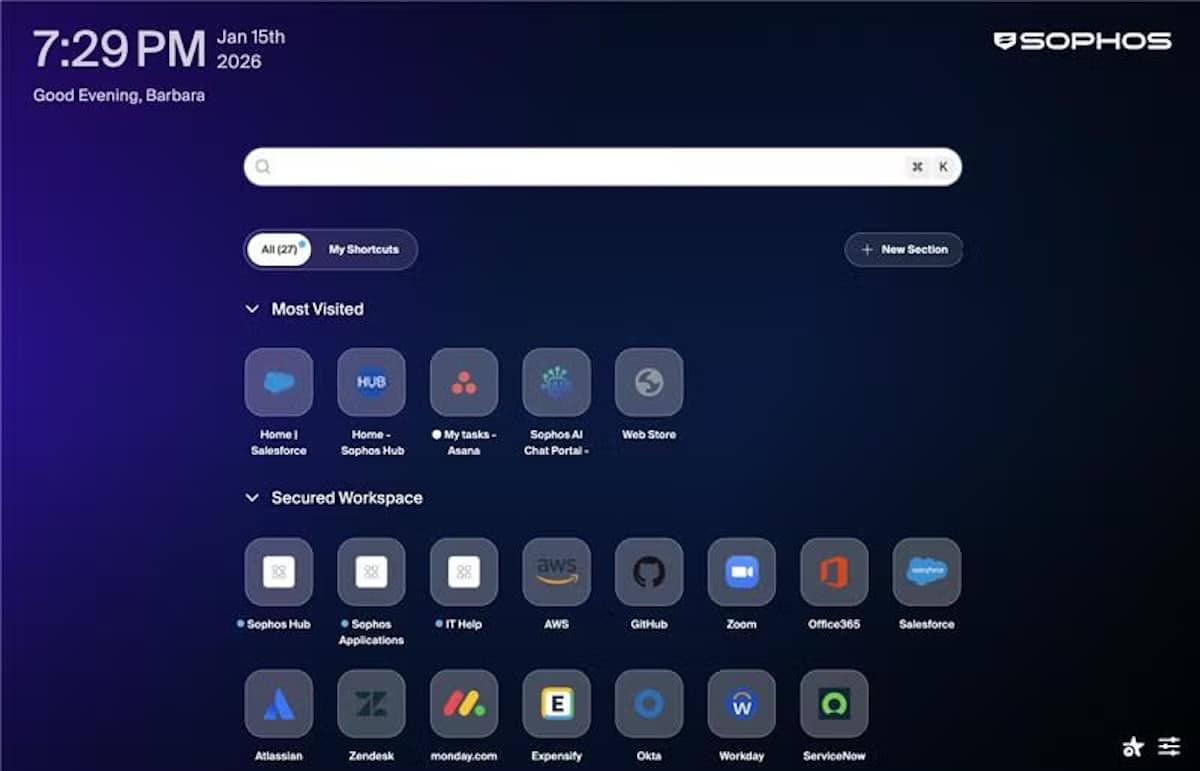
The core of the product is Sophos Protected Browser, an enterprise Chromium-based browser powered by Island, integrated with Sophos Central for centralized visibility, control, and deployment. The idea is clear: since much of modern work happens in web applications and SaaS, the browser ceases to be just another “client” and becomes a control point.
Less “backhaul,” more direct control: the new twist on classic SASE
Sophos’s message aligns with a reality IT teams know well: many traditional security architectures for hybrid work tend to redirect traffic toward centralized infrastructure for inspection and control. This can work, but it also introduces friction: longer deployments, reliance on specialized expertise, and sometimes a poorer user experience when network performance can’t keep up.
Workspace Protection offers the opposite: bringing controls into the workspace itself to reduce the need for constant “backhaul.” The implicit promise is twofold:
- Simplify (fewer components and fewer architecture dependencies).
- Increase visibility where shadow becomes most prevalent: browsers, SaaS, third-party access, and use of unauthorized tools.
At launch, IDC summarized it as a pragmatic move by the market: achieving typical SASE/SSE results with a endpoint- and browser-focused approach, with less operational burden and more capacity to govern applications and AI use without adding another infrastructure layer.
Shadow AI: the new hole in the “workspace” wall
Shadow IT has long been a classic concern. But Shadow AI accelerates the problem: employees using assistants, extensions, chatbots, or text/image generation services to boost productivity… without the company having a clear idea of what data is shared, which tools are involved, and under what conditions.
Sophos frames Workspace Protection as a direct response to this challenge: inventorying and controlling the use of applications and services from the browser, enforcing policies, and reducing the risk of data leaks—especially as AI is integrated into sensitive tasks (summaries, drafting, document analysis, support, etc.).
The issue is no longer just “block or allow,” but enabling a model of secure adoption: visibility first, rules second, and continuous auditing.
What does Sophos Workspace Protection include?
Sophos presents it as a modular set of components that can be deployed together or separately based on maturity and needs. The offering is structured around:
| Component | Practical Benefits |
|---|---|
| Sophos Protected Browser (Island) | Controls over application usage, local data handling, web filtering, and policies within the browser. Includes secure access capabilities and remote management (including SSH and RDP scenarios). |
| Sophos ZTNA | Zero Trust access to private applications, with posture verification: only authorized and compliant users and devices. Keeps apps outside of direct internet exposure. |
| Sophos DNS Protection | An additional layer against malicious or unwanted domains via DNS protection, deployable on Windows endpoints. |
| Email Monitoring System | Addon for Google or Microsoft environments that monitors email traffic and enhances threat detection (like phishing). |
The narrative aligns with a growing trend: viewing the browser as a universal interface (SaaS, BI, CRM, collaboration, support, management), and therefore the logical point for security policies, data control, and visibility.
Why now: the browser as the “zero zone” of modern work
Two fundamental reasons explain the timing of this approach:
- Web-first work: corporate activities are shifting to SaaS and web apps; the browser becomes the “real OS” for many roles.
- Expanding AI tools: AI’s adoption in the workplace is accelerating faster than governance frameworks. What was once “bring your own app” now is “bring your own copiloto.”
In this environment, a corporate browser with native controls can be an accelerator for organizations that don’t want (or can’t deploy) a full SASE but need visibility and uniform policies across hybrid, remote, and third-party scenarios.
What should companies consider before adopting?
As with any solution aiming to become the central layer of the workspace, real value depends on proper execution. Several points merit calm evaluation:
- Change management: introducing a corporate browser (even if Chromium-based) requires an adoption strategy. User resistance often appears when restrictions are perceived as without clear benefit.
- Data policies: control within the browser must align with DLP, information classification, and internal regulations. Otherwise, the browser is just another patch.
- Compatibility and performance: for critical SaaS, extensions, integrations, and SSO, any friction leads to support tickets and user frustration.
- AI governance model: the goal shouldn’t be just “block AI,” but defining acceptable use, tools, and controls (e.g., avoiding pasting sensitive information into external services).
Sophos has announced availability for clients and partners starting February 2026, suggesting initial deployments will likely begin early in the year, especially in organizations already integrated with Sophos Central seeking consolidation.
Frequently Asked Questions
In what cases does an enterprise browser provide more value than adding another SASE/SSE layer?
It often stands out when the organization relies on SaaS and web applications, needs quick visibility into actual usage (apps, extensions, AI), and wants to reduce operational complexity without redesigning the entire remote access architecture.
Does Sophos Workspace Protection control the use of generative AI tools by employees?
Yes, the product’s approach is precisely to improve visibility and control of Shadow AI from the browser, applying policies on web app usage and data flows, with centralized management via Sophos Central.
What is the difference between ZTNA and a traditional VPN in this context?
ZTNA usually offers application-based access with identity and device posture verification, keeping private services less exposed. A VPN typically opens a broader “tunnel” to the corporate network, increasing the surface area if credentials are compromised.
When does it make sense to activate DNS controls and email monitoring alongside the browser?
When the goal is to harden the entire workspace chain: browser (usage and data), DNS (anti-phishing/malware by domain), and email (additional attack detection), especially in hybrid setups more exposed to social engineering.
via: sophos
