
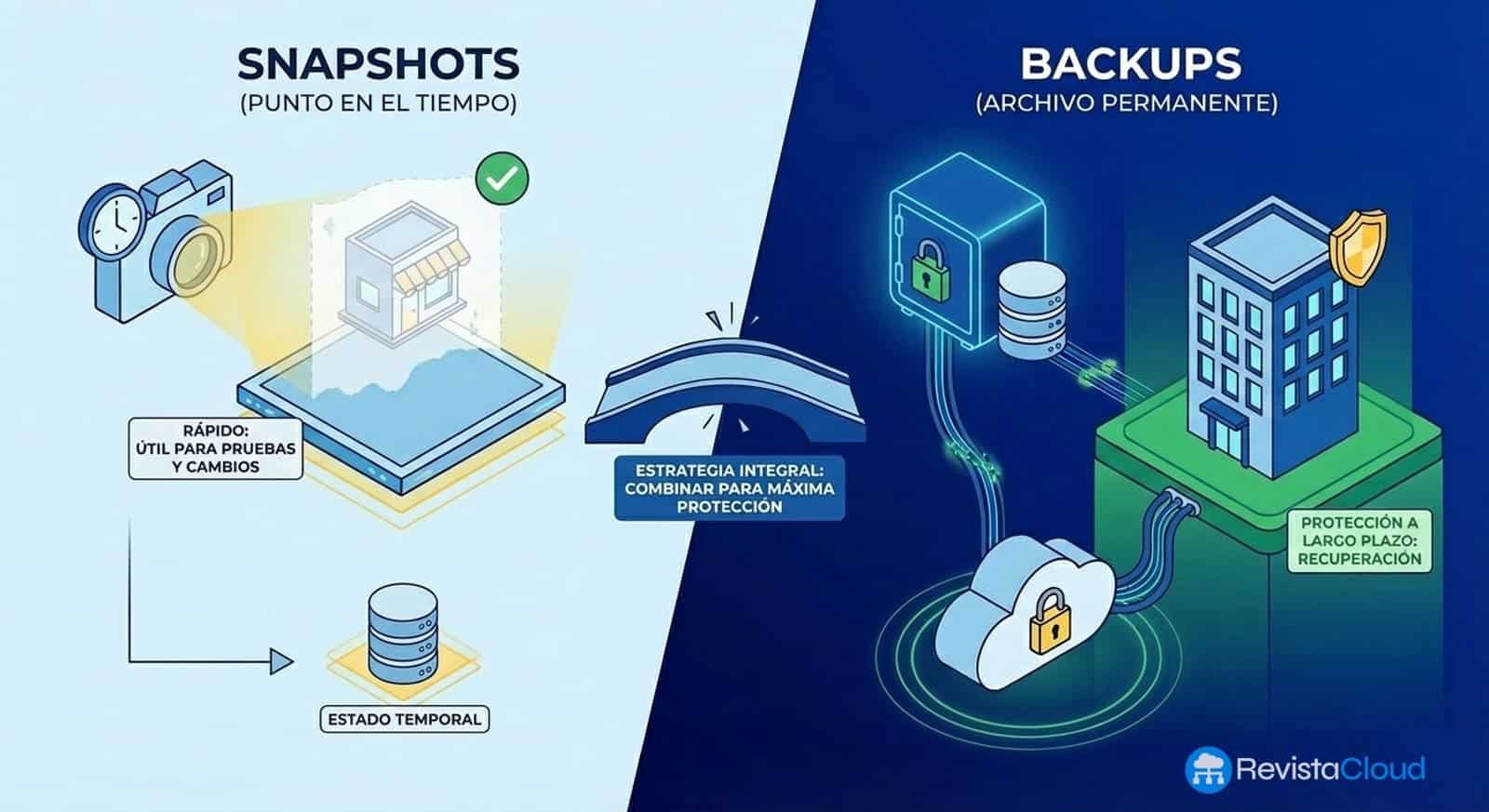
How many times have you created a snapshot “just in case” before an update? If your answer is “many,” you’re not alone. It’s a common practice in nearly all IT departments. The problem is that that snapshot which gives you peace of mind can turn into a deadly trap for your business.
The recurring scene
Critical ERP update. The system administrator creates a snapshot of the virtual machine, performs the change, and when everything works, moves on. Days, weeks, or months go by. No one deletes the snapshot. No one creates a proper backup.
One day, the datastore fails. Or ransomware encrypts the entire infrastructure. Or simply, the host stops responding.
And then comes the question no one wants to hear: “Where is the backup?”
The answer, too often, is an uncomfortable silence followed by: “We had a snapshot…”
Snapshots ARE NOT backups
This confusion remains one of the key issues in the era of mass virtualization. And it’s not a minor technical nuance: that distinction can, in many cases, determine the continuity of your business.
A snapshot is a photo of the VM’s state at a specific moment. It captures the disks’ contents, configuration, and optionally memory state. But — and here’s the key — it lives on the same storage as the original disk. If the storage fails, the snapshot disappears with it.
A backup is an independent copy stored elsewhere, allowing data recovery even if the original environment is completely destroyed.
The difference is stark:
| Snapshot | Backup | |
|---|---|---|
| Location | Same storage | Separate storage |
| Storage failure | Everything is lost | Data is protected |
| Ransomware | Encrypted along with data | Recoverable (if immutable) |
| Restoring on another server | Impossible | Absolutely possible |
| Regulatory compliance | Not valid | Required |
The golden rule
There’s a very simple way to tell if your organization is truly protected:
If the supposed “copy” depends on the same storage and hypervisor, IT’S NOT a backup.
If your company can completely lose the host or datastore and still restore virtual machines from another location, that is a real backup.
Snapshots have their place
It’s not about demonizing snapshots. They are fantastic tools for:
- Testing operating system updates
- Applying risky patches
- Making delicate configuration changes
- Creating a quick rollback point during maintenance windows
The problem arises when they become the only protection strategy. When they pile up over weeks or months. When no one remembers why they were created or who should delete them.
And your company?
Here are some warning signs:
- ☐ You have snapshots active for more than a week
- ☐ You don’t know your systems’ RPO (how much data you can afford to lose)
- ☐ You’ve never tested a full restore of your backup data
- ☐ All your “copies” are in the same data center
- ☐ You lack immutable backups against ransomware
If you checked any of these boxes, it’s time to review your strategy.
Free whitepaper: Complete Guide to Snapshots vs Backups
To help you understand this topic thoroughly and design a robust protection strategy, we’ve prepared a comprehensive whitepaper covering:
✅ How snapshots work technically in VMware, Proxmox, Hyper-V, and KVM
✅ Detailed comparison: when to use each mechanism
✅ RPO and RTO: key indicators you need to know
✅ Retention strategies (GFS and others)
✅ The 3-2-1 backup rule
✅ Best practices for system administrators
✅ Ransomware protection
✅ Implementation checklist
This whitepaper has been sponsored by Stackscale, a European provider of high-performance cloud infrastructure with storage solutions including geo-replicated backups and options for synchronous replication with RPO=0 and RTO=0 for mission-critical environments.
About Stackscale
Stackscale offers networked storage solutions with fully redundant NetApp systems, snapshot-based backups included by default, and automatic geo-replication to remote data centers. For environments that require zero data loss, they provide storage with synchronous replication between two data centers in Madrid, ensuring RPO=0 and RTO=0.
