
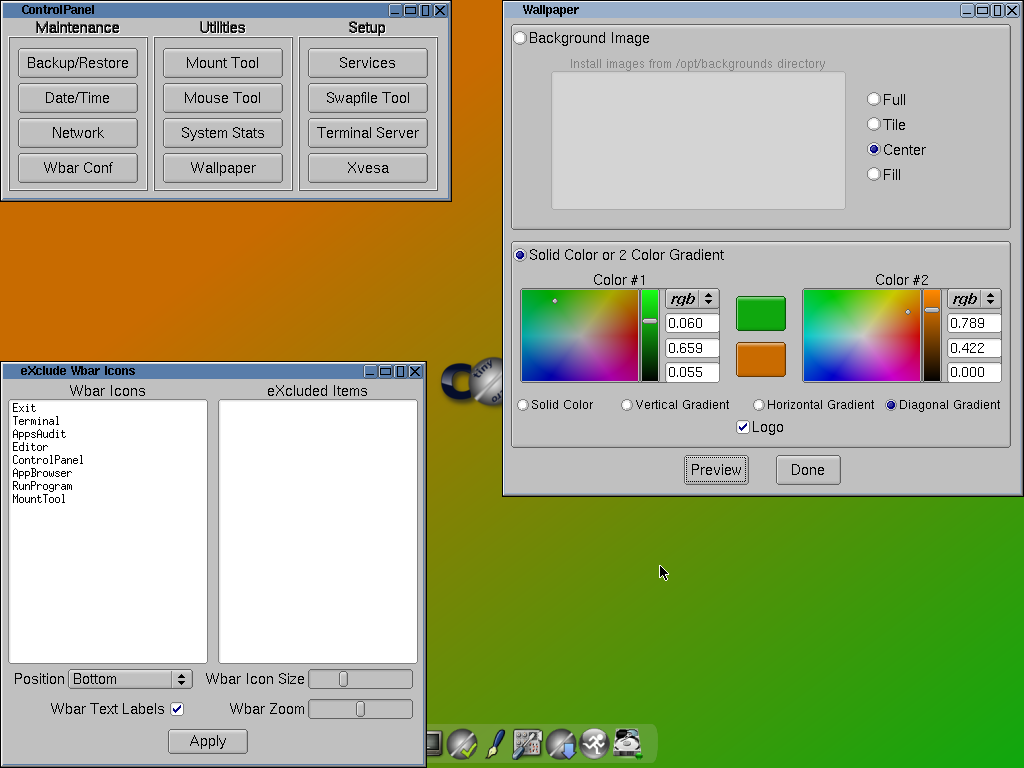
While Windows 11 continues to require increasingly powerful hardware for basic tasks, Tiny Core Linux 16.2 reminds us that a desktop operating system can remain ridiculously small… and still be useful. The latest version of this minimalist distribution fits into about 23 MB for its graphical environment edition. We’re not talking about an installer: we’re talking about a complete bootable system, with a desktop, that occupies less space than many photos taken with a mobile phone.
A Linux desktop in 23 MB
Tiny Core Linux 16.2, released at the end of September, maintains the philosophy that has made this project a classic among ultralight systems: minimal core, everything else as extensions, and a preference to run entirely in RAM when possible.
There are three main variants:
- Core (no GUI): about 11-17 MB depending on the edition. Only kernel, BusyBox, and the essentials for a basic system.
- TinyCore: the “desktop” version with a lightweight graphical environment based on FLTK/FLWM, which hovers around 23 MB.
- CorePlus: a slightly larger image designed for USB installations and to facilitate booting with different desktops or hardware.
The difference with other lightweight distributions is clear: Tiny Core doesn’t try to be “complete out of the box,” but offers an extremely small skeleton upon which the user builds exactly what they need.
What’s included… and what’s not?
In its standard form, Tiny Core Linux offers:
- Recent Linux kernel (series 6.12 in current builds).
- Basic tools bundled with BusyBox.
- A minimal graphics server and FLTK/FLWM environment.
- Utilities to manage extensions (
.tcz) from its own repositories.
What doesn’t come pre-installed is equally important:
- No pre-installed web browser.
- No advanced multimedia support unless added.
- Additional drivers, more advanced network tools, office suites, etc., are always optional extensions.
The result is a tiny but functional ISO, designed for users who know exactly what they want to install and how to configure it.

It’s not a demo: it’s a real, maintained distro
Despite its “experimentation” appearance, Tiny Core isn’t a toy. It’s a maintained project, with:
- Updated kernel and support for relatively modern hardware (USB controllers, current network cards, etc.).
- Extension system that allows adding everything from browsers like Opera/Chromium to servers, networking tools, recovery utilities, and more.
- Very fast boot, especially when run from RAM.
Its philosophy fits well in several practical scenarios:
- Reviving very old hardware that doesn’t support modern “heavy” distros.
- Embedded systems or appliances where a purpose-specific Linux is needed.
- Rescue environments: a tiny live system that fits on almost any medium and boots quickly.
- Labs and testing where precise control over installed packages is important.
Tiny Core vs. other lightweight distros
In the world of ultralight systems, Tiny Core isn’t alone. SliTaz, Slax, and other alternatives offer similar experiences but with nuances:
- SliTaz: slightly larger, includes more tools by default (like a browser), and aims to be more “usable” right after boot.
- Slax: focused on being a portable live USB, somewhat heavier but more compatible with mainstream software.
- Tiny Core: takes the “minimal base + extensions” idea to the extreme. The base ISO is deliberately incomplete.
In other words: SliTaz and Slax aim for “small but ready to use”; Tiny Core strives to be “massively tiny and fully modular,” ideal for experienced users comfortable with the command line.
An uncomfortable reminder for “heavy” systems
The comparison with Windows 11 is unavoidable. While Microsoft’s system:
- Requires dozens of gigabytes of space.
- Loads multiple services in the background.
- Can make a multi-core, gigabyte-RAM machine feel sluggish…
…Tiny Core Linux boots a usable desktop in seconds, uses just a few megabytes in memory, and leaves nearly all system resources free for user applications.
Of course, they aren’t directly comparable products: Windows 11 offers integration with Microsoft services, compatibility with a vast ecosystem of software, and a user experience designed for the general user. Tiny Core, on the other hand, requires Linux knowledge, reading documentation, and a willingness to “build your environment by hand.”
But its existence serves as an important reminder: much of the complexity and resource consumption in today’s systems stem from design choices, not inherent technical necessity.
A philosophy: learn, share, build
The project describes itself as an “ultra tiny, nomadic graphical desktop system,” capable of booting from CD, USB, or frugal disk installation. The idea is for the core system to reside in RAM, with users deciding where and how to store applications and data (in memory, persistent storage, or mounted as extensions).
The Core Project community encourages:
- Learning Linux from its fundamentals, configuring services and environment manually.
- Sharing extensions and knowledge on their forums.
- Building fully customized desktops, servers, or appliances, without extra weight.
In a world where many distributions compete to add more graphical assistants and layers of abstraction, Tiny Core Linux 16.2 retains an almost “artisan” stance: it provides the minimum tools and lets the user do the rest.
It’s not the right distro for those fleeing Windows 11 looking for an “easy and similar” experience. But for administrators, minimal system enthusiasts, and control aficionados, it remains one of the most compelling demonstrations of what Linux can do with just a few megabytes.
