
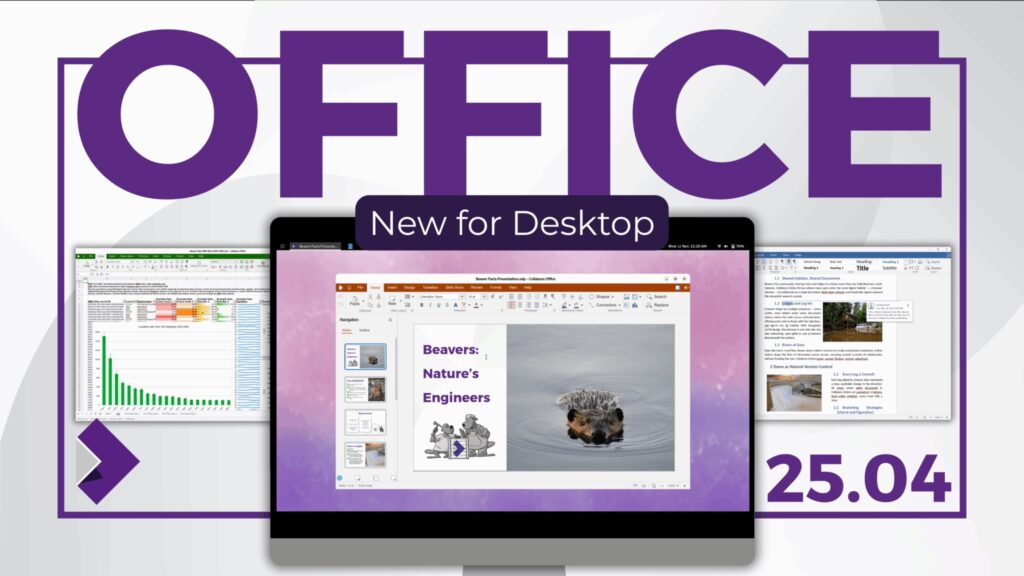
Collabora Productivity has taken a strategic step in the office software market with the release of the first version of Collabora Office for desktop, a new suite that brings the experience of Collabora Online to the local environment, supporting Windows, macOS, and Linux. The company summarizes the product philosophy with a simple idea: same look, same code, and files stay on the device.
The announcement, made from Cambridge on November 26th, reinforces Collabora’s commitment to a 100% open-source office suite, without dependencies on Java or opaque components, designed to work both connected and offline, with a clear focus on privacy and digital sovereignty. The suite is based on the LibreOffice engine and features a modern interface identical to what millions of users already use in browsers and cloud deployments.
A Unified Experience in the Cloud and Locally
Until now, Collabora was mainly known for Collabora Online (COOL), its browser-based collaborative document editing solution used by companies, government agencies, and providers like Nextcloud and OpenCloud. With this launch, that same web interface—built with JavaScript, CSS, Canvas, and WebGL—gets packaged as a desktop application, maintaining the same toolbar layouts, tabs, and menu organization.
The goal is for users already familiar with Collabora Online to feel at home when opening the desktop app, with no additional learning curve. At the same time, those who prefer to work without an internet connection get access to a full editor, including Writer, Calc, Impress, and Draw, capable of opening, editing, and saving local documents normally.
Collabora emphasizes the offline-first approach: documents are edited on the user’s machine and only leave it if sharing or synchronization is intentionally performed through other tools.
Compatibility with ODF and Microsoft Office
A key aspect of the suite is document interoperability. Collabora Office for desktop supports both the open format ODF (ODT, ODS, ODP) and OOXML formats used by Microsoft Office, including DOCX, XLSX, and PPTX. The company, involved for years in ODF standardization and Microsoft format compatibility, presents this as an essential requirement for enterprises and government bodies that need to coexist with documents from various sources.
The suite can work with Word reports, intricate Excel spreadsheets, or PowerPoint presentations, while promoting open formats to ensure long-term portability.
No Java, No Hidden Components, Focus on Digital Sovereignty
Although the core of Collabora Office remains LibreOffice’s codebase, the new desktop version introduces significant changes at the technological “ground level.” The most visible is the complete removal of Java dependencies, resulting in a cleaner installation, a self-contained package, and reduced resource consumption compared to solutions still using legacy components.
The company underscores that the product is 100% free software, free of spyware or hidden telemetry, and aligns with principles of digital sovereignty: users or organizations decide where their data resides and how it is managed. Collabora Online can be deployed on private or third-party servers, while the new desktop app ensures regular work can continue even if internet connectivity fails or the cloud provider experiences an outage.
This stance aligns with the strategies of many European authorities seeking to reduce dependency on proprietary cloud suites and promote auditable, controllable solutions within the public sector. For example, the German digital sovereignty center (ZenDiS) already uses Collabora within its openDesk suite and values the ability to provide a coherent experience on offline stations, as noted by partners in the official announcement.
Differences from Collabora Office Classic
The release does not replace the previous product line but reorganizes it. Collabora has rebranded its traditional desktop suite as Collabora Office Classic, based on the “classic” VCL interface of LibreOffice, with all its advanced options, wizard support, extended macro support, and the Base database application.
Meanwhile, the new Collabora Office for desktop focuses on:
- Modern unified interface with Collabora Online, built with web technologies.
- Simplified configuration and more straightforward default settings, designed for typical office workflows.
- Less reliance on external components, thanks to the absence of Java.
- A faster development cycle, allowing rapid iteration of interface changes without recompiling large portions of C++ code.
While Collabora Office Classic remains a long-term support product for organizations requiring maximum compatibility with LibreOffice’s user base, the new suite targets users prioritizing a web-based collaborative editing experience and modern cloud deployments.
Partner Ecosystem: From Nextcloud to Government Solutions
The announcement also includes reactions from key partners. Nextcloud, an open-source content collaboration platform, highlights its UX team’s contributions to the new interface’s ergonomics, which directly fuels Nextcloud Office. Other partners such as Adfinis, Arawa, CIB Group, Circularo, Consolidate, EGroupware, and OpenCloud see the release as a further step in building comprehensive collaboration, digital signing, document management, and automation solutions on open stacks.
The shared message emphasizes the importance of having a modern, interoperable, and auditable office suite that can integrate with cloud services, business applications, and corporate directories—key for advancing sovereign and resilient collaboration models.
Availability and Technical Requirements
The new Collabora Office for desktop is free of charge in its initial release, with plans to add enterprise support later. The available packages at launch include:
- Windows 11 (64-bit), in
.appxformat. - macOS 15 Sequoia or newer, exclusively for ARM architecture.
- Linux x86_64, distributed as a Flatpak.
Collabora acknowledges this as a first release, encouraging community and customer feedback through testing, bug reports, and suggestions. Performance, stability, and features are expected to improve with frequent updates in the near term.
Meanwhile, the company continues to support its existing products—including Collabora Online, Collabora Office Classic, and mobile apps—as part of a comprehensive offering spanning browser-based, mobile, and local work on laptops and workstations, all built on the same codebase.
Impact on the Office Software Market
With this move, Collabora strengthens its position as an open alternative to suites like Microsoft 365 and Google Workspace, especially in environments where data sovereignty and GDPR compliance are critical. The ability to combine a self-hosted web suite with a consistent desktop client and no external dependencies directly targets European companies, governments, and regulated organizations seeking to reduce reliance on proprietary providers.
The competition in office software is no longer just about features or cost but also about who controls infrastructure, where documents are stored, and the organization’s flexibility to switch providers without losing years of work. In that landscape, Collabora Office for desktop adds an important piece to the puzzle of free and open-source solutions.
Frequently Asked Questions about Collabora Office for Desktop
What exactly is Collabora Office for desktop, and how does it differ from LibreOffice or Collabora Office Classic?
Collabora Office for desktop is a new office suite that uses the same core as LibreOffice but with a modern web-based interface, identical to Collabora Online. Unlike Collabora Office Classic, it simplifies menus and settings, removes Java, and focuses on common office workflows. LibreOffice remains the community project, while Collabora offers supported products with defined update cycles.
What document formats does Collabora Office support, and how well does it work with Microsoft Office?
It opens and saves documents in open formats like ODF (ODT, ODS, ODP) and Microsoft Office’s OOXML formats (DOCX, XLSX, PPTX). This enables editing reports, spreadsheets, and presentations originally created in Office, while promoting open standards for long-term compatibility. Interoperability is a core development goal.
What advantages does Collabora Office provide organizations concerned with privacy and digital sovereignty?
Being 100% open source and offline-first, Collabora Office allows documents to stay on the local device unless sharing is opted in. When combined with self-hosted Collabora Online deployments, it offers organizations control over their data stored on their infrastructure, aiding GDPR compliance and reducing dependence on closed cloud platforms.
Which operating systems can support the new suite, and what are its limitations in the initial version?
At launch, Collabora Office for desktop supports Windows 11 64-bit (.appx), macOS 15 Sequoia or newer with ARM architecture, and Linux x86_64 via Flatpak. It is an initial release, so users may encounter bugs, performance differences, or feature changes as the developers refine the product and prepare for enterprise support.
Sources: Collabora Online – Press Release: Bringing Collabora Online to the Desktop; official blog Collabora Online now available on Desktop; Collabora Office Desktop page in the App Store; Wikipedia – “Collabora Online” entry and Collabora Office 25.04 release notes.
